
- Role
- Lead product designer
- Company
- Personio
- Team
- PM, engineering manager, front-end and back-end engineers; design manager in the loop
- Timeline
- May 2025 – August 2025
In short
- Context
Personio is an HR platform for small and mid-sized companies. Its time off product runs leave policies, requests and approvals, and keeps each employee's balance of days.
- Situation
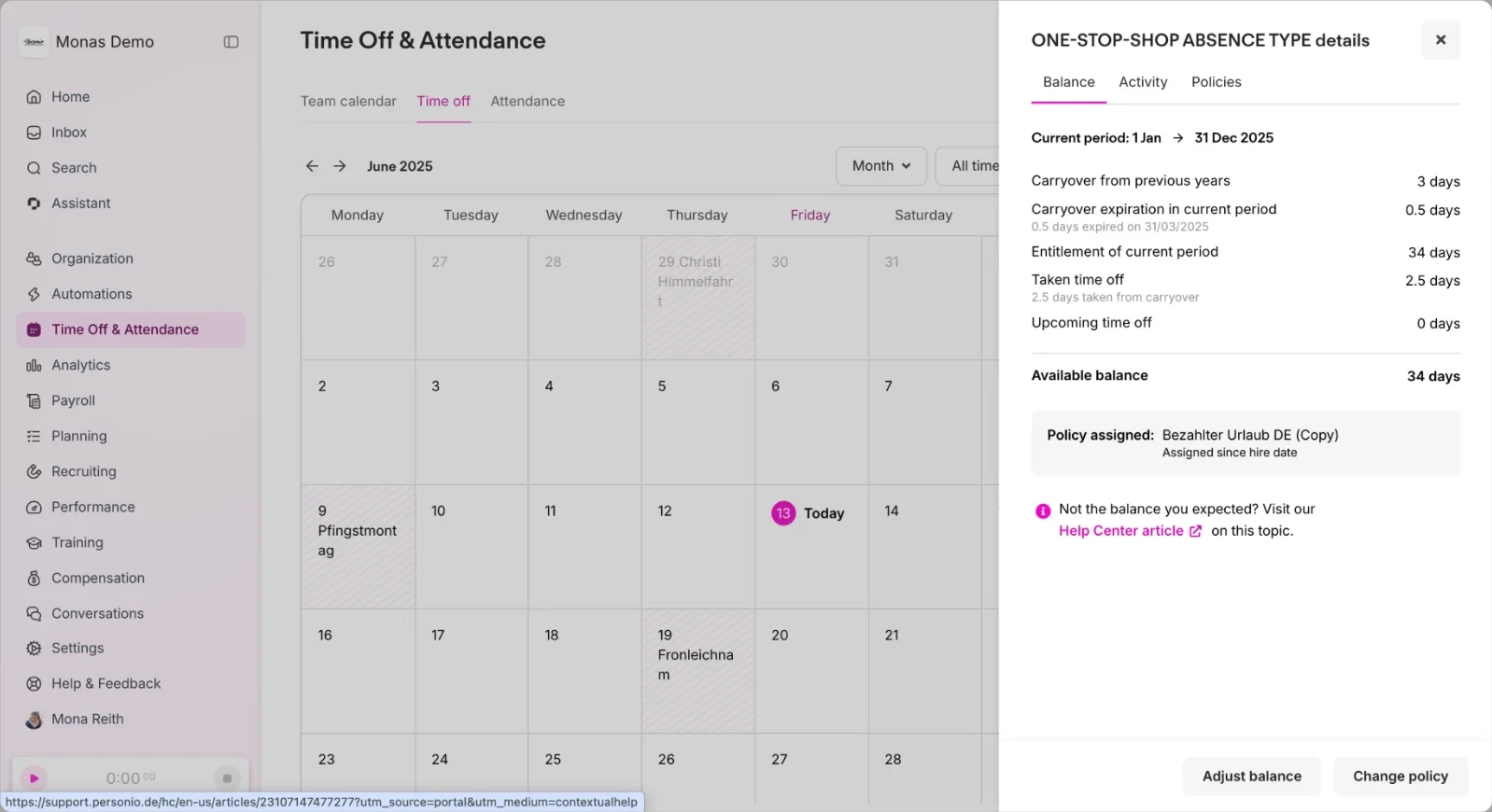
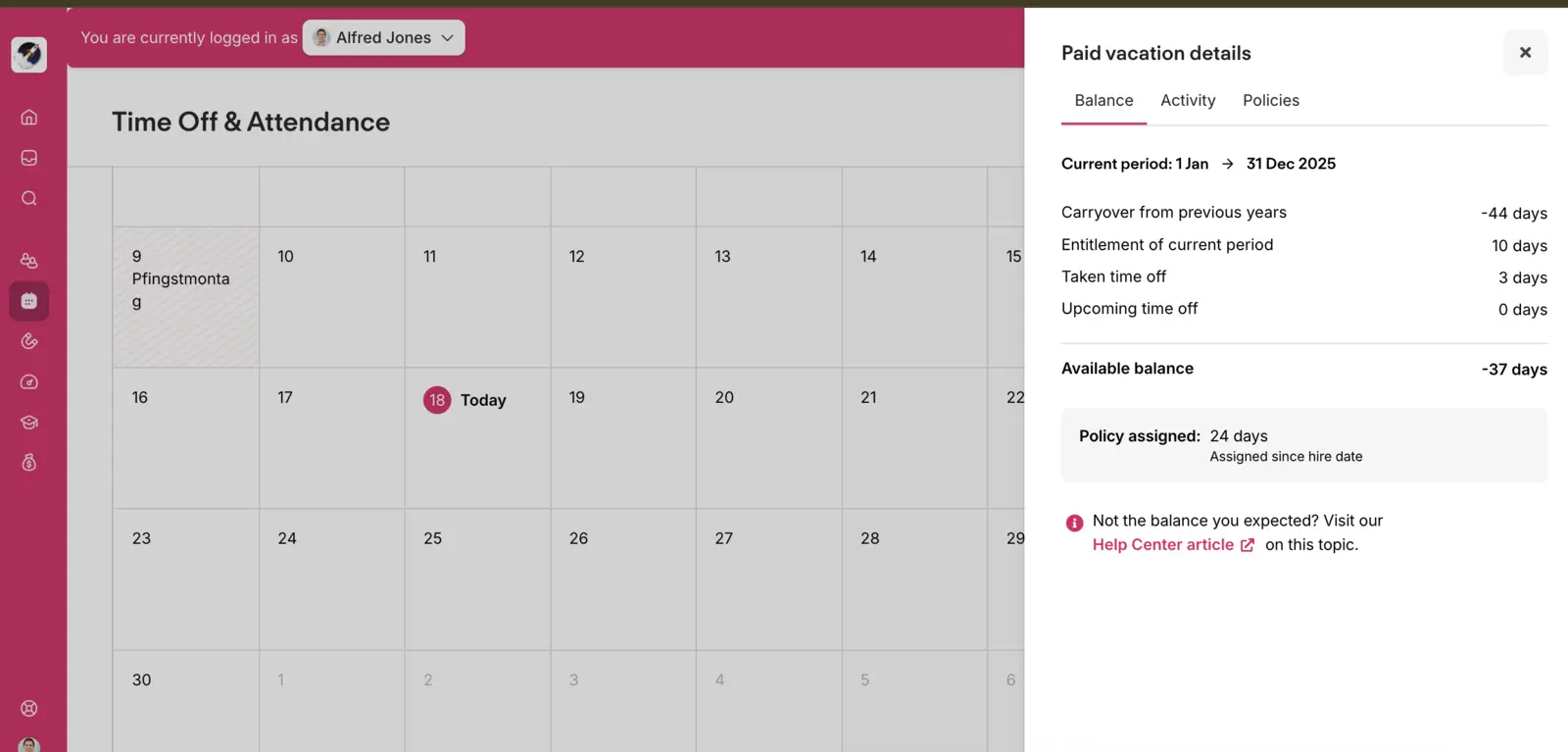
Every screen showed a different 'balance' and none said what it counted. Approvers saw no balance when approving, and balance confusion was the top reason customers contacted support about time management.
- I owned
The shared balance model, the persona-by-component mapping, the three options we chose between, the language-team session on 14 terms and the design review with engineering.
- What changed
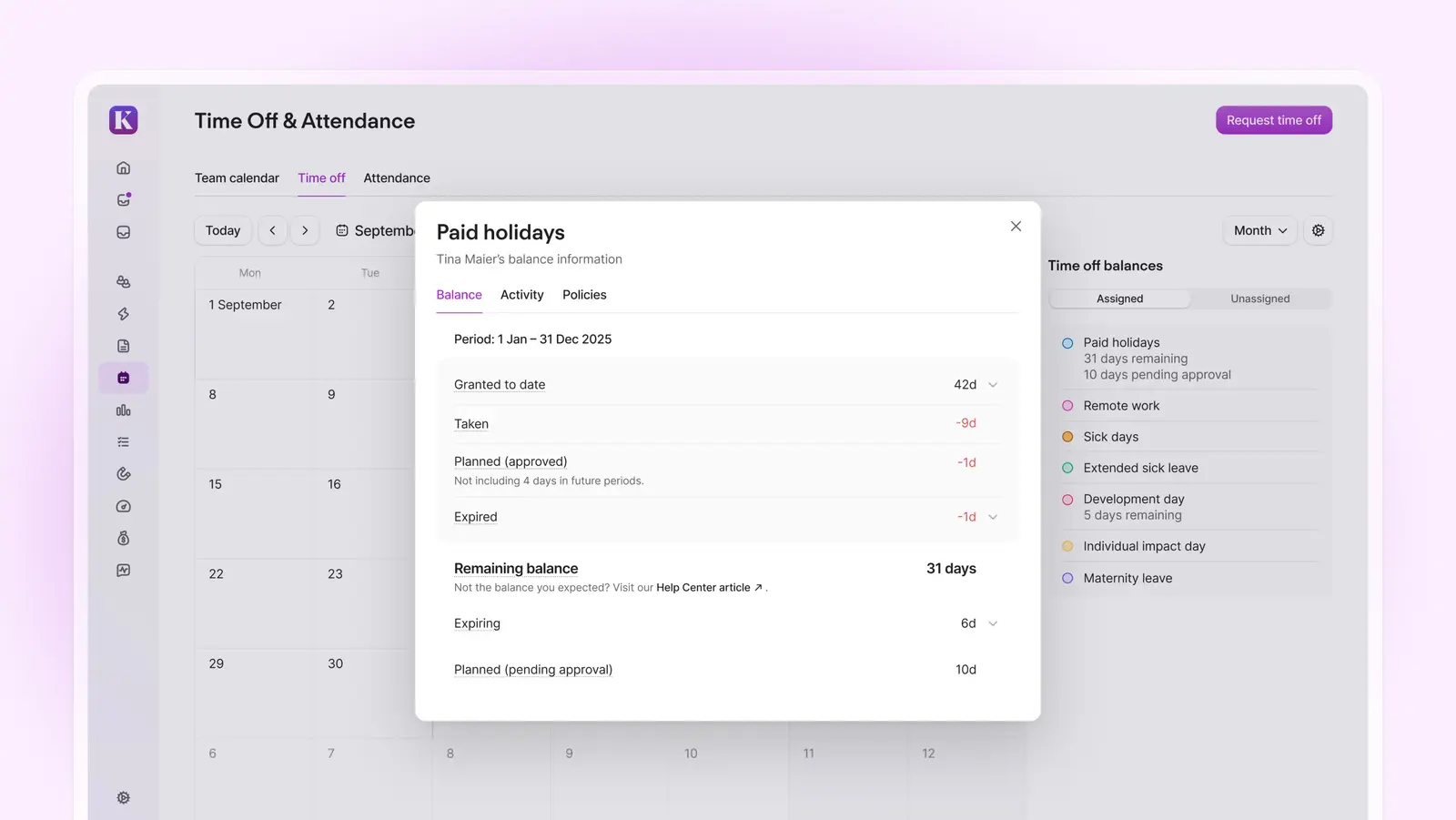
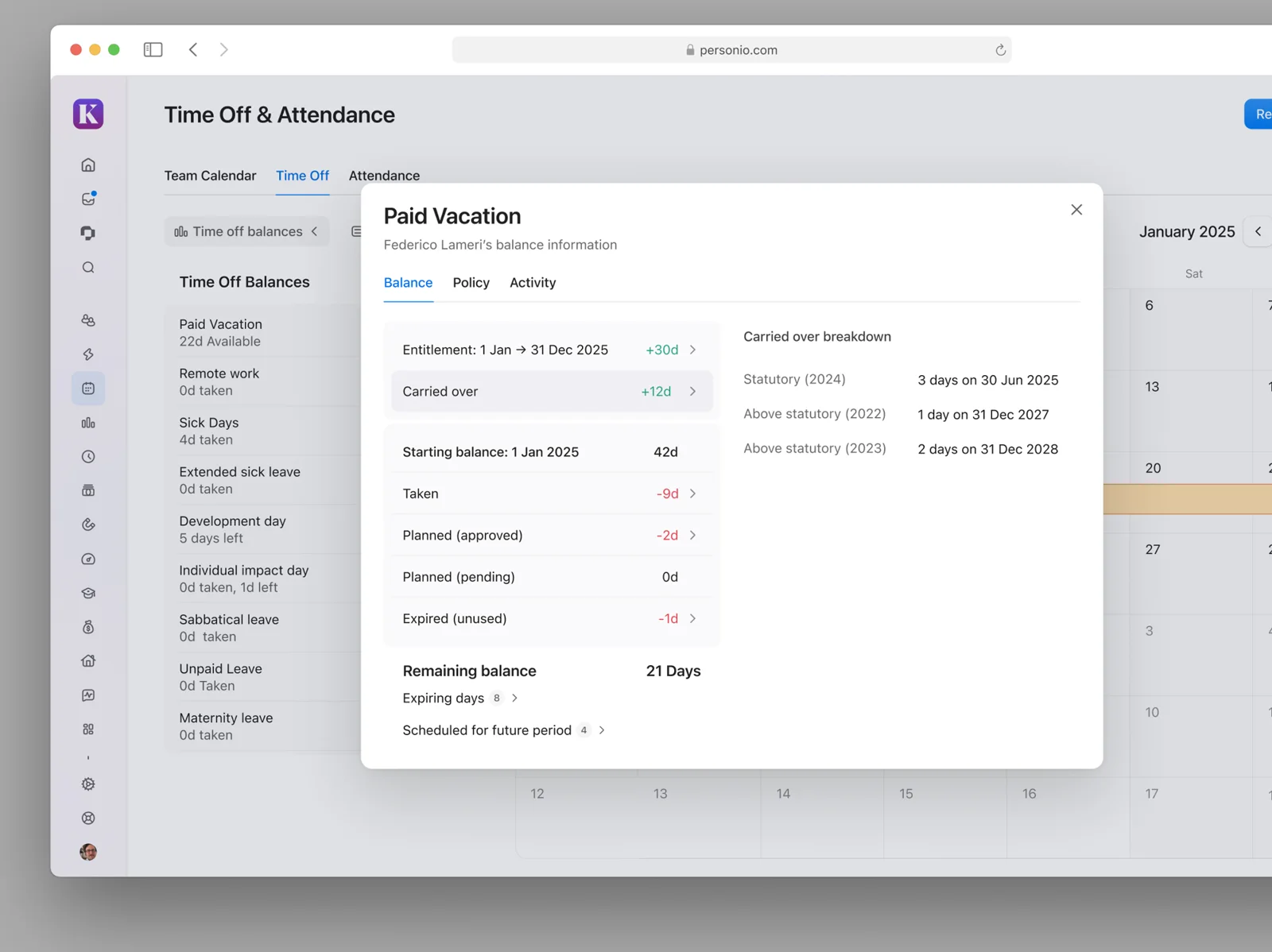
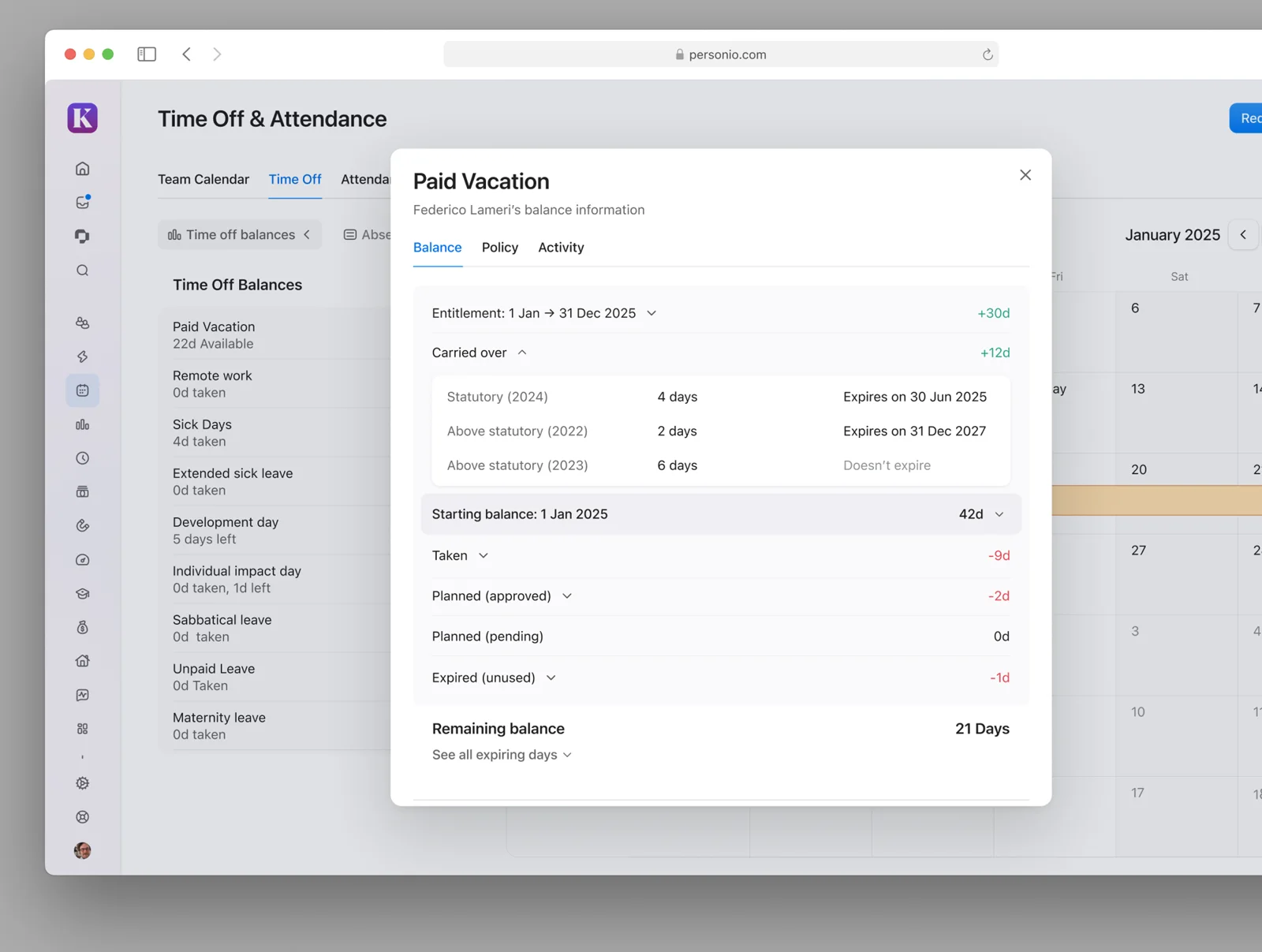
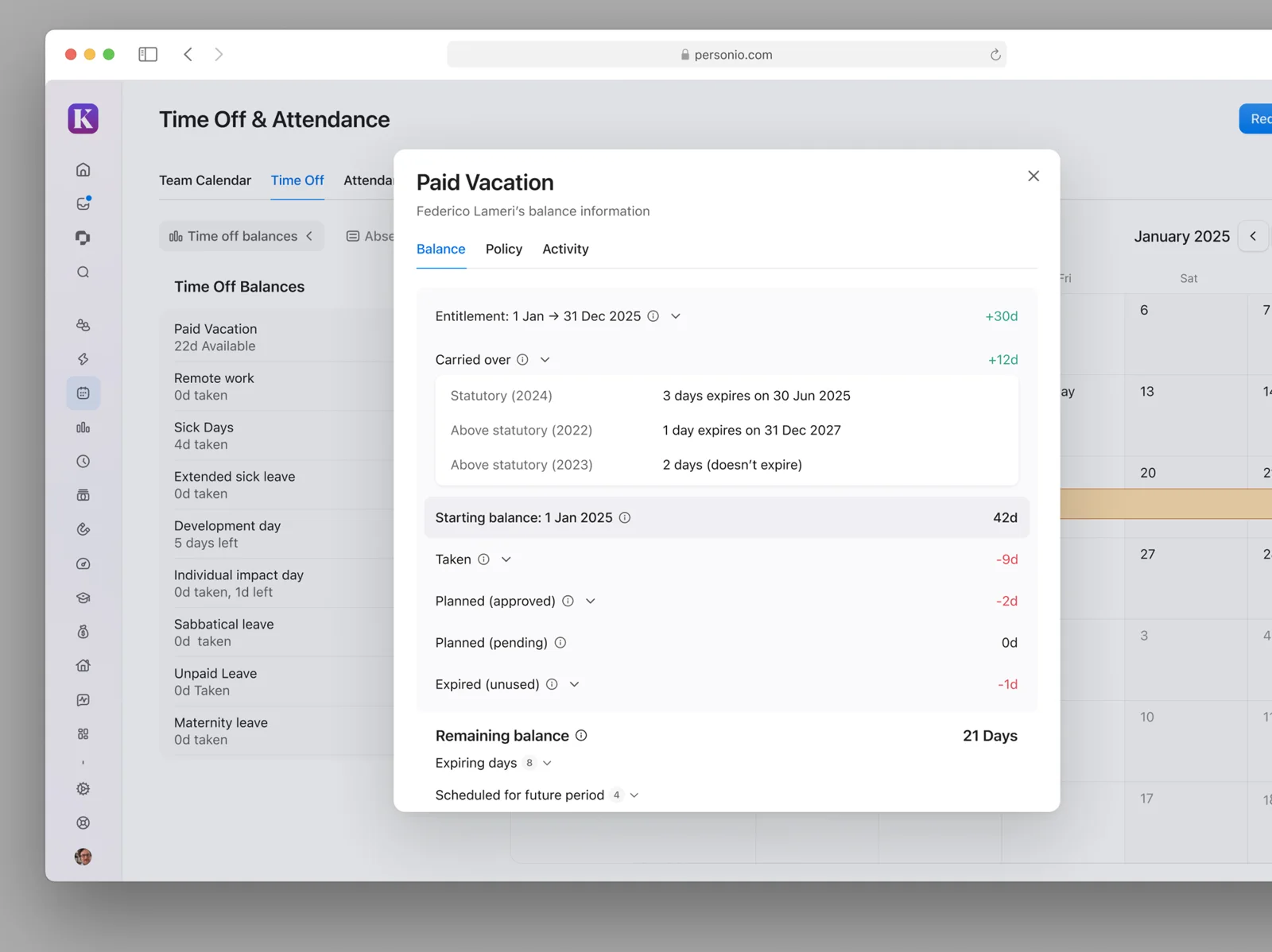
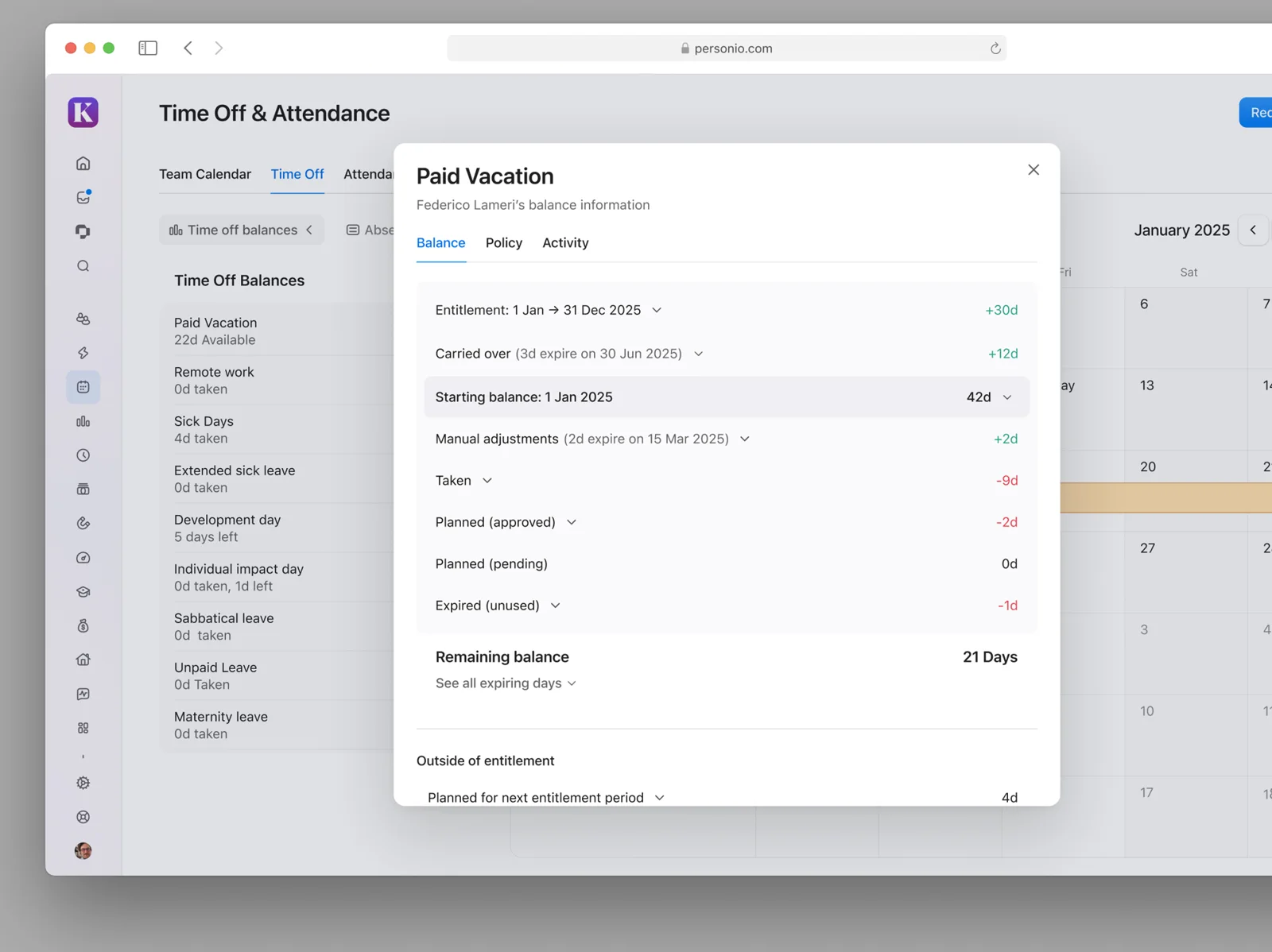
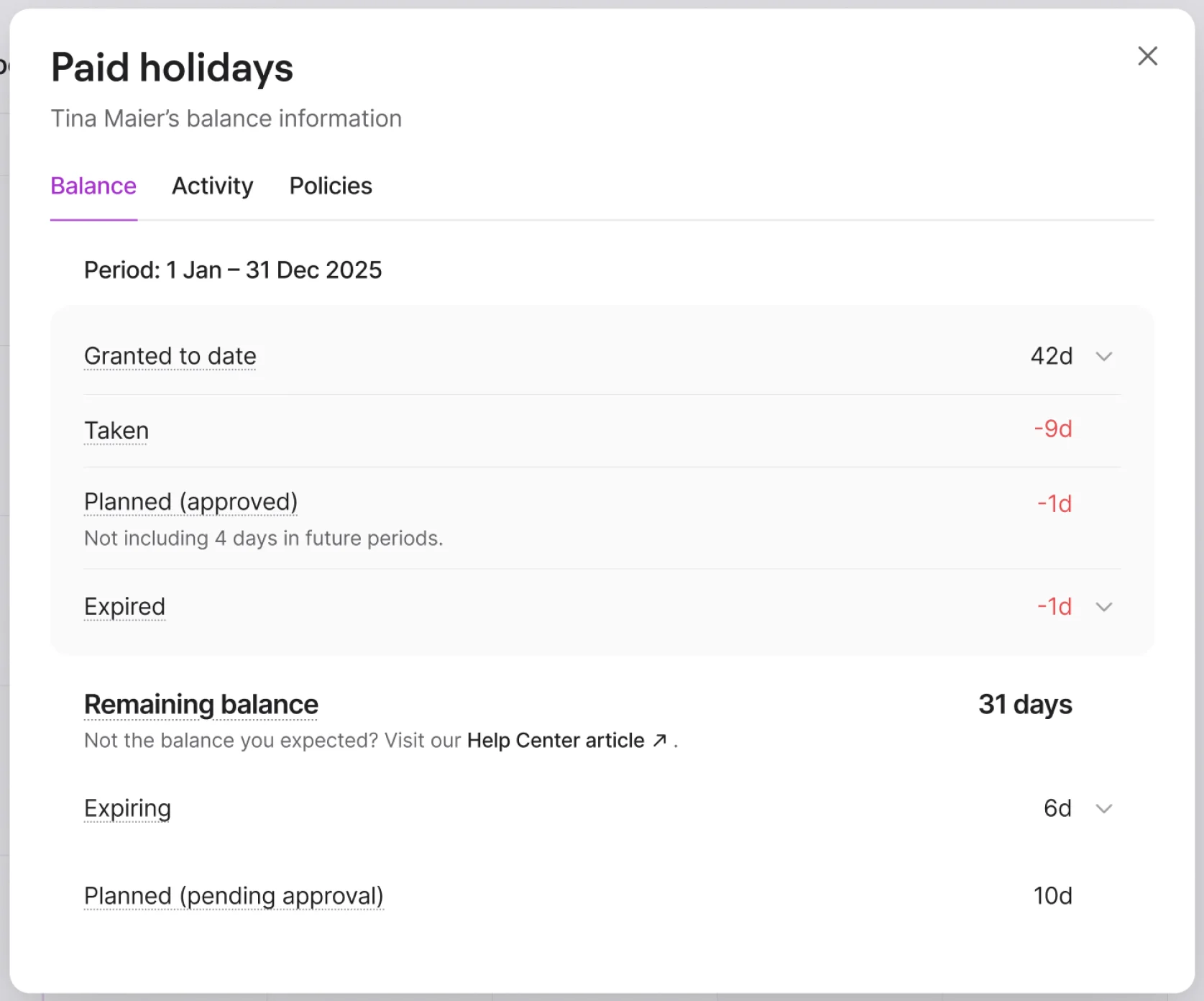
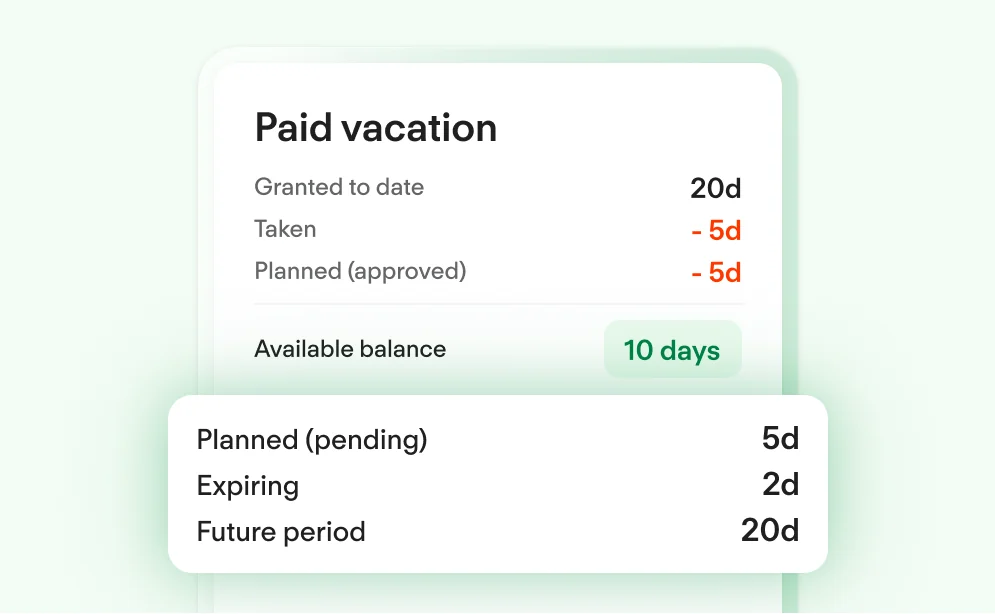
One balance model across the product. The drawer lists what was granted, taken, planned and expired, lands on one remaining number, and keeps pending and expiring days beside it, not inside it.
The problem
Why does the available vacation balance not match the days approved for next year's vacation
Customer support contact
| Area of the product | Taken | Planned approved | Planned pending | This request | Problem |
|---|---|---|---|---|---|
| Dashboard | Missing pending requests, which employees need for planning | ||||
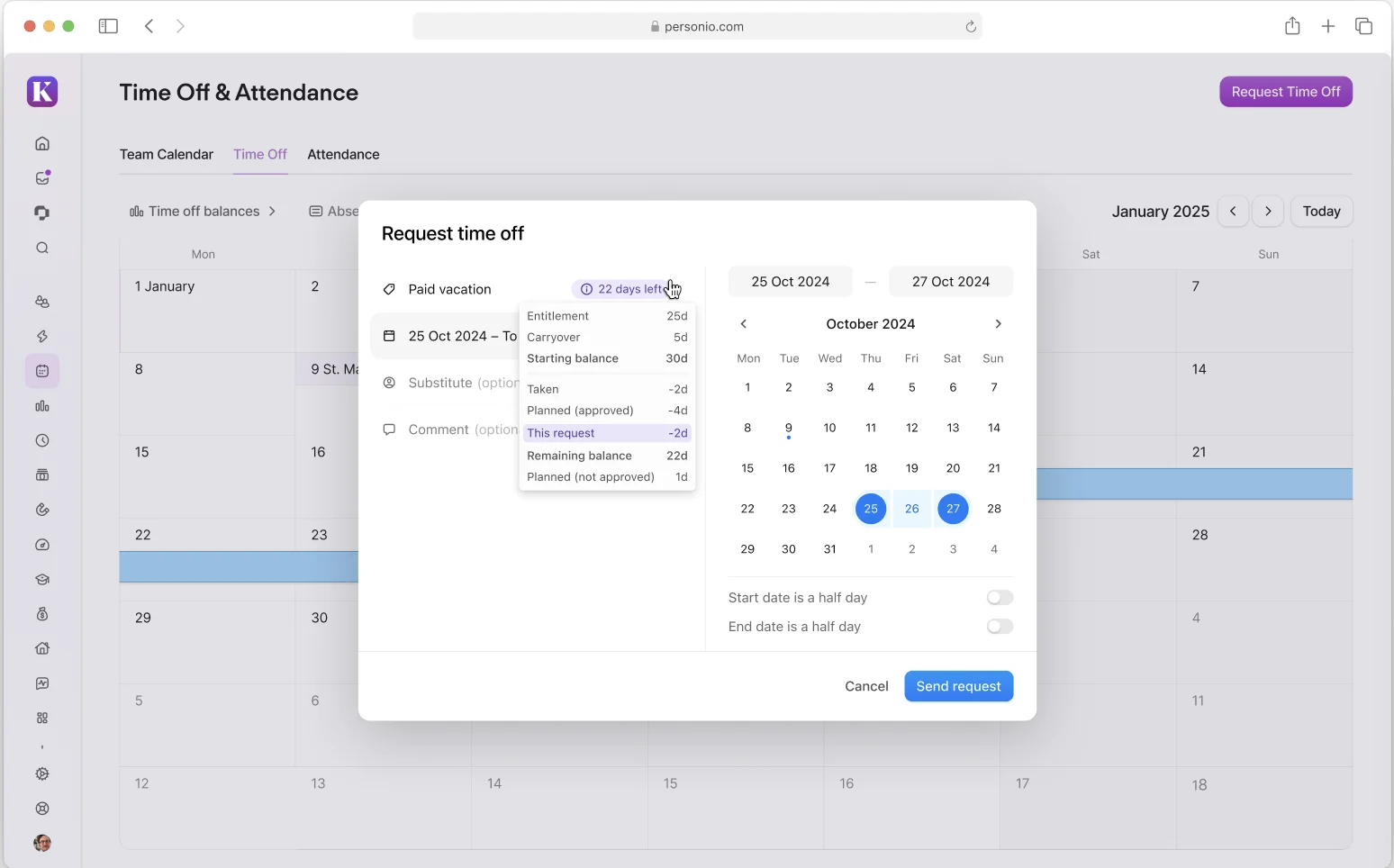
| Request time off flow | A different balance from dashboard and profile | ||||
| Team calendar, approver view | No context for approval decisions | ||||
| Inbox workspace | Fine for approving | ||||
| Employee list | HR managers need taken at a given date | ||||
| Reporting | HR cannot report on taken days at a date |
The balance help article was one of the most viewed in the product. Approvers in the new team calendar had to leave it to find a number, and sometimes approved requests that pushed people below zero.
What customers told us
- The numbers looked inconsistent, and the link between accruals, carryover and planned days wasn't clear, so people couldn't tell how the balance was calculated.
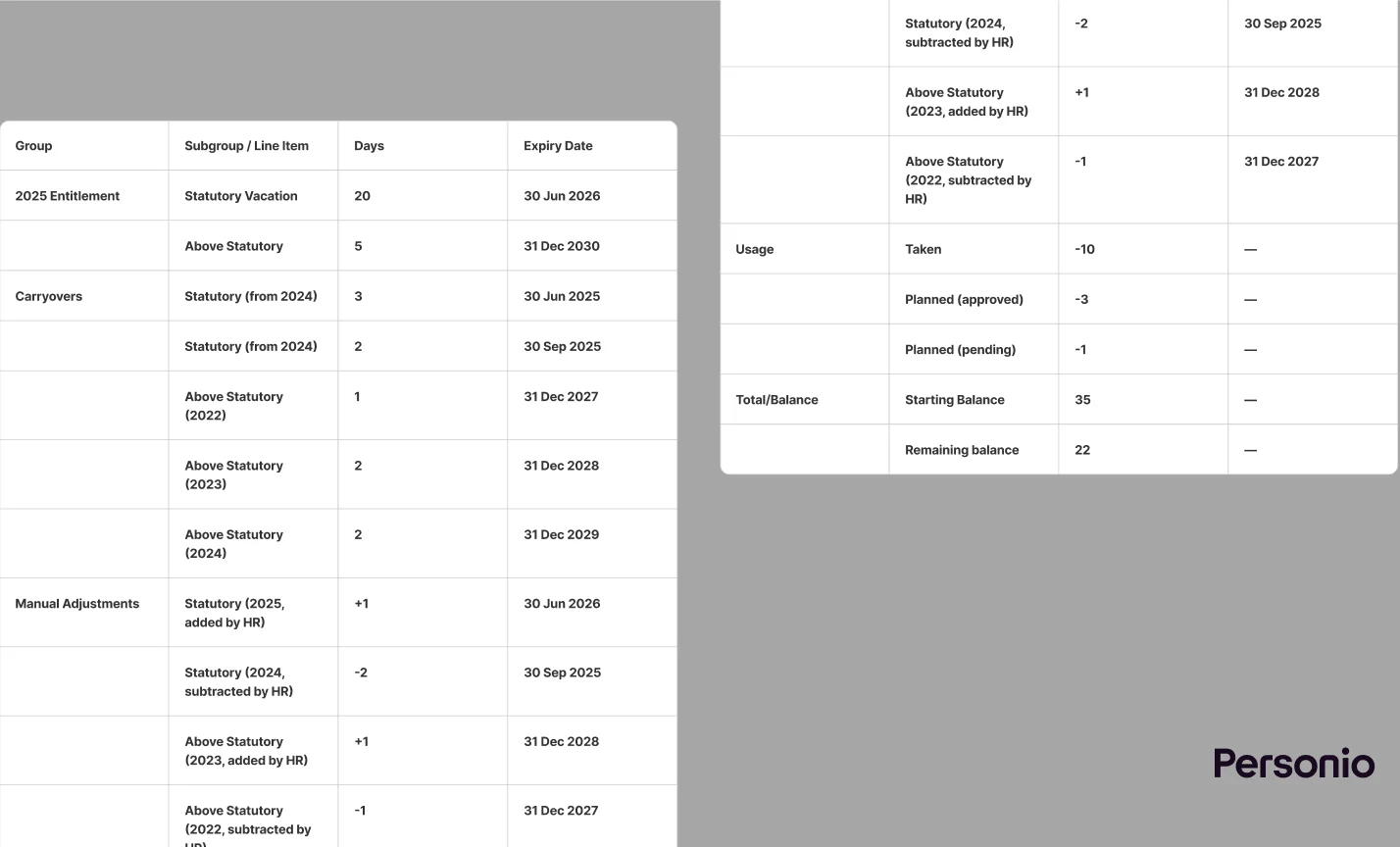
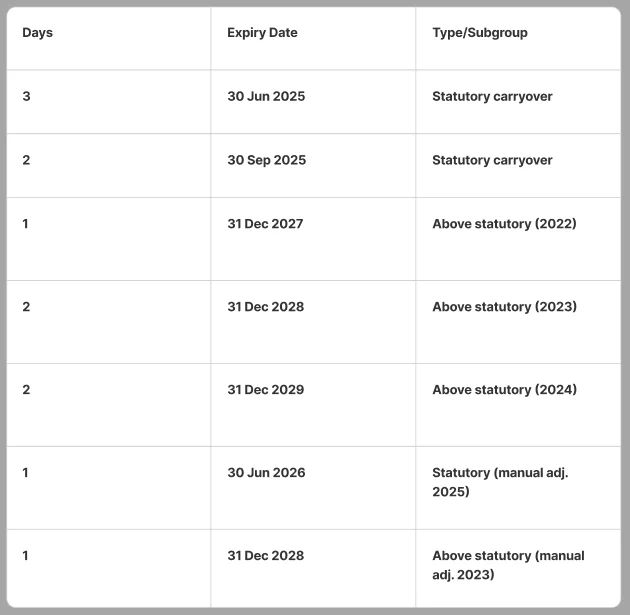
- Employees worried about losing carried-over days because they couldn't see which bucket a day came from or when it expired. One customer's employees had six different expiry dates; another had a balance going back years that nobody could trace.
- Labels didn't land: 'Changed by HR' meant nothing, and people preferred 'Adjusted manually' or 'Additional entitlement'. 'Planned (future entitlement…)' read better as 'Planned for next entitlement period'.
- People wanted expiring days at the bottom of the overview, broken down by source, with their dates. Explanations hidden in tooltips were too easy to miss.
Five decisions
I started by breaking a balance into parts, so any screen could be described by the parts it adds up.
| Component | Example | What it is |
|---|---|---|
| Entitlement + carryover | 25 | Changes as more entitlement accrues |
| Taken | -10 | Time already used |
| Planned approved | -5 | Future approved time off |
| Planned pending | -2 | Future time off awaiting approval |
| Current request | (-3) | Only in request and approval flows |
| Persona | Taken | Planned approved | Planned pending | This request | Why |
|---|---|---|---|---|---|
| Employee, planning | To use all available days in time | ||||
| Supervisor, approving | To prevent negative balances | ||||
| Supervisor, planning | Depends on company culture | ||||
| HR manager, termination and carryover expiry | Needs taken days at a given date |
One balance everywhere, or the right balance for each person?
- Situation
- Employees want pending counted, approvers want the balance after this request, HR wants days taken by a given date.
- Options
- I framed three: 1) change one of the two existing balances; 2) show a different balance per context; 3) keep the existing balances and add pending information where needed.
- Chose
- We chose option 3.
- Why
- Option 1 still needed a third balance for approvals. Option 2 would show different numbers on different screens, confusing anyone who is both employee and approver.
- Gave up
- Some people see information they do not need, and anyone wanting a different total adds it up. Five competitors I reviewed did not serve every role either.
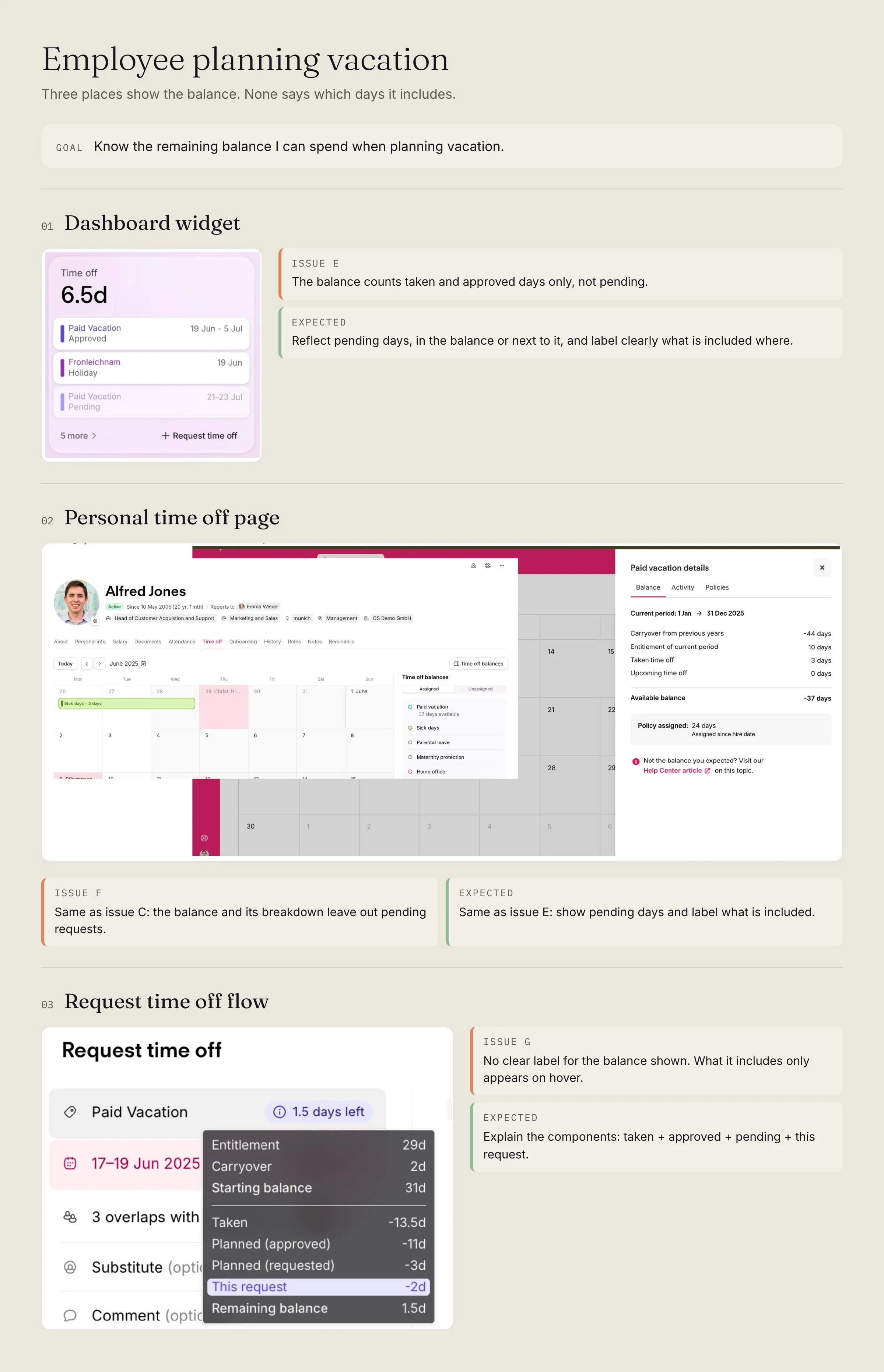
Pending days sit next to the balance, not inside it
- Situation
- Pending requests counted on some screens and not others, so employees could not tell if the number assumed approval.
- Options
- Deduct pending from the remaining balance, or show it as its own line.
- Chose
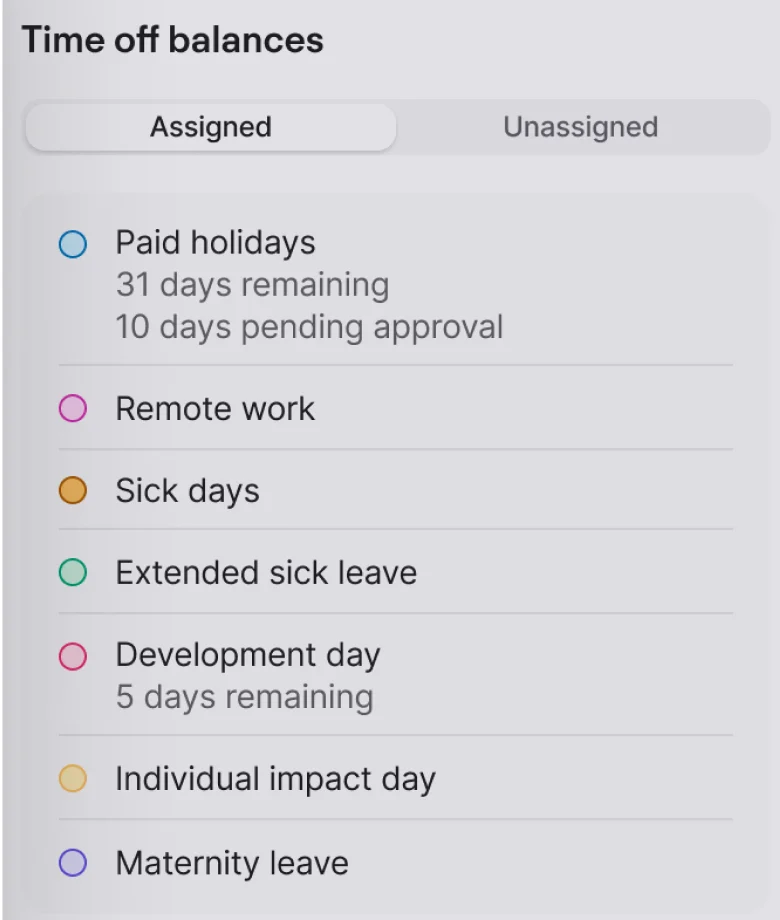
- Pending and expiring days get their own lines below the remaining balance. The side panel says it in words: '31 days remaining, 10 days pending approval'.
- Why
- The main number stays stable and planners get the pending figure. Balances feel like pay, so users had to see that only the presentation changed.
- Gave up
- A single 'what I can still request' figure; employees add the two lines.
Give approvers the number at the moment they decide
- Situation
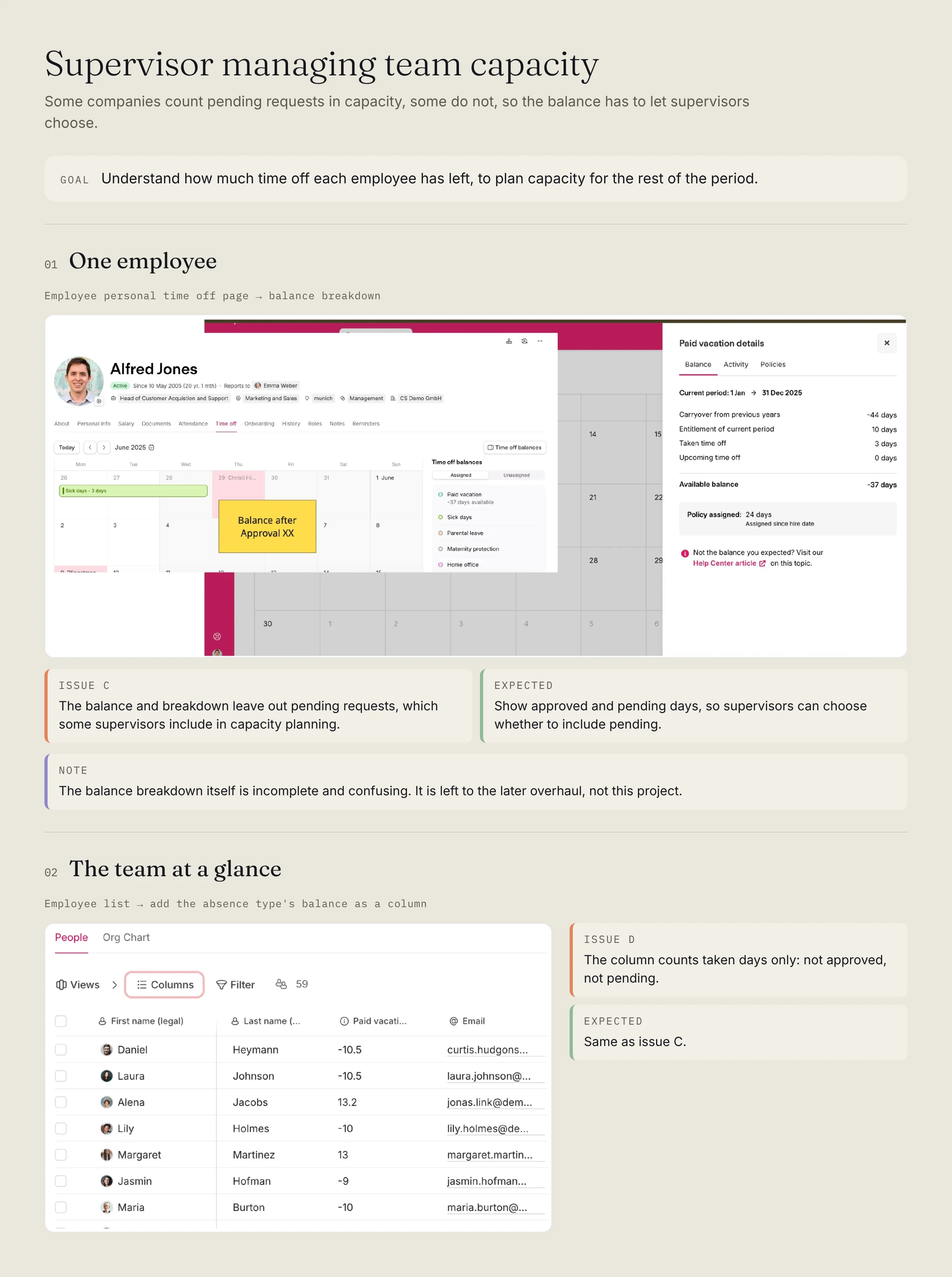
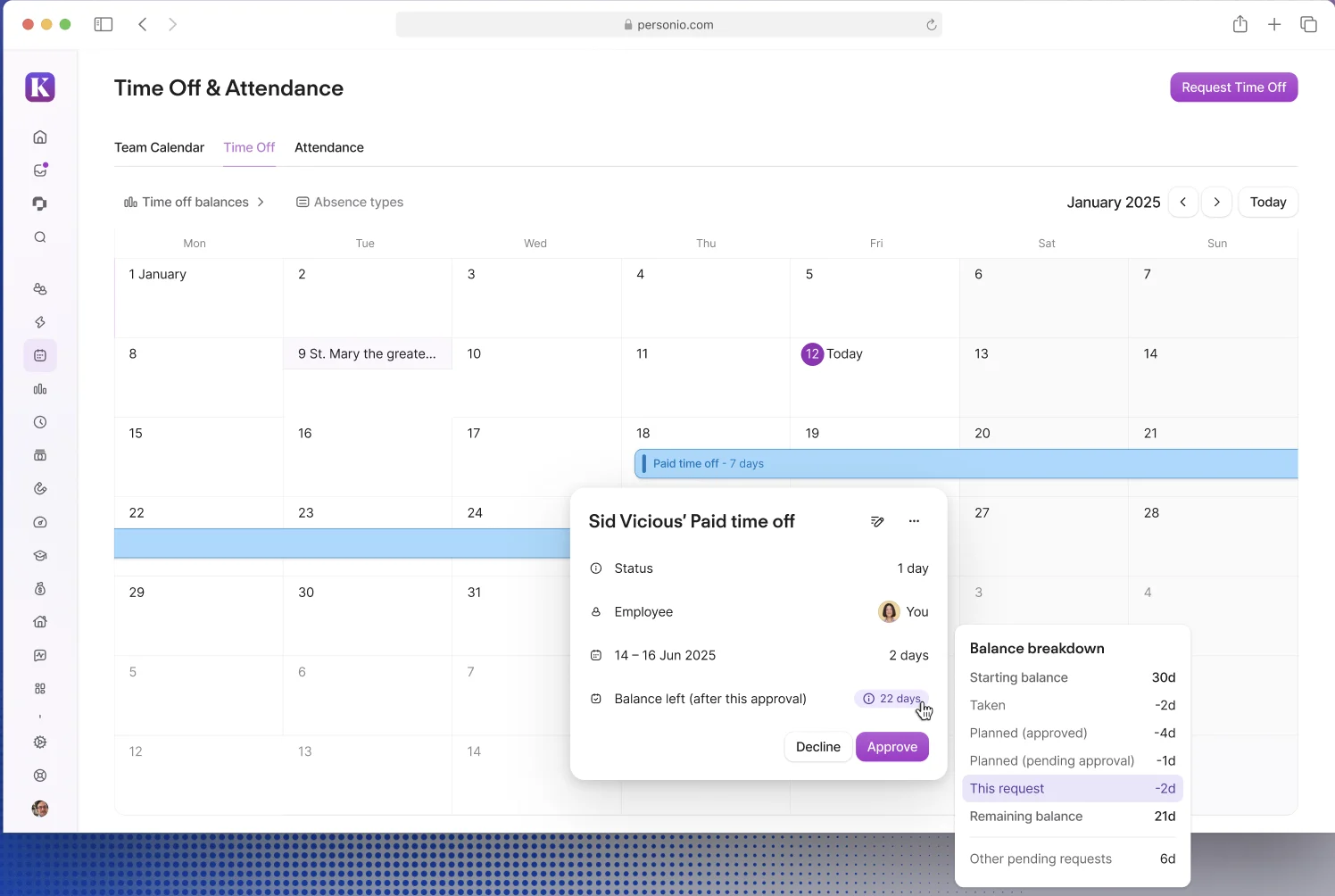
- The new team calendar had dropped the balance from the approval popover, so supervisors approved blind.
- Options
- Using the persona mapping, I showed that approvers need taken days, approved days and this request, but not other pending requests.
- Chose
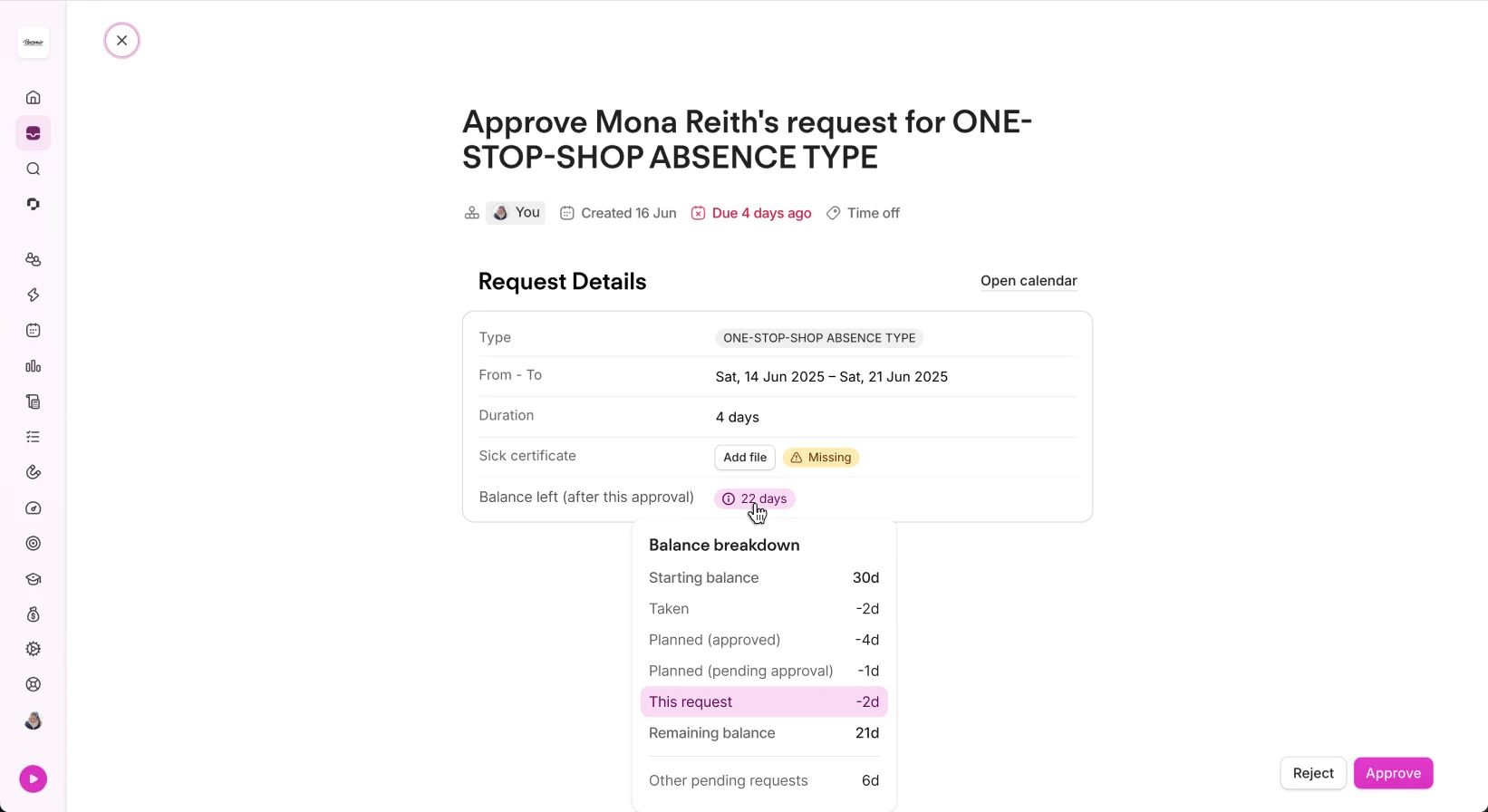
- We added the balance after approval (taken + approved − this request) to the team calendar and aligned the inbox labels.
- Why
- One figure answers the approver's question at the moment of the decision.
- Gave up
- Other pending requests are not in the approver's figure. We planned that as a fast follow-up; I can't confirm yet that it shipped.
Words before pixels
- Situation
- Design was validated and engineering had started building, but terms differed between the drawer, request preview, home widget, approval screens and user guide.
- Options
- Settle the wording within design, or take it to the language team. I asked for office hours and presented draft definitions for 14 terms, compared against the user guide.
- Chose
- A final proposal and a user-guide action for each term, tracked in one table.
- Why
- The same words appear on five surfaces and in help content; changing them after release means changing them everywhere.
- Gave up
- Statutory and above-statutory entitlement are left for customers to name.
| Term in Figma | User guide term | Final proposal | Guide action |
|---|---|---|---|
| Starting balance | Not listed | Granted to date | Do not add |
| Planned (pending approval) | Not listed | Planned (pending approval) | Add |
| Expired (unused) | Not listed | Expired | Add |
| Expiring days | Carryover expiry in current period | Expiring days | Change; explain that expiring days can come from different buckets |
Park the HR question instead of bending the model
- Situation
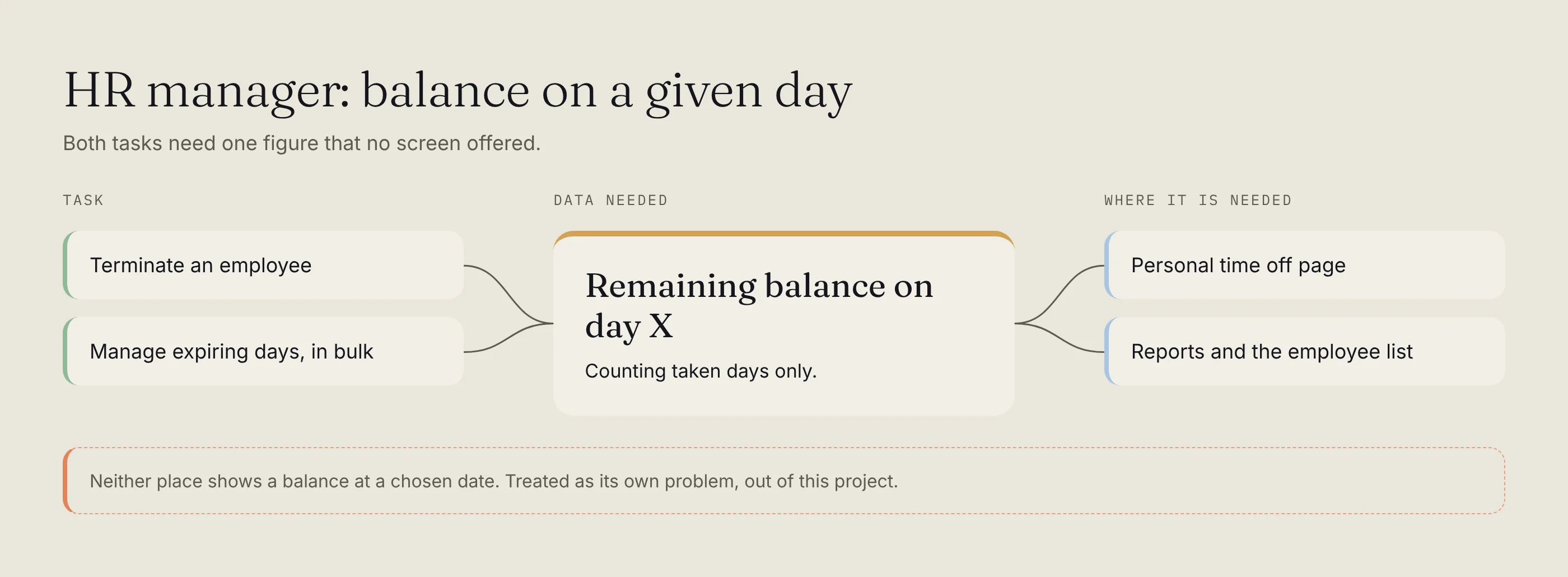
- HR managers terminating someone or expiring days in bulk need the balance on a given day, taken days only.
- Options
- Add components to the shared balance, or treat 'balance at a date' as a separate problem.
- Chose
- Separate problem. We left the employee list and reporting out, with an effective-date view as the next step.
- Why
- HR needs the balance taken at a given date. That calls for its own solution, not more components in the shared balance.
- Gave up
- HR managers got no fix in this release.
Designing for every policy
A balance looks simple until policies differ. I mapped more than a dozen scenario boards: no carryover, unlimited carryover, carryover with and without expiry or a cap, manual and absolute adjustments, time off booked into next year's period, and policies being changed or deleted. Every drawer carries notes with the rule behind it, so engineering built rules, not one-off screens.
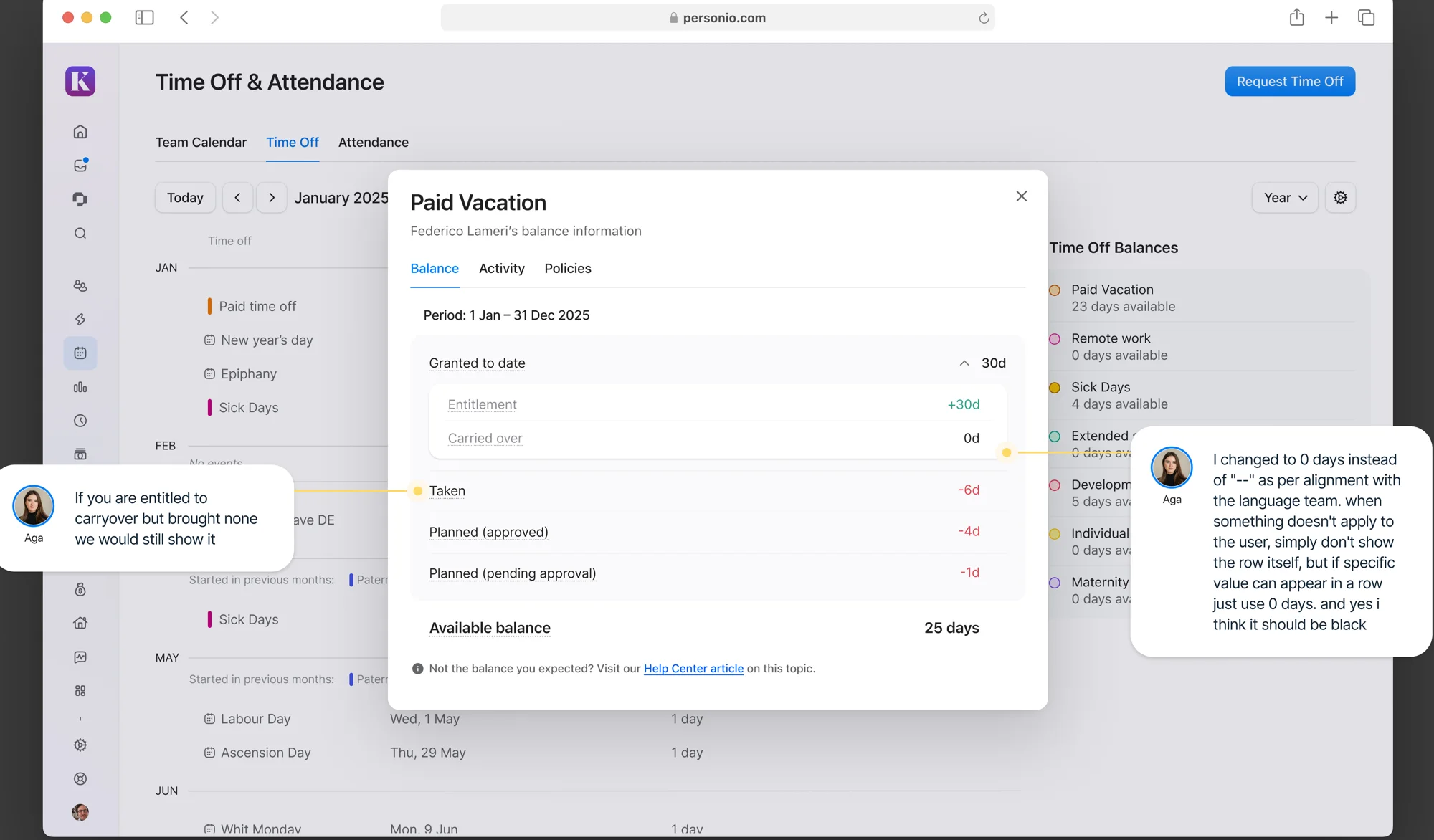
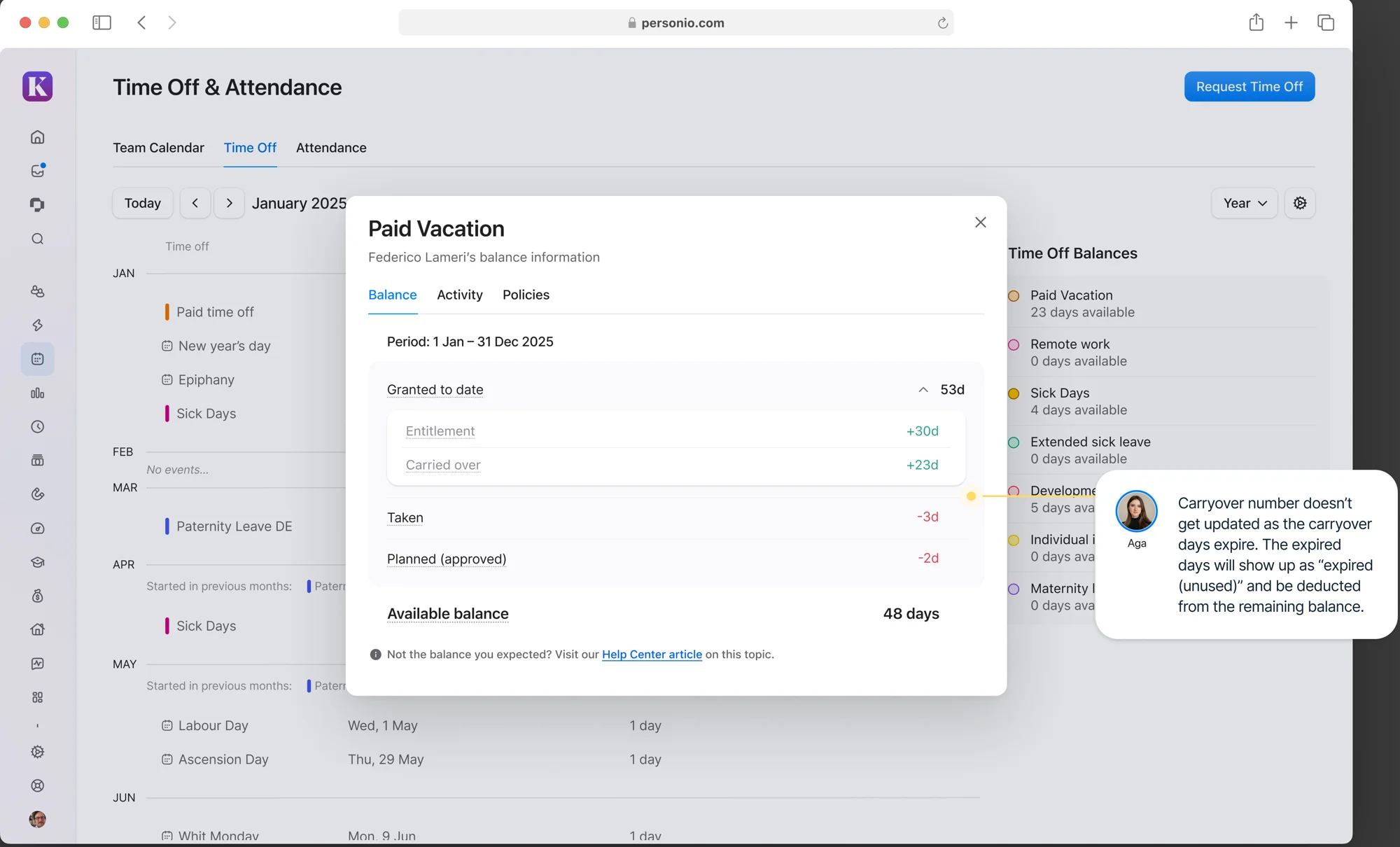
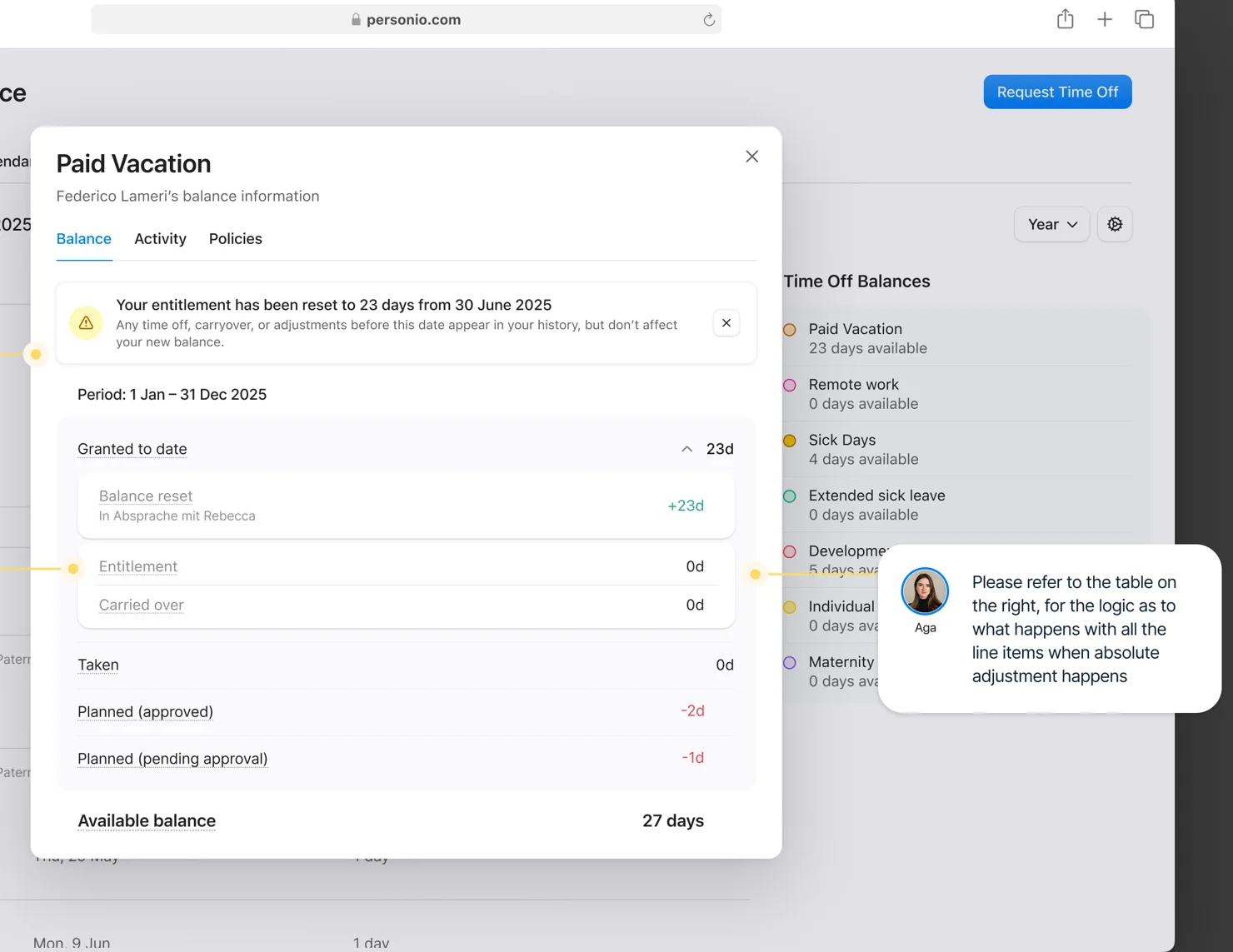
Explorations
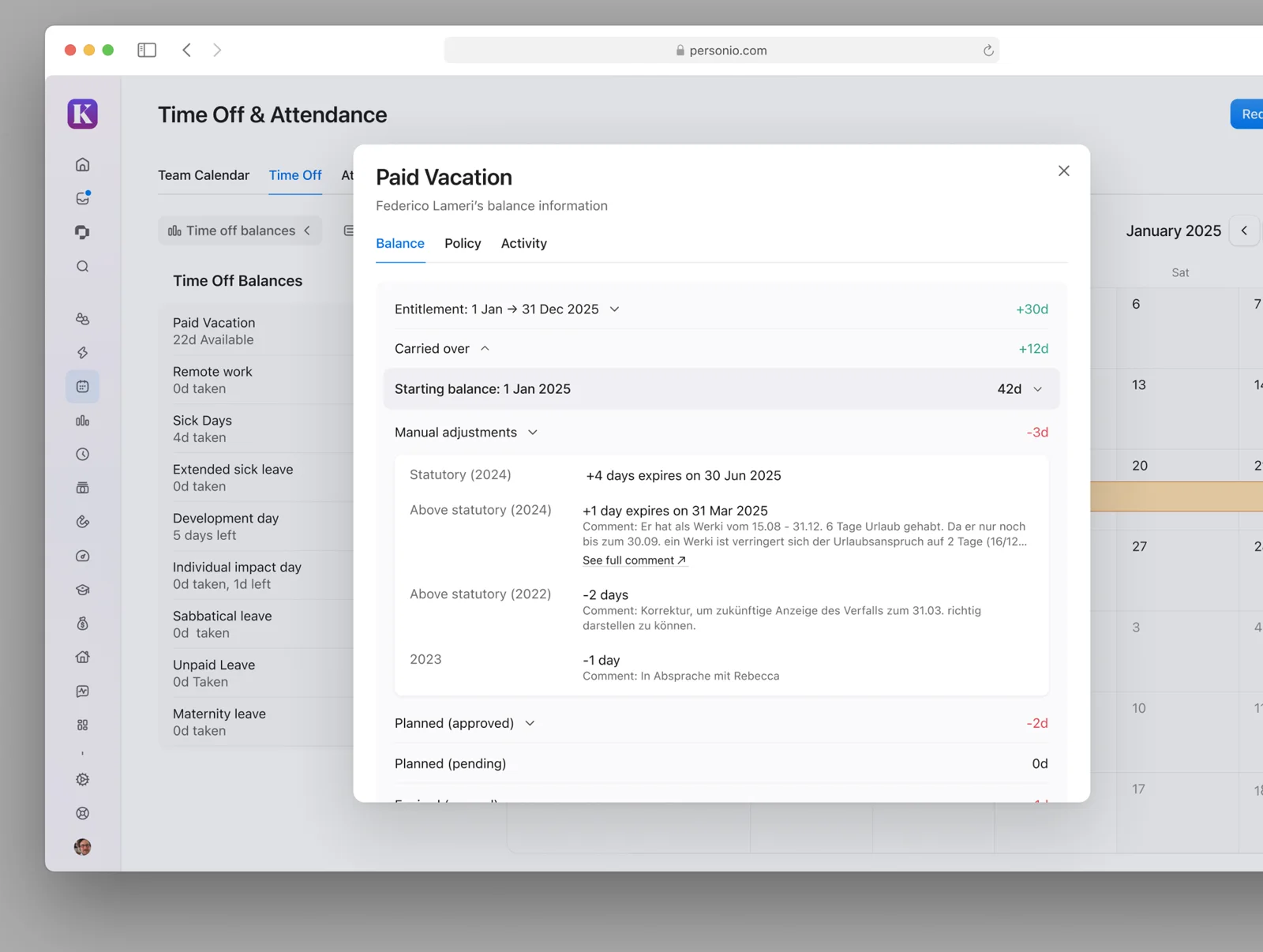
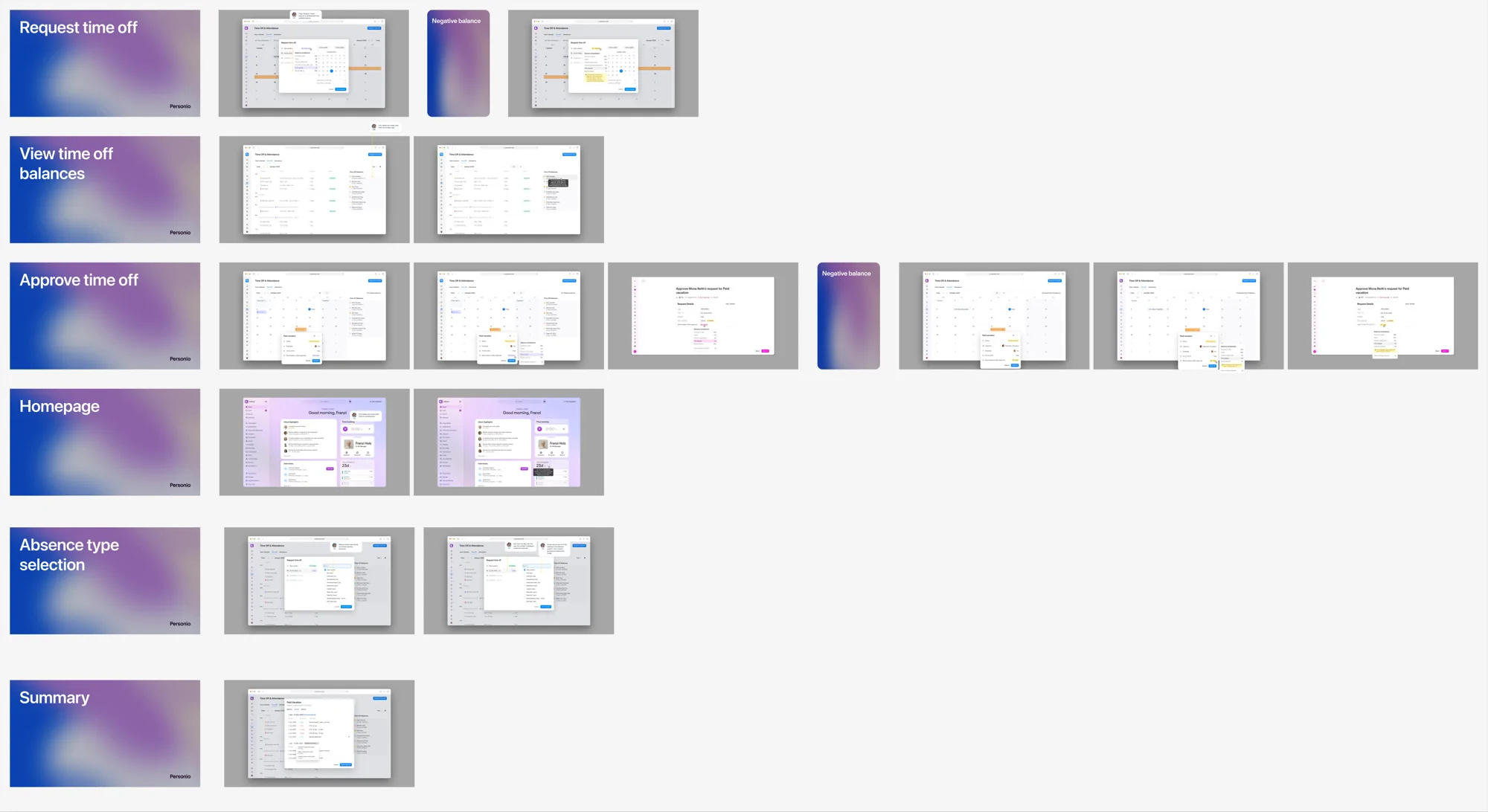
Before settling on the shipped drawer, I tried several ways to show the breakdown and where expiry dates live:
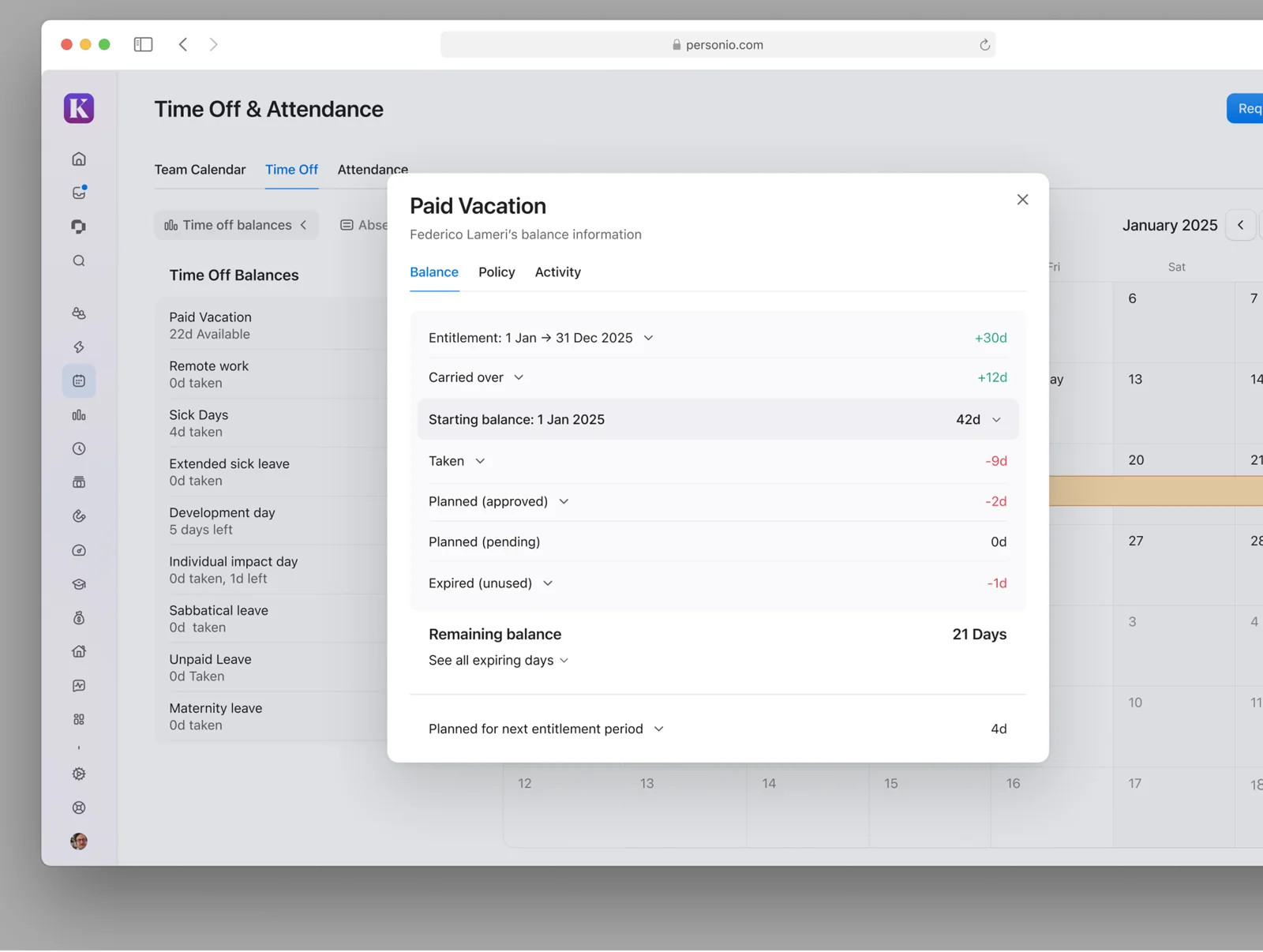
The design
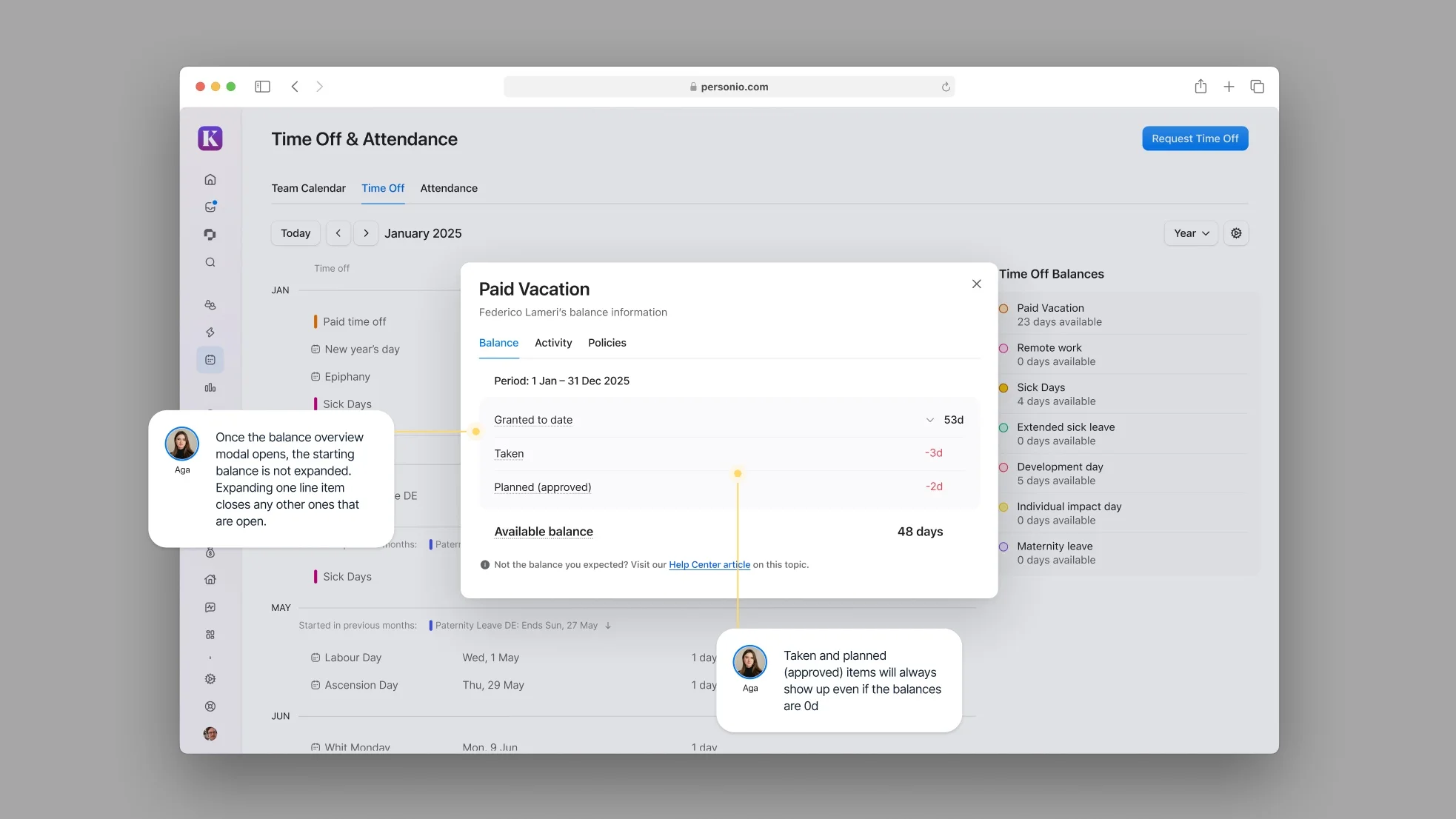
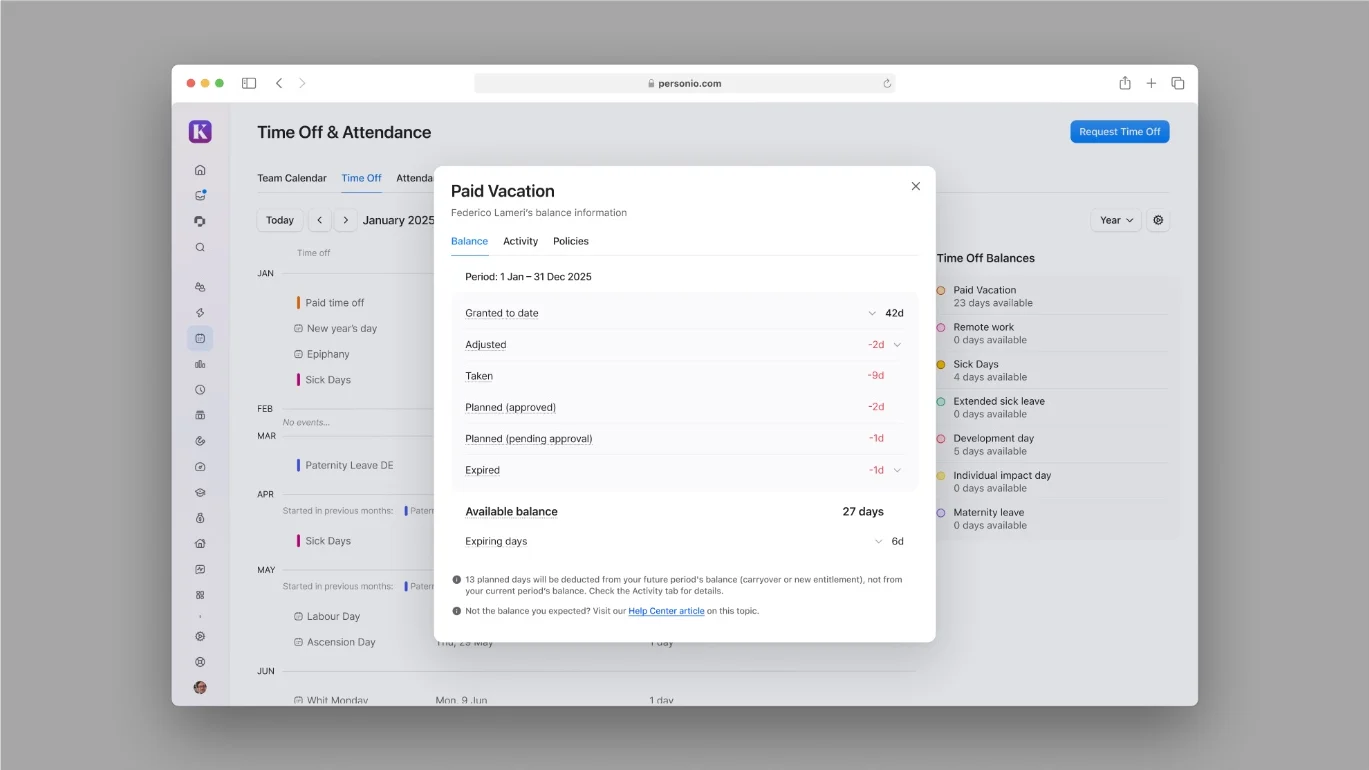
What shipped in the September release: the balance drawer on the personal time off page, built on the shared model and the agreed terms.
How I led and aligned people
- Triad: I framed three options for the PM and engineering manager, and we chose to keep the balances and add pending where needed.
- Language team: I presented the designs at their July 2025 office hours. 'Entitlement' would not be clear to the average employee, 'starting balance' was the wrong term (it became 'Granted to date'), 'manually adjusted' was questionable, and 50% does not read as time and a half when values are shown in hours.
- Engineering: in the design review I flagged custom components for the yearly list and balance accordion, no phone layout, and a drawer colour that vanished in dark mode. Engineering was fixing it.
What's next
- A balance at a given date for terminations and expiring carryover needs its own solution.
- Show available time off by expiry date, using the days that expire first.
- Show HR's manual adjustments with reason and date.