
- Role
- Lead UX/UI designer
- Company
- IonQ, Quantum Cloud console
- Team
- Product manager, technical product manager, 1 back-end and 2 front-end engineers, customer success
- Timeline
- October 2022 – March 2024
- Results
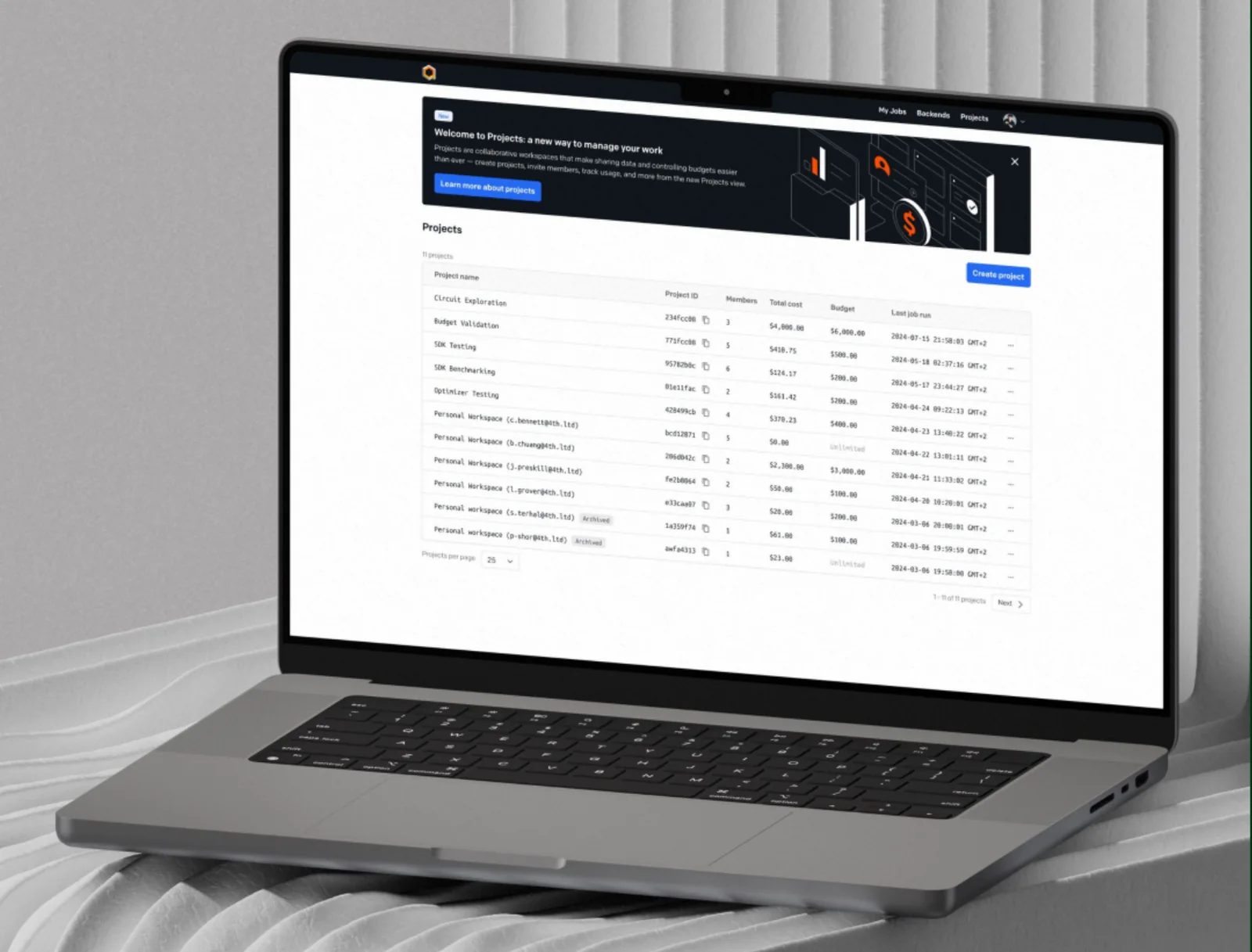
- Launched in March 2024 after an alpha and a public beta, with user guides on IonQ's docs site. The results below were measured a few months after launch, from the telemetry set up for it. 13% is modest, and expected: we expect shared workspaces to gain traction as the quantum computing user base grows.
In short
- Context
IonQ builds quantum computers and sells access to them through the cloud. The Quantum Cloud console is the web app where customers run jobs on IonQ's quantum computers and simulators, manage their organisation and track usage and spend.
- Situation
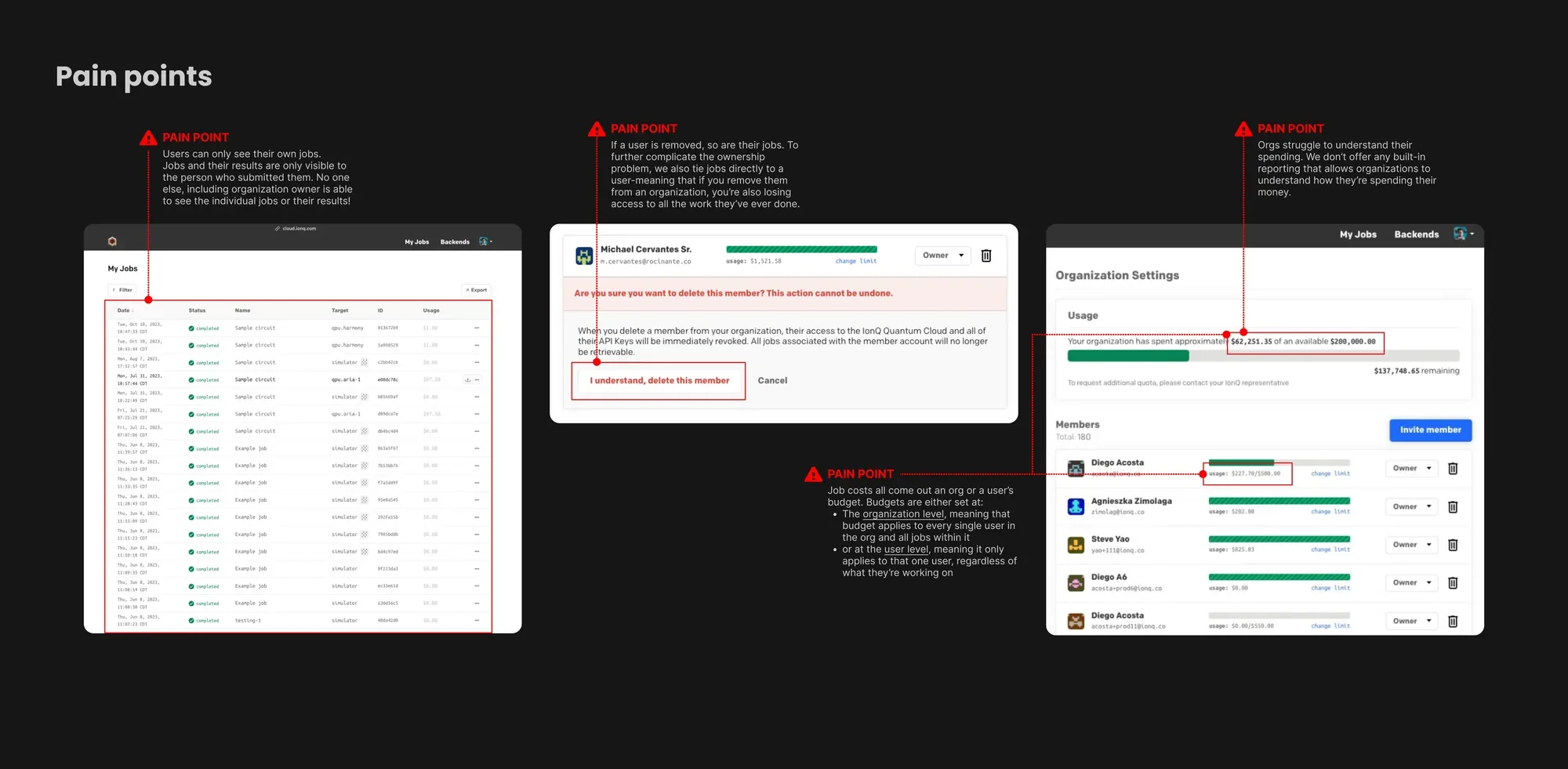
In the Quantum Cloud console a job belonged to the person who submitted it: nobody else could see it, and removing a member deleted their work. Budgets existed only per organisation or per user, so organisations could not see where their money went. Research institutions, government teams and national labs had no structured way to run shared research.
- I owned
The end-to-end experience, from information architecture to developer handoff: workflows, the roles and permissions map validated with PMs and engineers, reusable components alongside a growing design system, and user research with internal teams and national lab partners.
- What changed
Projects: shared workspaces inside an organisation, each with members, an optional budget, its own jobs and its own API keys. Every customer starts with a personal project that holds their existing jobs.
The problem
No budget control, surprise bills
Job costs came out of an organisation or a user budget. Organisations struggled to understand their spending, and there was no built-in reporting.
Opaque jobs, no team work
Jobs and their results were visible only to the person who submitted them, not even to the organisation owner.
Remove a user, lose their jobs
Deleting a member revoked their API keys and made every job they had run unretrievable.
No way to manage shared research
Limits could only be set per person, one member at a time, with no shared space for a team.
What testing changed
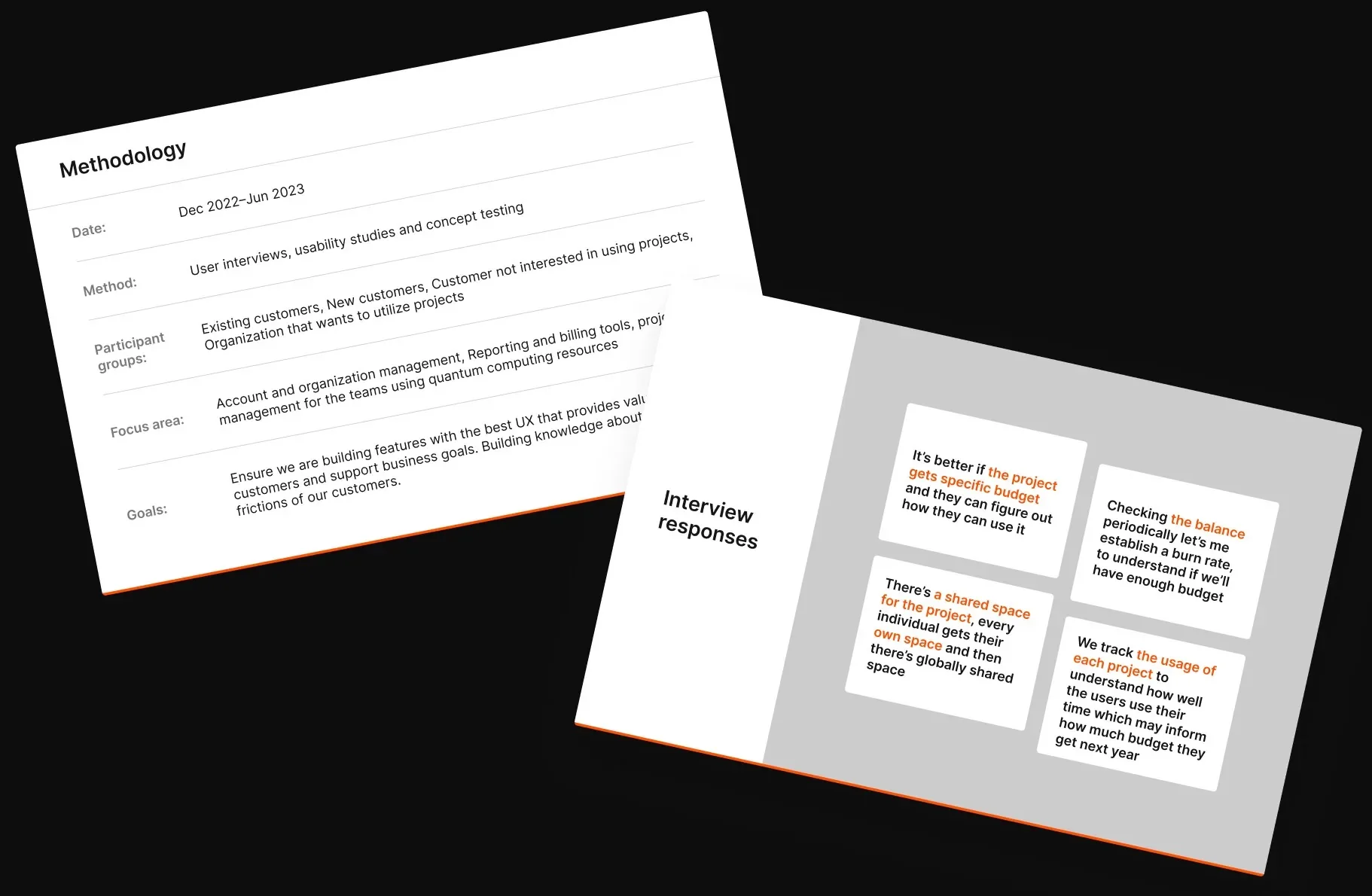
From December 2022 to June 2023 I ran interviews, usability studies and concept tests with internal teams who work with customers (an application-team TPM and a hardware PM) and with research leaders: the director of a research lab and an HPC engineer at a national laboratory. I clustered what came back into themes, so recurring pain points outweighed one-off requests. Four themes shaped the MVP:
- Cost awareness. No way to watch burn rates, and hesitancy to run jobs on QPUs because costs were unclear or seemed high.
- Job tracking. No way to tell QPU from simulator jobs over time, and confusing job naming and project assignment.
- Project spaces. No consolidated project view, and no way to tell shared spaces from private ones.
- API keys. People created many keys and lost track of which key was tied to what.
Checking the balance periodically lets me establish a burn rate to understand if we'll have enough budget.
Interview response
Six decisions
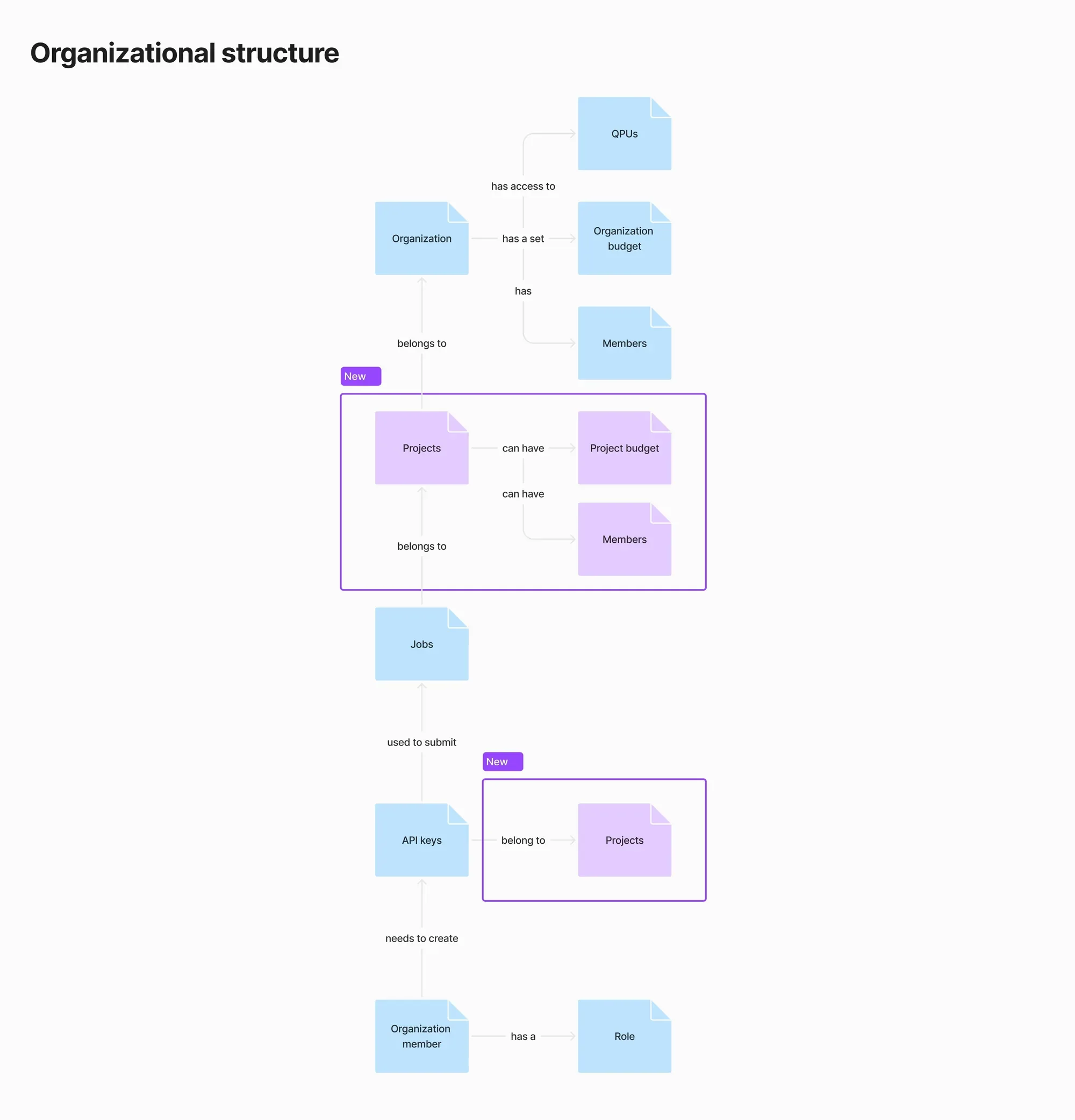
A project as the shared unit
- Situation
- Organisations, members, budgets, jobs and API keys existed, but nothing sat between the organisation and the individual. Teams needed a shared space without losing a personal one.
- Options
- Within a project, let members hide their jobs from each other (a hardware PM asked for it, because students could see each other's work), or keep every job visible to the whole project.
- Chose
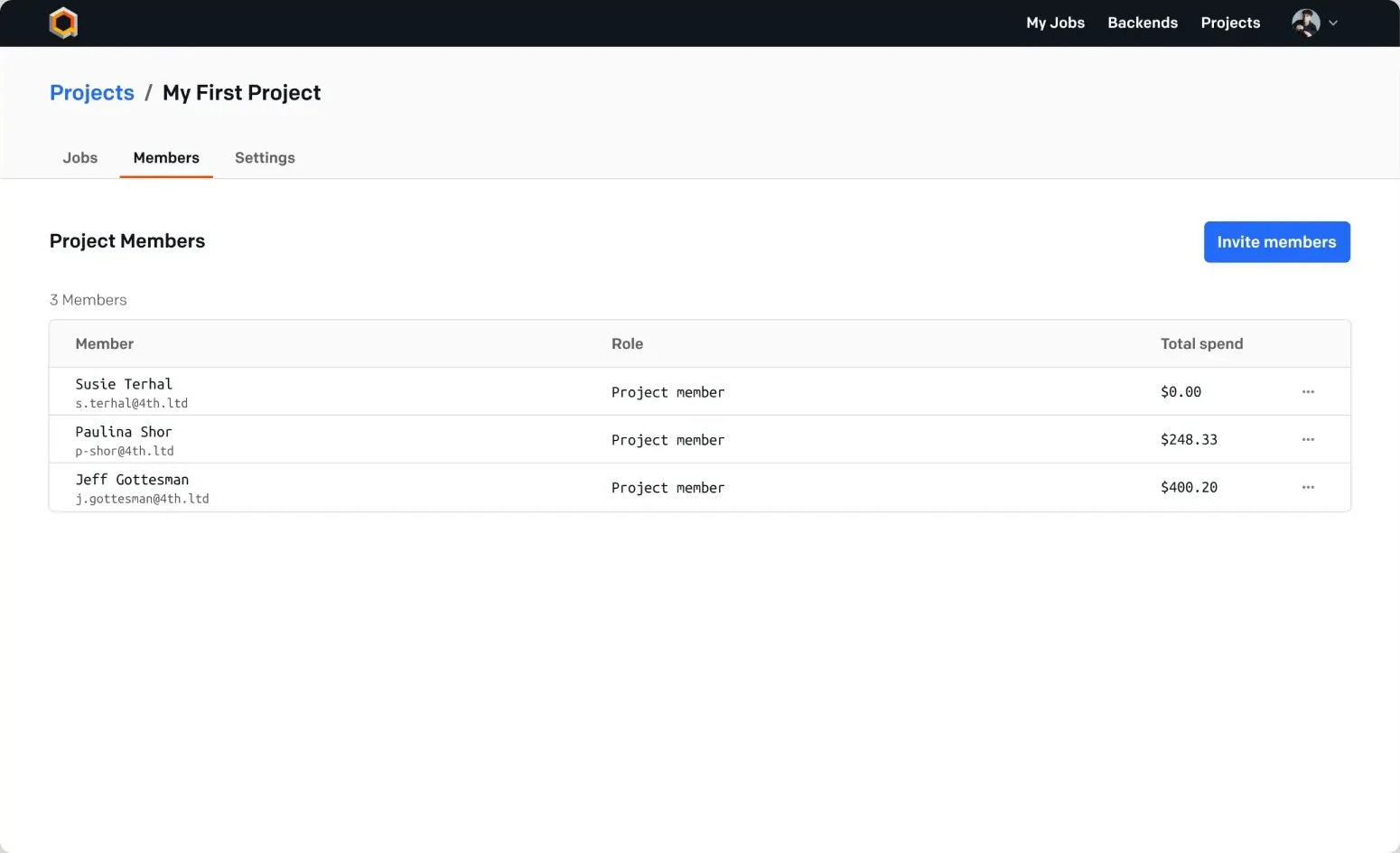
- Projects inside an organisation, created and managed by organisation owners (now called admins), who add the members. A project can have a budget and members; every job is submitted to a project, because every API key is attached to one; only members can see a project and its jobs, and they see all of them.
- Why
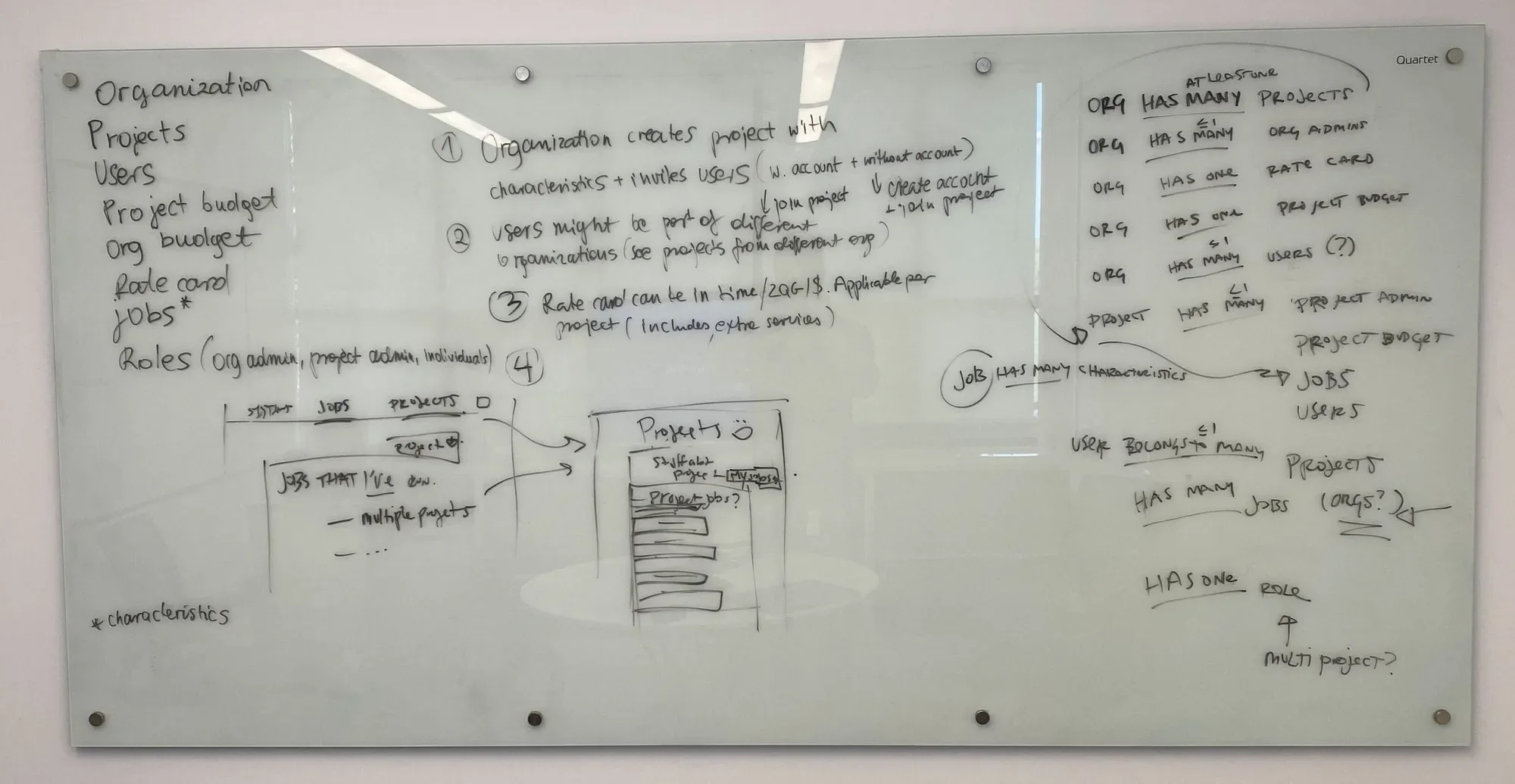
- Mapping the objects and relationships with the Director PM showed where a new layer fits without breaking the existing ones. Interviewees described the same structure: a shared space for the project, a space for each individual, and a globally shared space. Shared jobs make it easy to share results and see how much budget is left.
- Gave up
- Private jobs inside a shared project. Every member of a project sees all of its jobs, and only members know the project exists.
- Not shipped
- The research report proposed a third role, a project admin who would manage a project's budget and members without seeing the organisation's overall budget. It didn't ship: organisation admins kept that job, and the launch kept two roles, admin and user.
Budgets per project, and costs where people work
- Situation
- Users had no tools to watch burn rates and were hesitant to run jobs on QPUs because the cost was unclear or seemed high. Project owners asked to see what each member was doing.
- Options
- Interviewees disagreed about money. An application-team TPM warned against showing dollar values to individual users, because that can expose the rate card. An HPC engineer at a national lab wanted members to see the dollar value of jobs. A hardware PM asked for a note that usage values are not the final bill.
- Chose
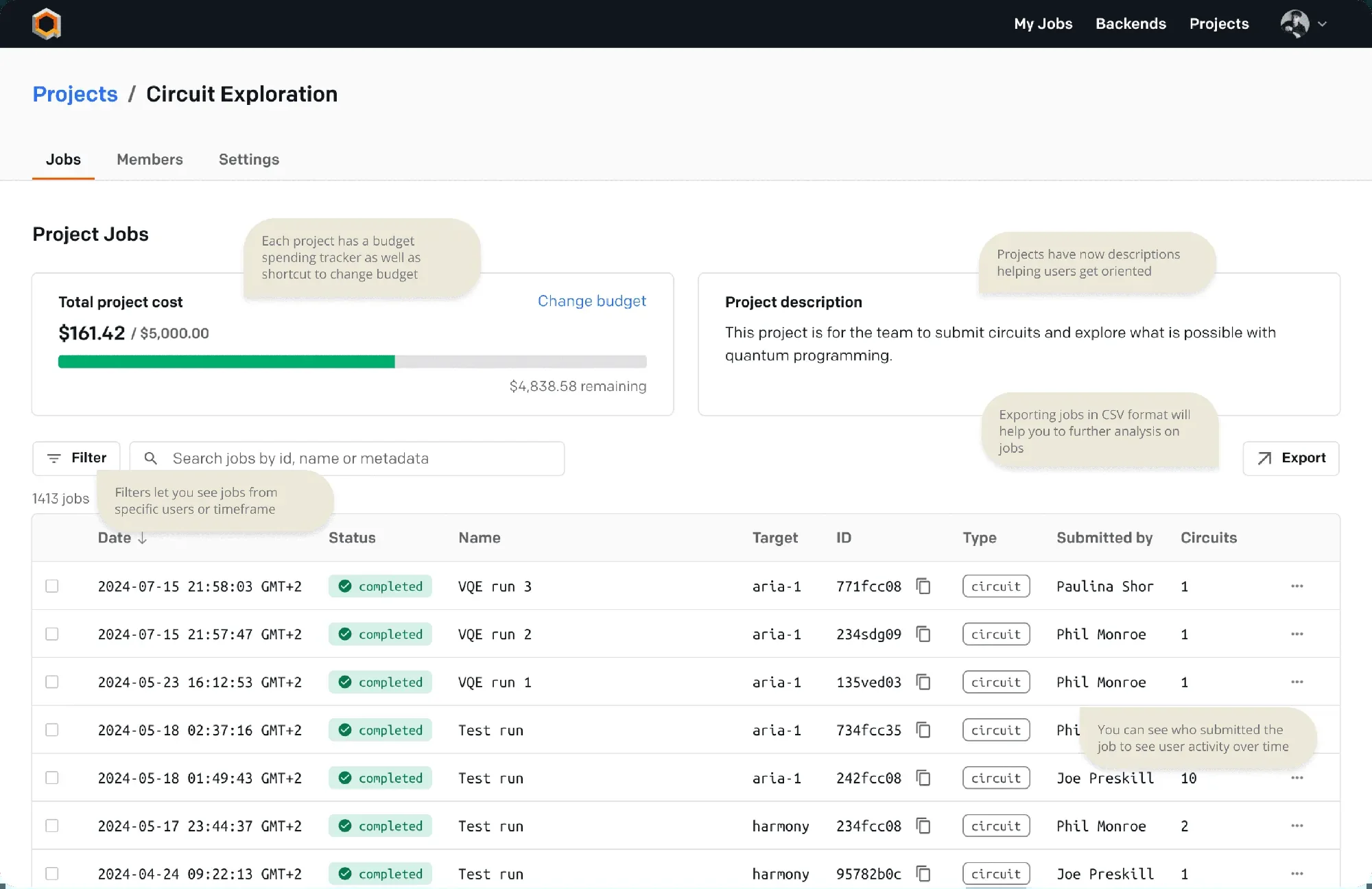
- An optional budget on every project (unlimited, or a limit after which no more QPU jobs run), a cost tracker at the top of each project with the remaining amount and a 'Change budget' shortcut, the cost of each job, and total spend per member.
- Why
- 'It's better if the project gets specific budget and they can figure out how they can use it.' A project budget lets an organisation split its overall budget across teams or initiatives, and spend per member answers the owners' question about who is active.
- Gave up
- Advanced reporting was not feasible in this release; aggregated spend per member in each project stands in for it.
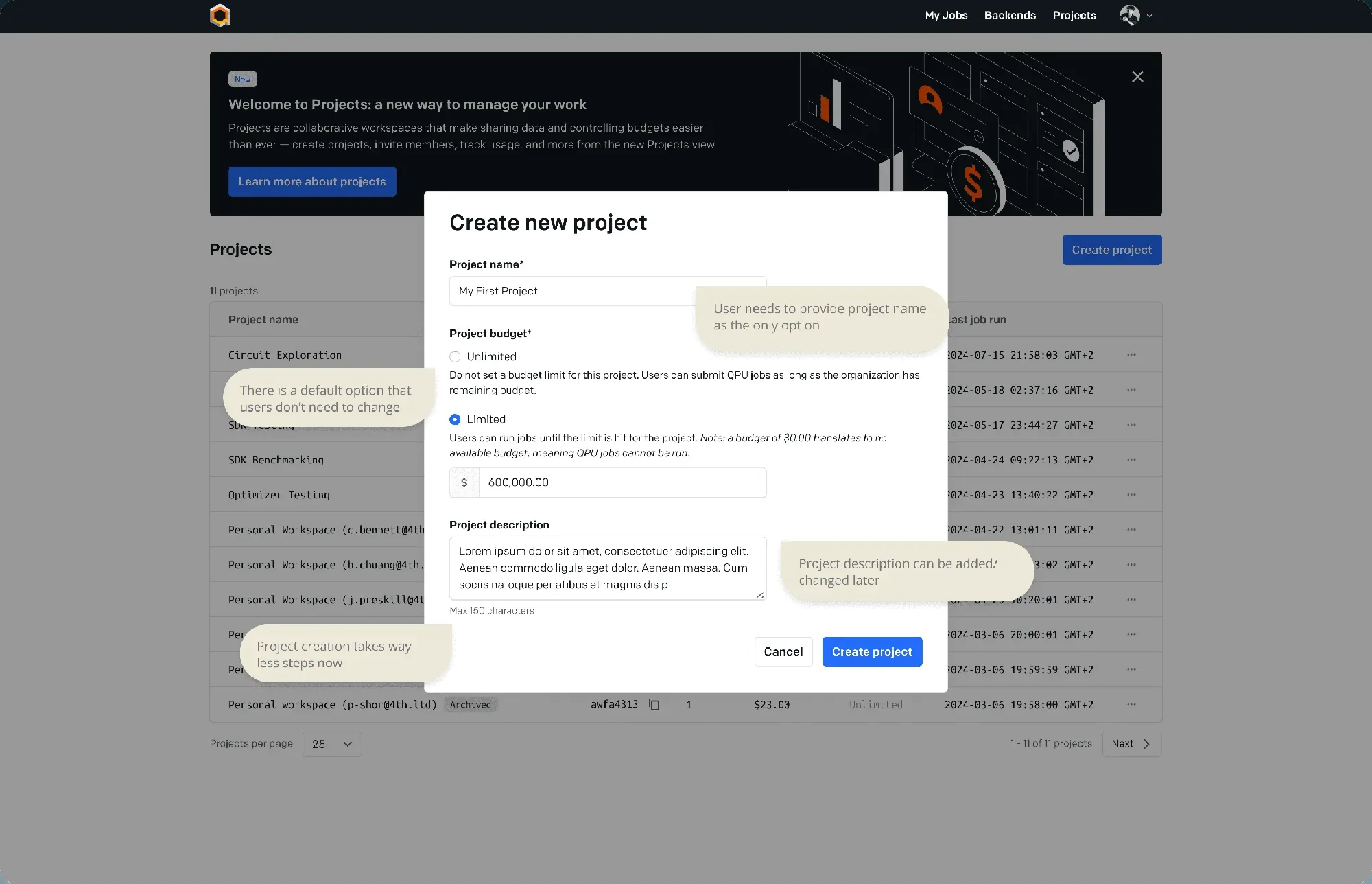
Create a project in one step
- Situation
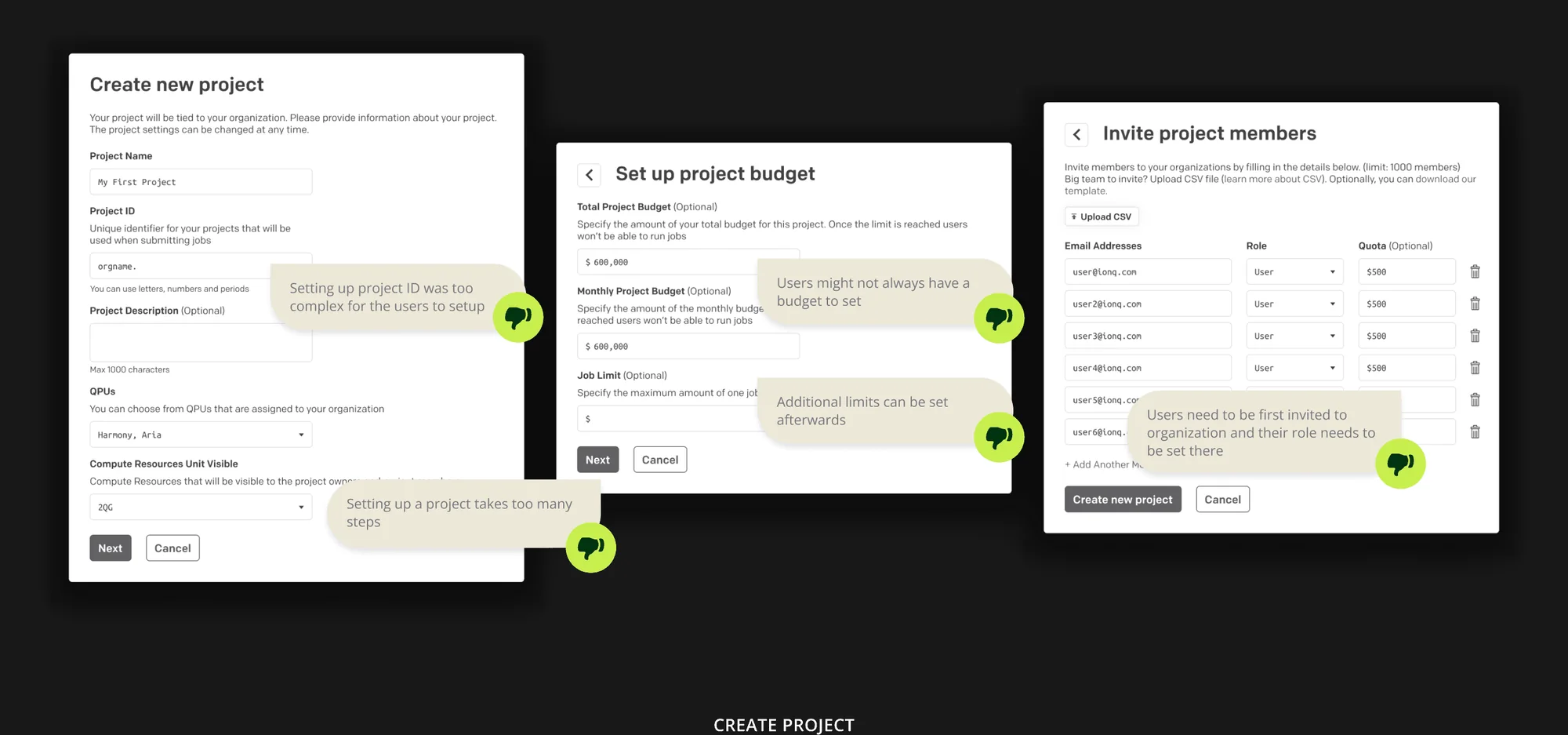
- The first creation flow had three steps: details including a project ID, QPUs and compute units; then total and monthly budgets and a job limit; then inviting members with a role and a quota.
- Options
- Ask for the full setup up front, or ask only for what is needed to start and let the rest be set later.
- Chose
- One dialog: a name, a budget that is either unlimited or a limit, and an optional description that can be changed later.
- Why
- Testing the first flow showed that setting a project ID was too complex, setup took too many steps, users might not have a budget to set, extra limits could come afterwards, and members had to be invited to the organisation first anyway.
- Gave up
- Monthly budgets, per-job limits and per-member quotas. A project has one budget, unlimited or capped, and an admin decides which QPUs it can use.
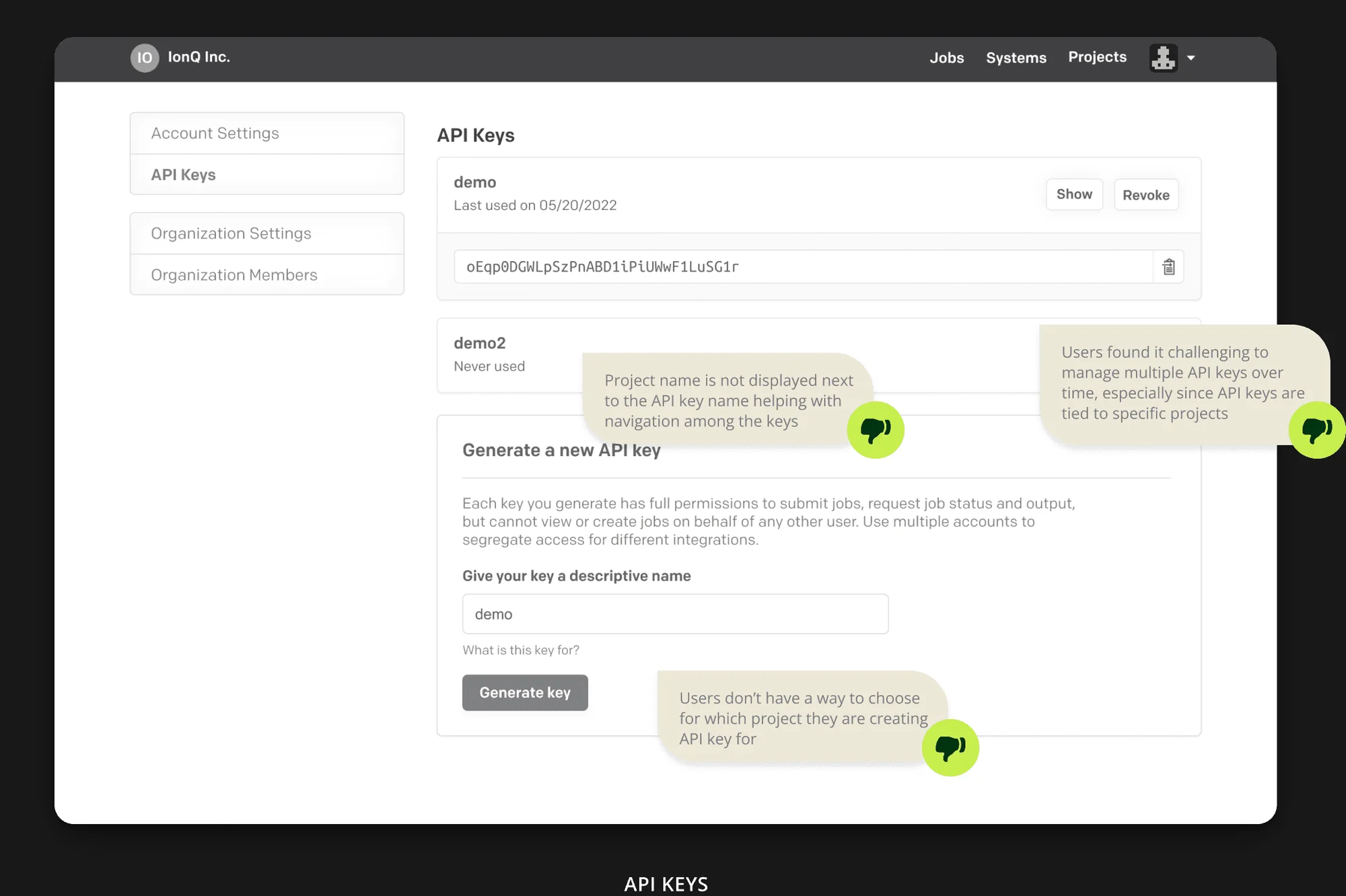
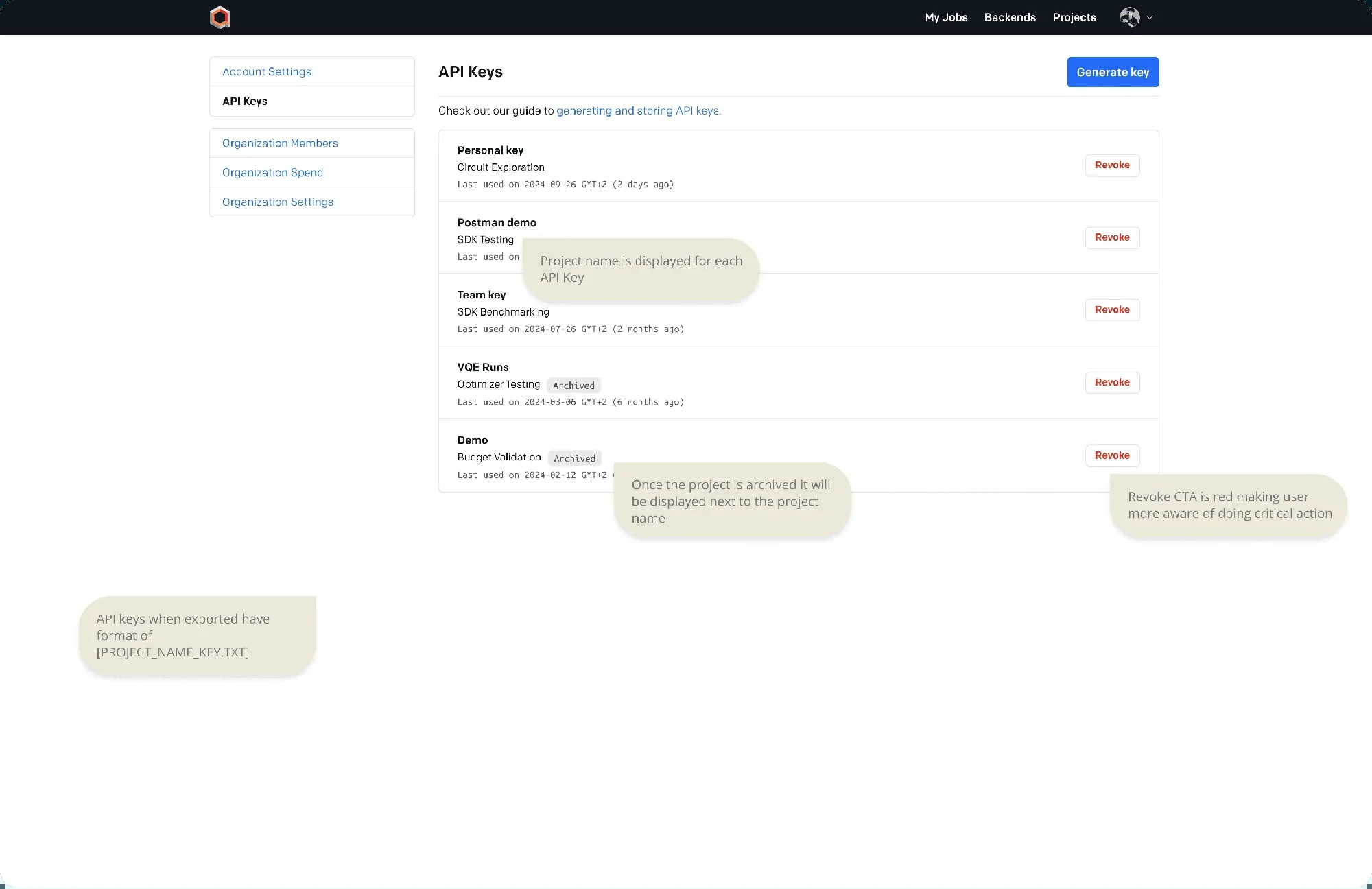
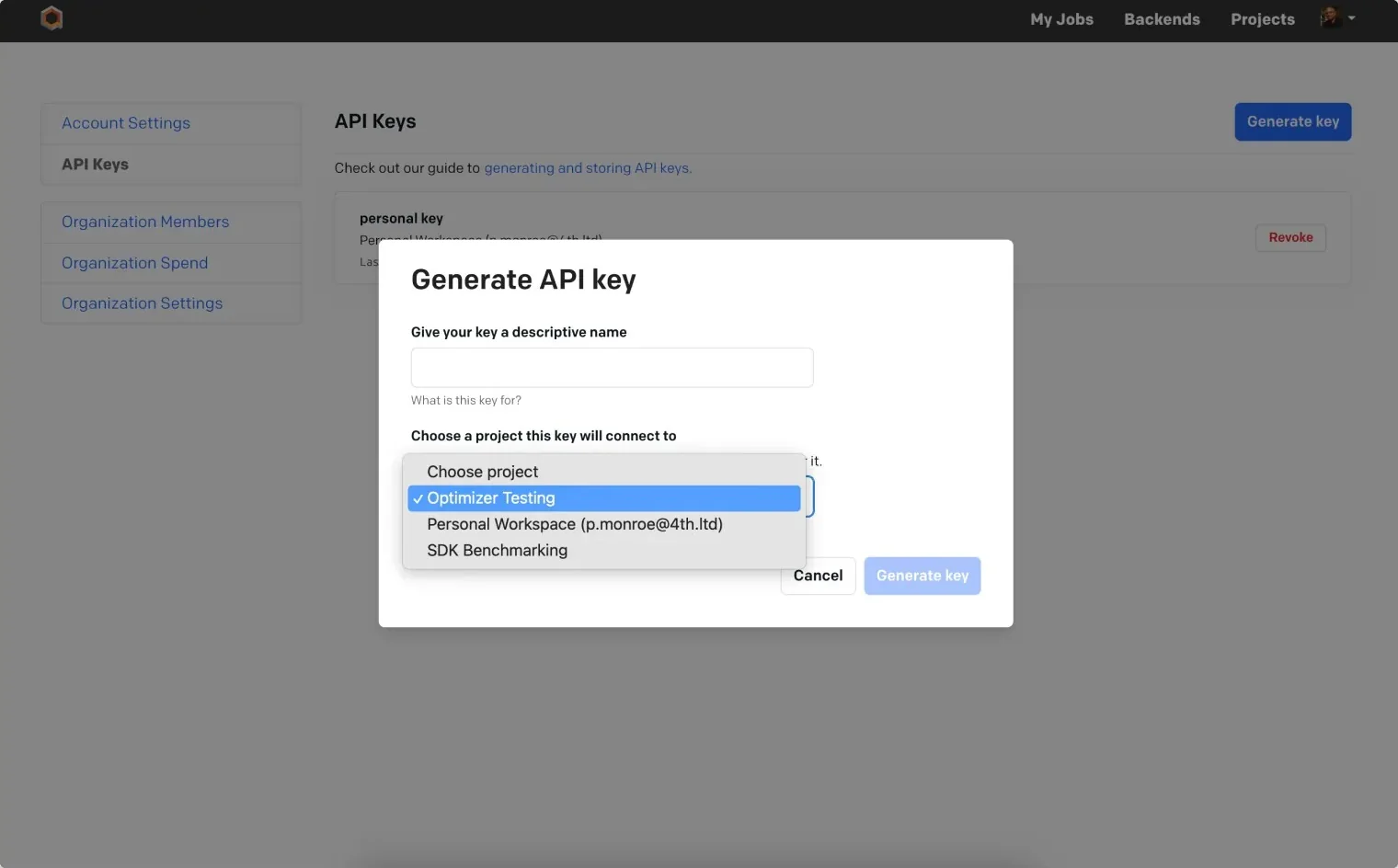
Every key and job says which project it belongs to
- Situation
- Because API keys are tied to projects, users created many of them and lost track of which key was for what. Job naming and project assignments confused people.
- Chose
- 'Jobs' became 'My Jobs'. A key is generated for a chosen project, the key list shows each key's project and whether it is archived, and an exported key file is named after its project. Project jobs show who submitted them, can be filtered by user or time frame, and can be exported as CSV.
- Why
- In testing, users had no way to choose a project when creating a key, the key list did not show projects, and a project's jobs page looked no different from the main jobs list.
No migration step for existing customers
- Situation
- Existing customers already had jobs and API keys, and the business objective was to add workspaces without disrupting existing workflows. Small teams and single users might never need a shared project.
- Options
- Ask every customer to set up a project before submitting again, or make the new model invisible until someone needs it.
- Chose
- A personal project for every customer, created automatically and holding their existing jobs, so they can keep submitting with no setup. Shared projects are there when a team wants one.
- Why
- Nobody has to learn the new model to keep working, and the research report had proposed exactly this for small teams and single users.
From vision to MVP
- Situation
- Projects meant reworking the whole console, and stakeholders did not agree on what the MVP should contain.
- Options
- Every feature was weighed on impact on users, whether the product works without it, effort, whether it can ship later, and which user job it serves.
- Chose
- An MVP of core workspace and project setup, core project management, and onboarding, so the release would be easier to understand than a bare-bones one. Everything else went to a post-MVP list or to a separate UX-improvements workstream.
- Why
- For features that were critical but hard to build, I argued for a lean version built from existing components. Aligning everyone on the biggest user needs against the technical constraints settled the competing priorities.
- Gave up
- Breadth in the first release. Post-MVP items were prioritised after the alpha by how often feedback raised them and their business impact.
How alignment happened
At the start I worked mostly from the PMs' PRD and their earlier customer notes, because time with customers was hard to get. To make up for it, I mapped the data model with the Director PM, then drew role-based flows and walked engineers through them to check feasibility before putting anything in front of users. When the research showed we needed to hear from the right groups, I secured additional user-testing resources.
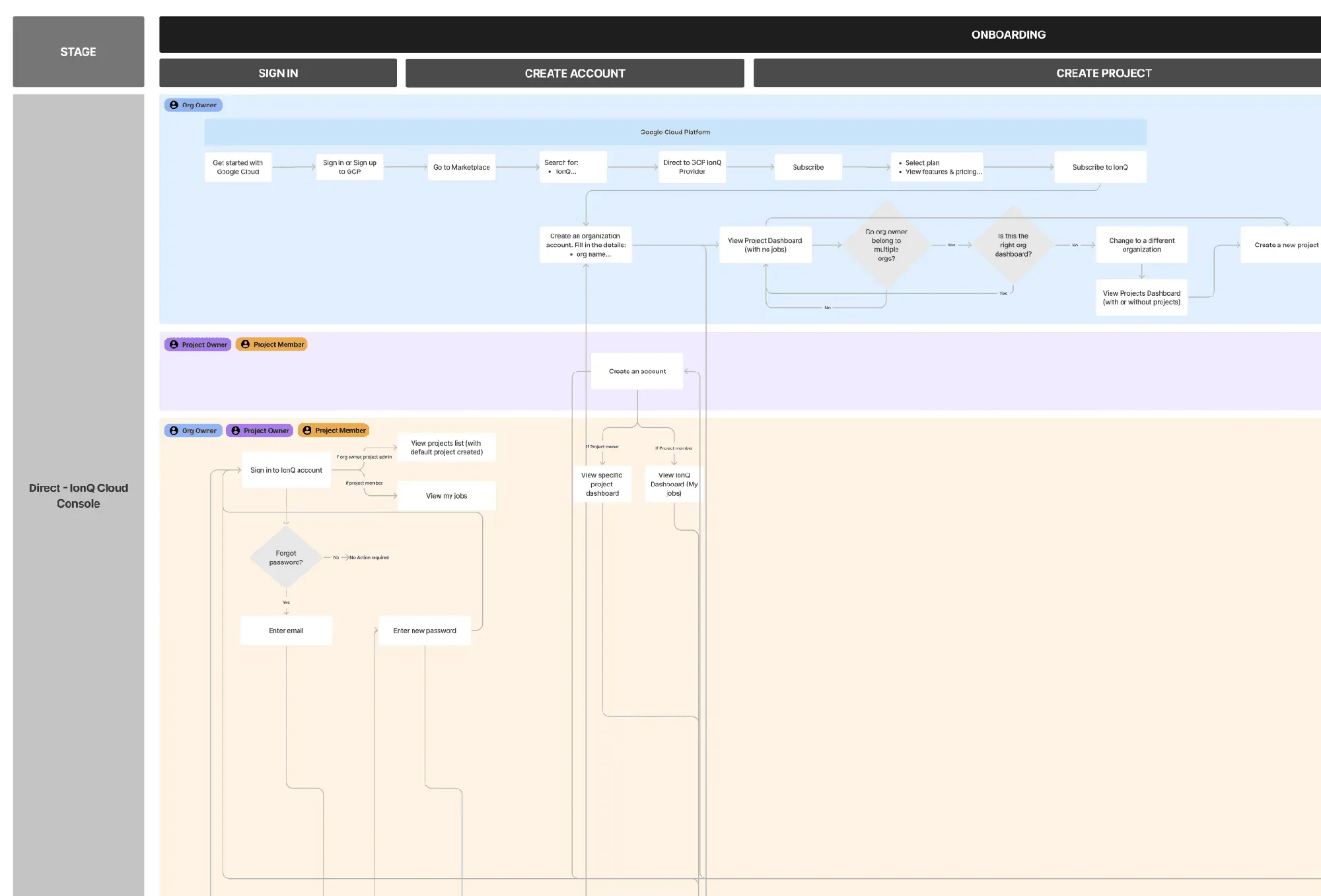

I wrote the research up as a report to align stakeholders, kept PMs and engineers updated on progress and blockers, and presented the research and its outcomes to the whole company. Before release, I ran user acceptance testing alongside the TPM with written scenarios for each role and type of access, so we could check we got the same results.
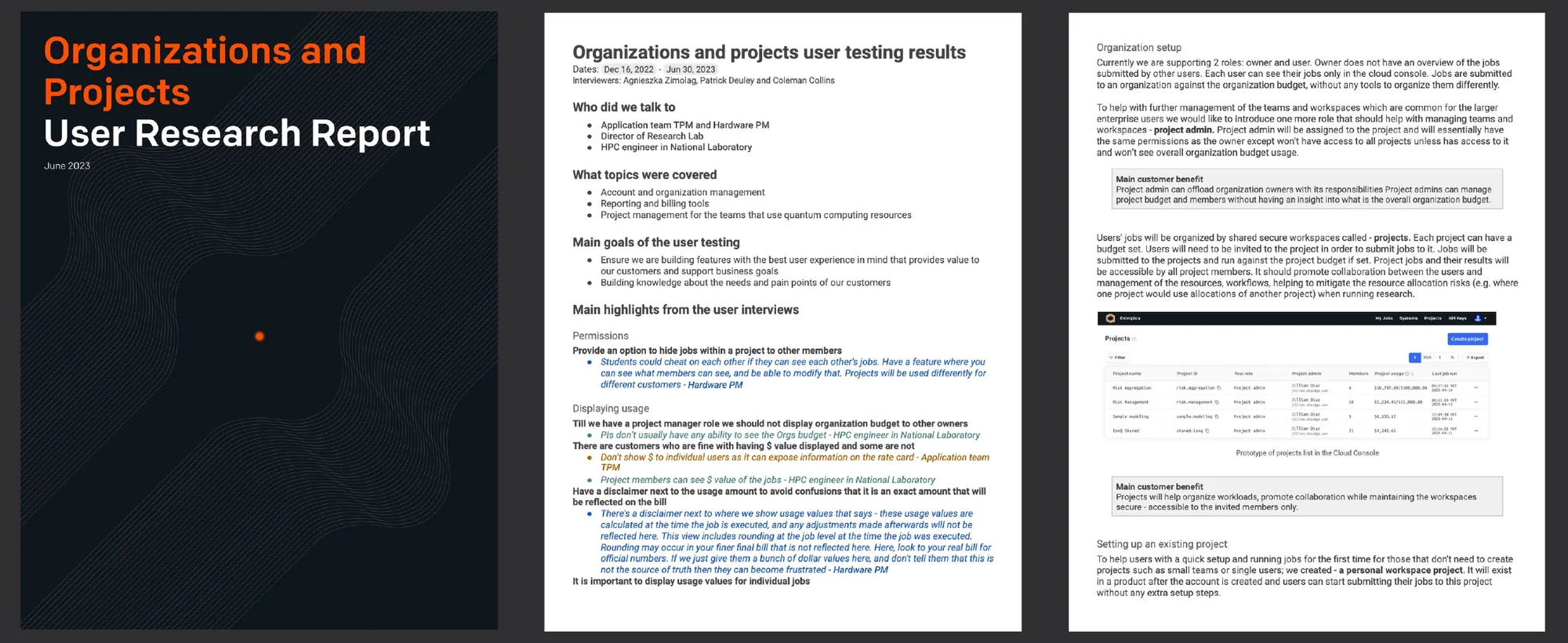
I also reviewed how GitHub, GitLab, MongoDB, Mode and Sigma Computing handle workspaces, resource management, user management, API keys and first-time setup, looking for patterns that carry over to quantum research.
Launch and adoption
- Every new customer gets a first project automatically, with their existing jobs organised inside it, so nobody has to set anything up to keep working.
- A banner in the console and the onboarding email point to new user guides in the docs.
- A feature release email announced multi-user projects.
- Internal teams were trained to support customers, and customers got in-person training sessions.
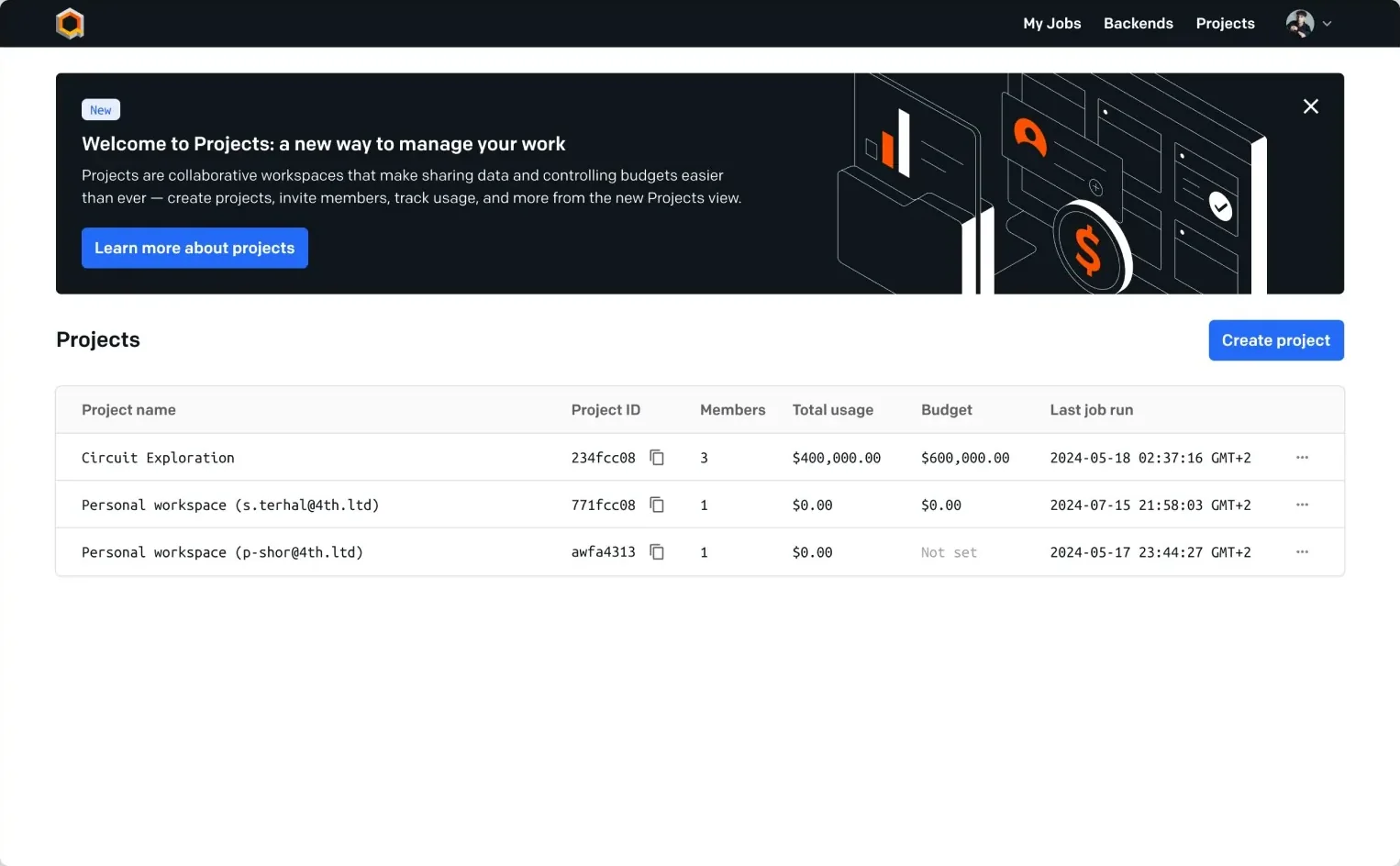
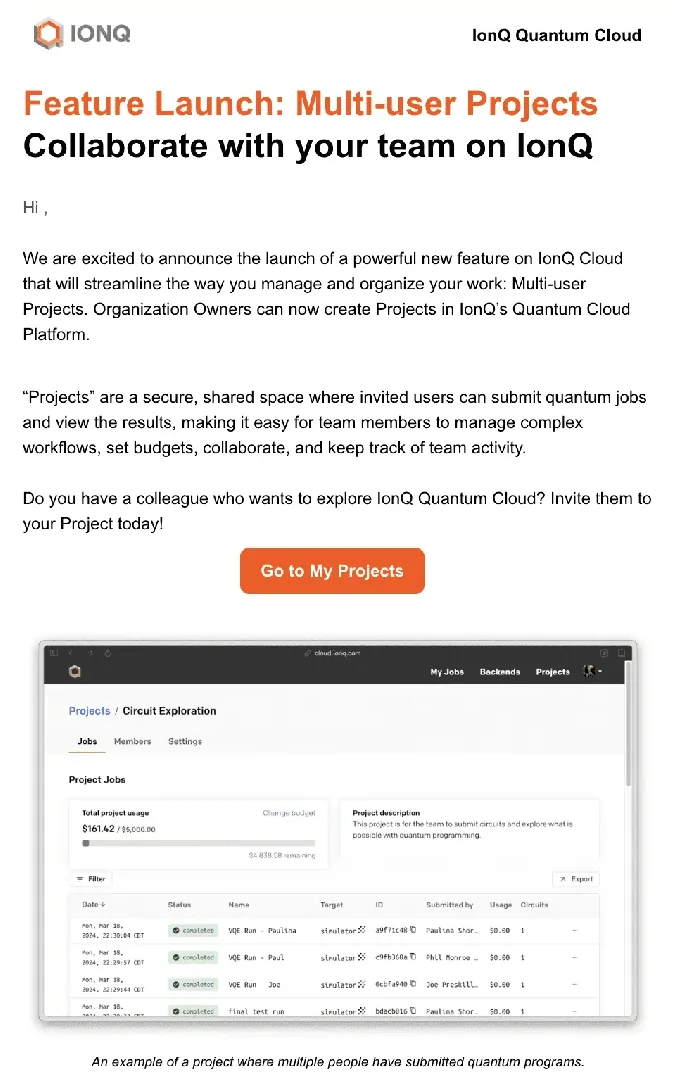
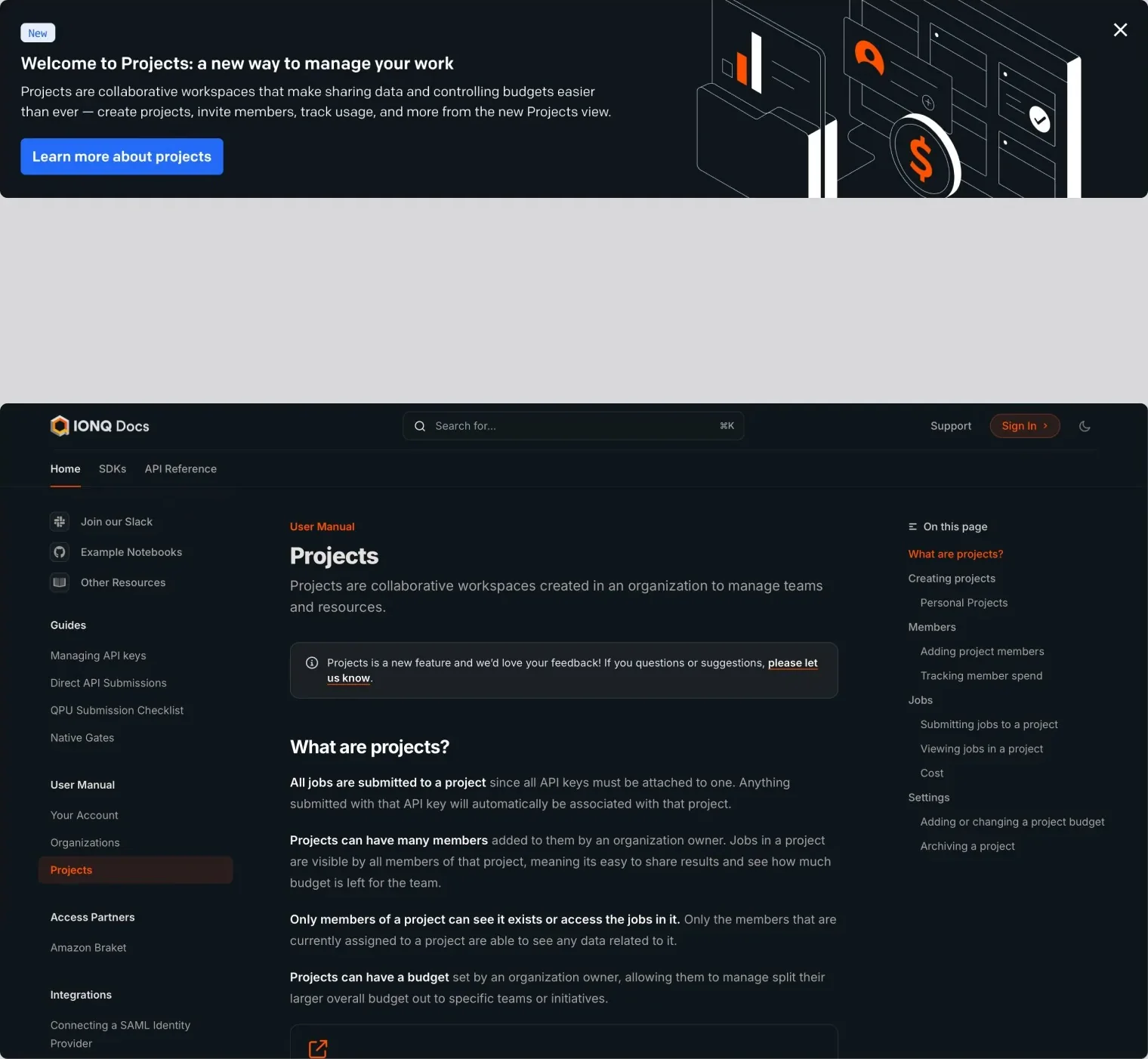
After the alpha, feedback came through in-product channels, the customer success team and regular customer touchpoints. I cross-checked it with product analytics to separate perceived friction from actual usage, and improvements were prioritised by how often they came up and their business impact.
What we measured
At launch we defined the telemetry that would show whether organisations used the new features.
| Metric | What it tracks |
|---|---|
| Active users (KPI) | Users who submitted a job in a 90-day window |
| Project users % (KPI) | Active users working in a shared project |
| Org project usage | Users in multi-member organisations using shared projects |
| Individual project usage | Active users in single-member organisations using projects |
| Projects with a configured budget | Adoption of budgets as a critical feature |
| Archived projects | Project lifecycle and churn |
| Average project members | How large collaboration gets |
| Average projects per organisation | How deeply organisations engage |
| Jobs run in a budgeted project | Whether budgeting goes with platform activity |
Budgets and multi-user projects were the two headline results (top of the page). The composite metric ties them to real use: a budget only counts when the project is actively running jobs.
Composite success metricThe share of projects with more than 20 job submissions in the last 90 days that have a budget set.
What's next
- Rethink where projects are managed: users suggested one view for managing all projects, or managing them from the table, instead of opening each project. This was still in discovery.
- Post-MVP items and the UX-improvements workstream, prioritised by feedback frequency and business impact.
What I'd do differently
Identify the different kinds of customers earlier. I started from the PMs' documents, and the research that showed how differently labs, government teams and enterprises work came later than it should have. What did work was extensive alignment and written-down decisions, and acceptance testing with scenarios for every role and access type, which a platform change this size needed.