
- Role
- Lead product designer
- Company
- Personio
- Team
- PM, engineering manager, front-end and back-end engineers; design manager in the loop
- Timeline
- August 2025 – May 2026
- Results
- Launched in May 2026 after a closed beta, as an opt-in for two months and then for everyone. Only a handful of support tickets came in over the first three months, and about four times as many customers now track overnight shifts regularly as before the release.
In short
- Context
Personio is an HR platform for small and mid-sized companies; its attendance product feeds balances, overtime and payroll. Our customers are mainly digital desk companies, but night work is typical for call centres and on-call work, and overnight shifts would be a must-have once we started targeting shift workers.
- Situation
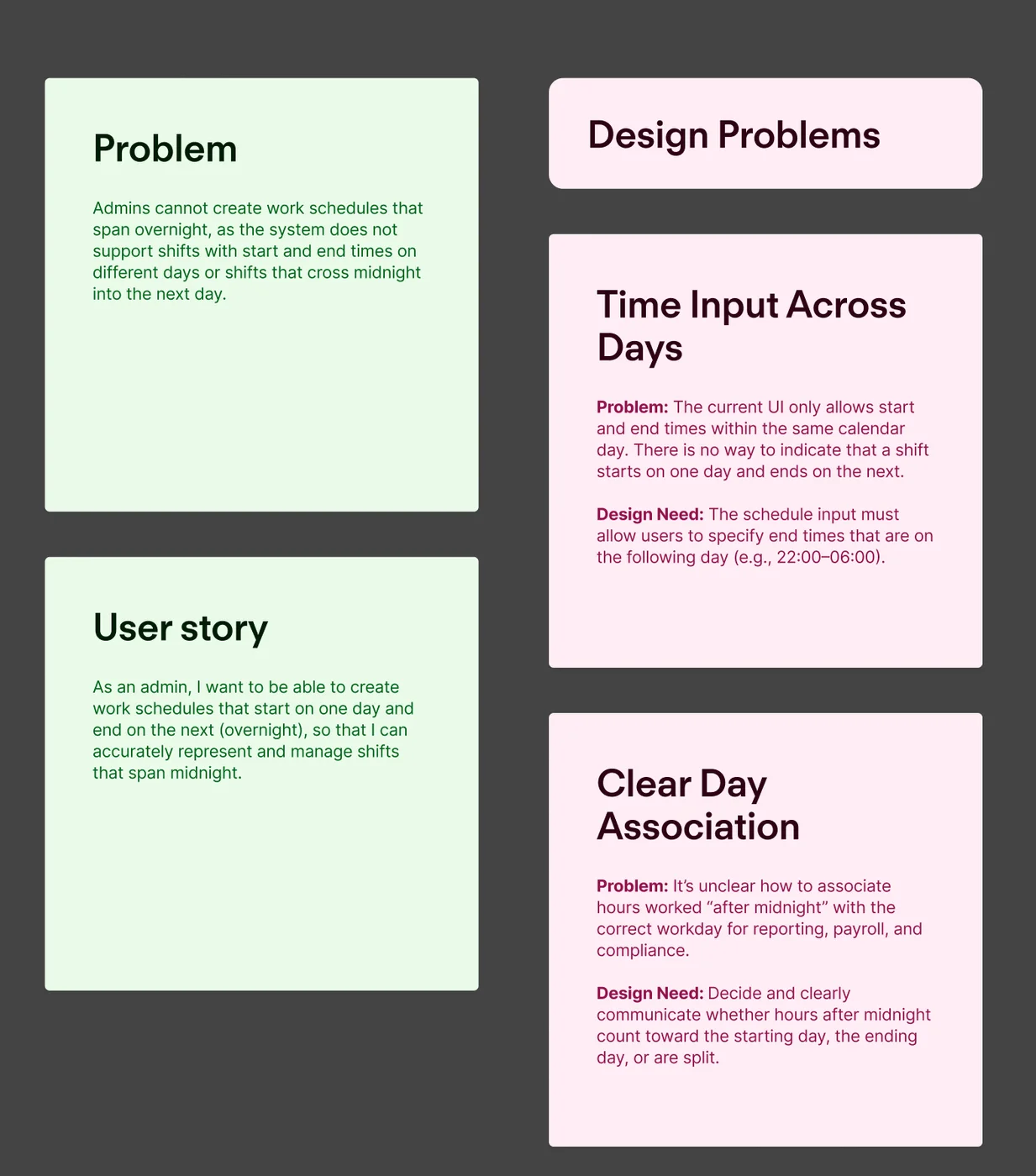
An early product decision split any shift that crossed midnight into two calendar days. Employees tracked two days for one shift, we could not check maximum working time and minimum breaks for night shifts, and night premiums were very hard to calculate. Every area that reads those days inherited the error: schedules, timesheets, approvals, absences, balances, payroll exports.
- I owned
I led the design across web, mobile and kiosk: the model for an overnight shift, the information architecture, trade-offs with my PM and engineering manager, customer prototype sessions, stakeholder presentations and handoff.
- What changed
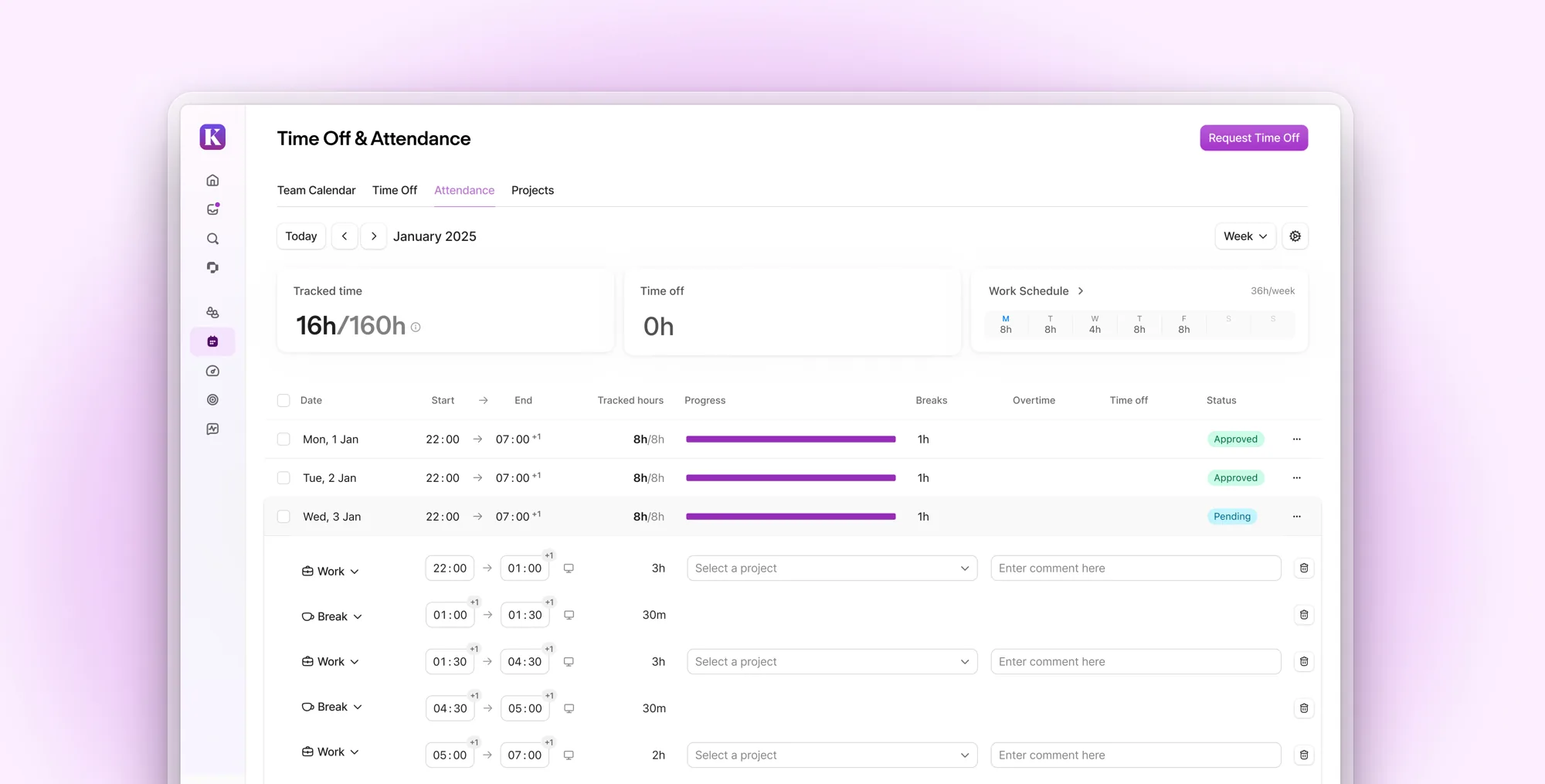
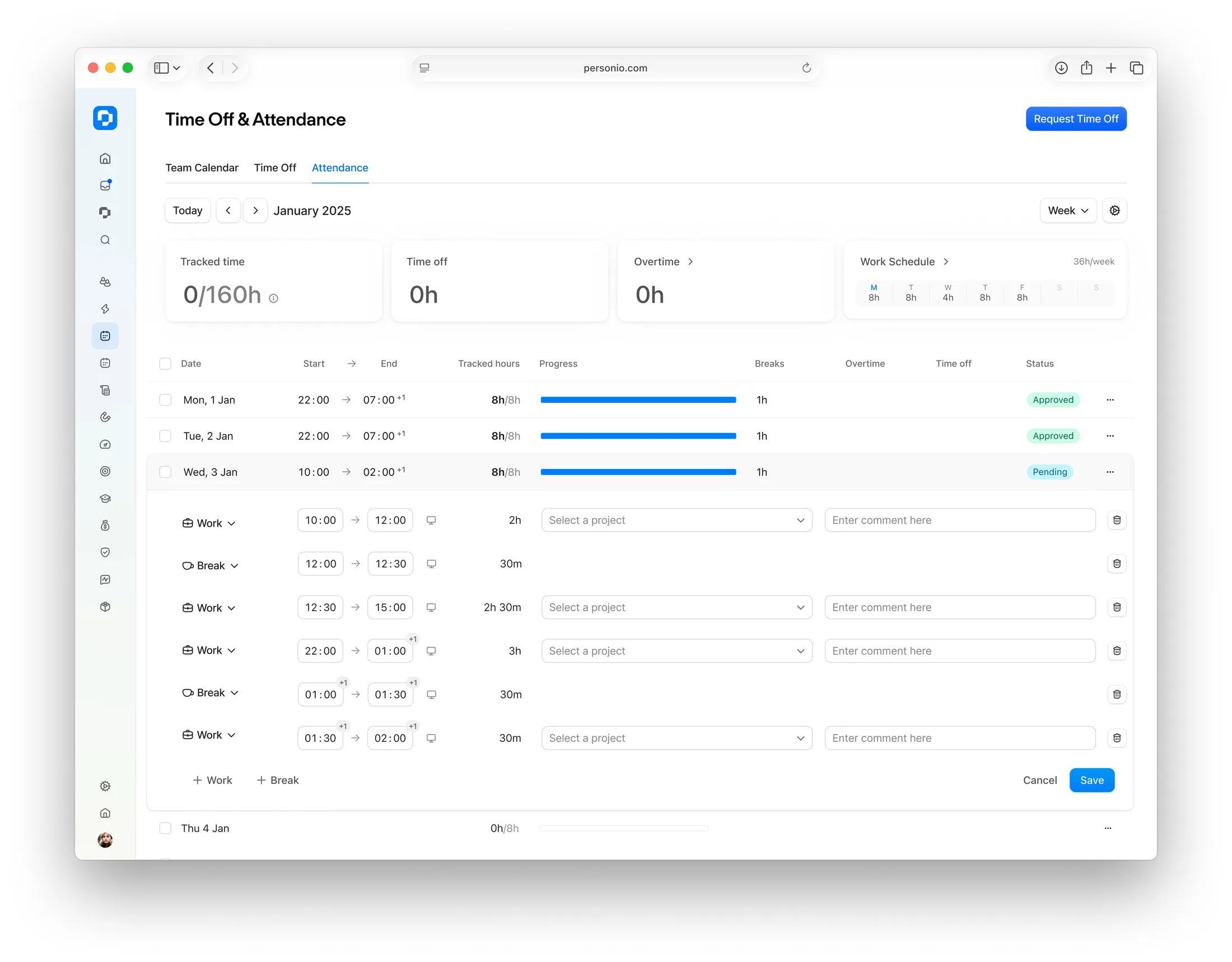
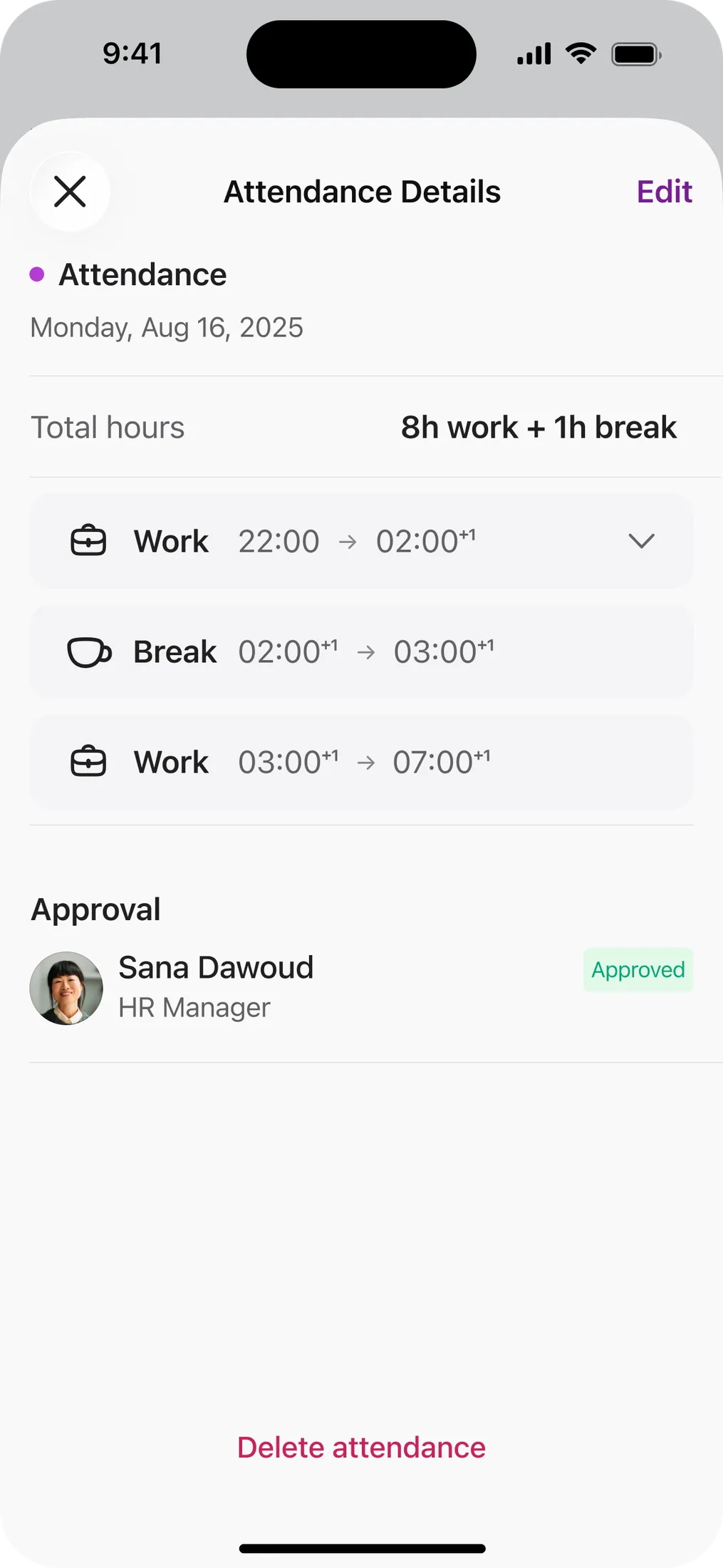
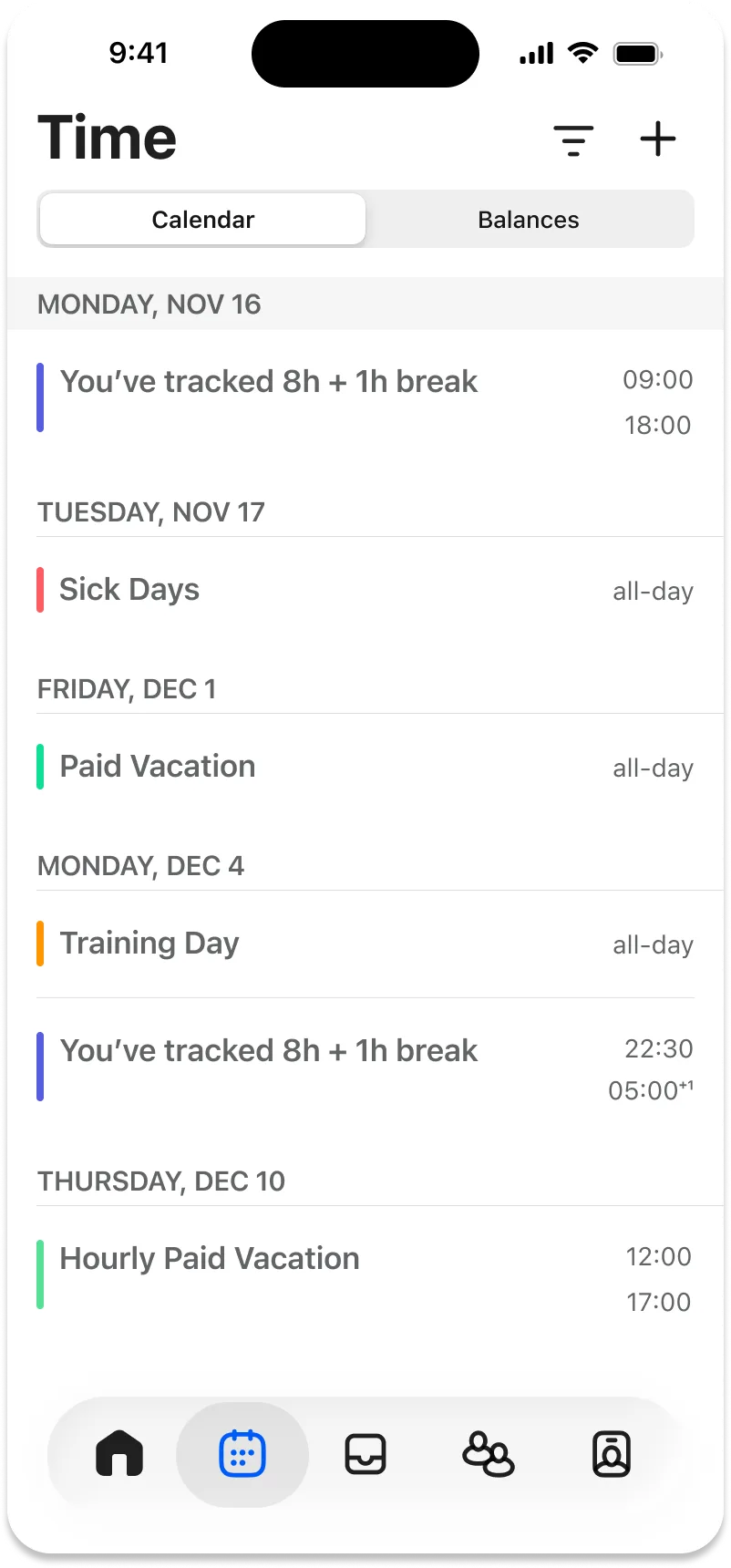
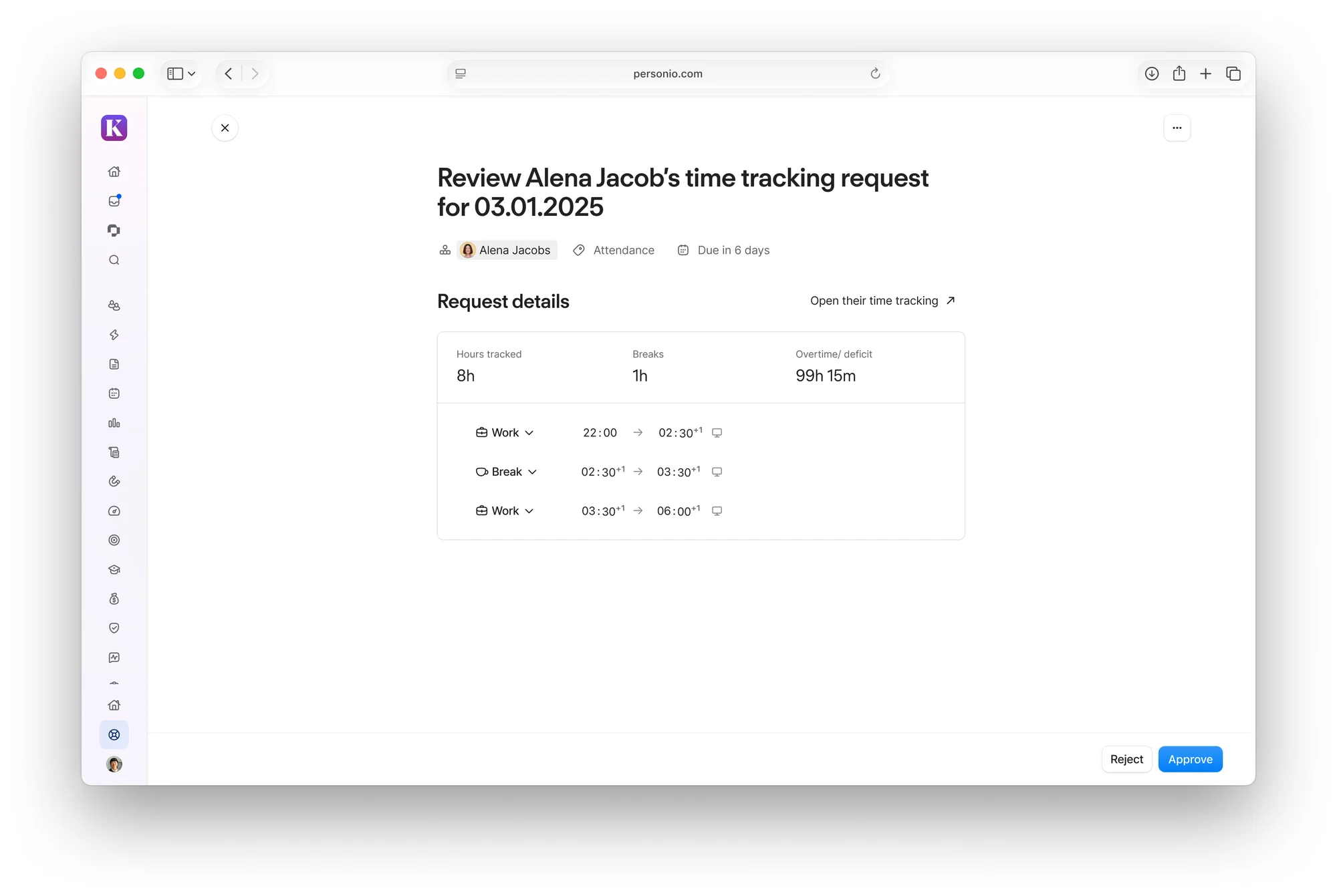
An overnight shift is one shift. It is tracked, reviewed and requested off as a unit, the hours after midnight carry a +1 marker, and hours count towards the day the shift started by default.
The problem
Month end
A 10pm to 6am shift on the 31st can leave 6 hours out of the employee's monthly total, because those hours fall on the next calendar day.
Customers raised it in feedback, NPS comments and sales conversations. It was also the main compliance gap in attendance and a blocker for night premiums, which competitors already supported. Night premiums themselves were out of scope.
Work time is cut at midnight and an additional entry is necessary to track the additional time for the following day.
Customer feedback
Poor experience for employees
They can't log an overnight shift as one entry and have to split their time.
Absence and leave errors
Absence requests don't account for overnight shifts, skewing balances and creating conflicts.
Reporting and planning gaps
Reports don't reflect overnight work, so HR can't plan shifts or check fair pay.
Churn and lost deals
Lost deals, churn and negative feedback, mostly in retail and manufacturing.
Wrong time and overtime balances
Hours split at midnight skew daily, weekly and monthly balances.
Wrong payroll and premiums
Payroll can't reflect overnight work or apply night and weekend premiums.
Compliance risk
Break and maximum-hour rules break across midnight, risking labour-law violations.
Error-prone scheduling and approvals
Admins and supervisors split shifts and approve the pieces by hand.
How the work unfolded
- 1
Mapped every surface the shift touches
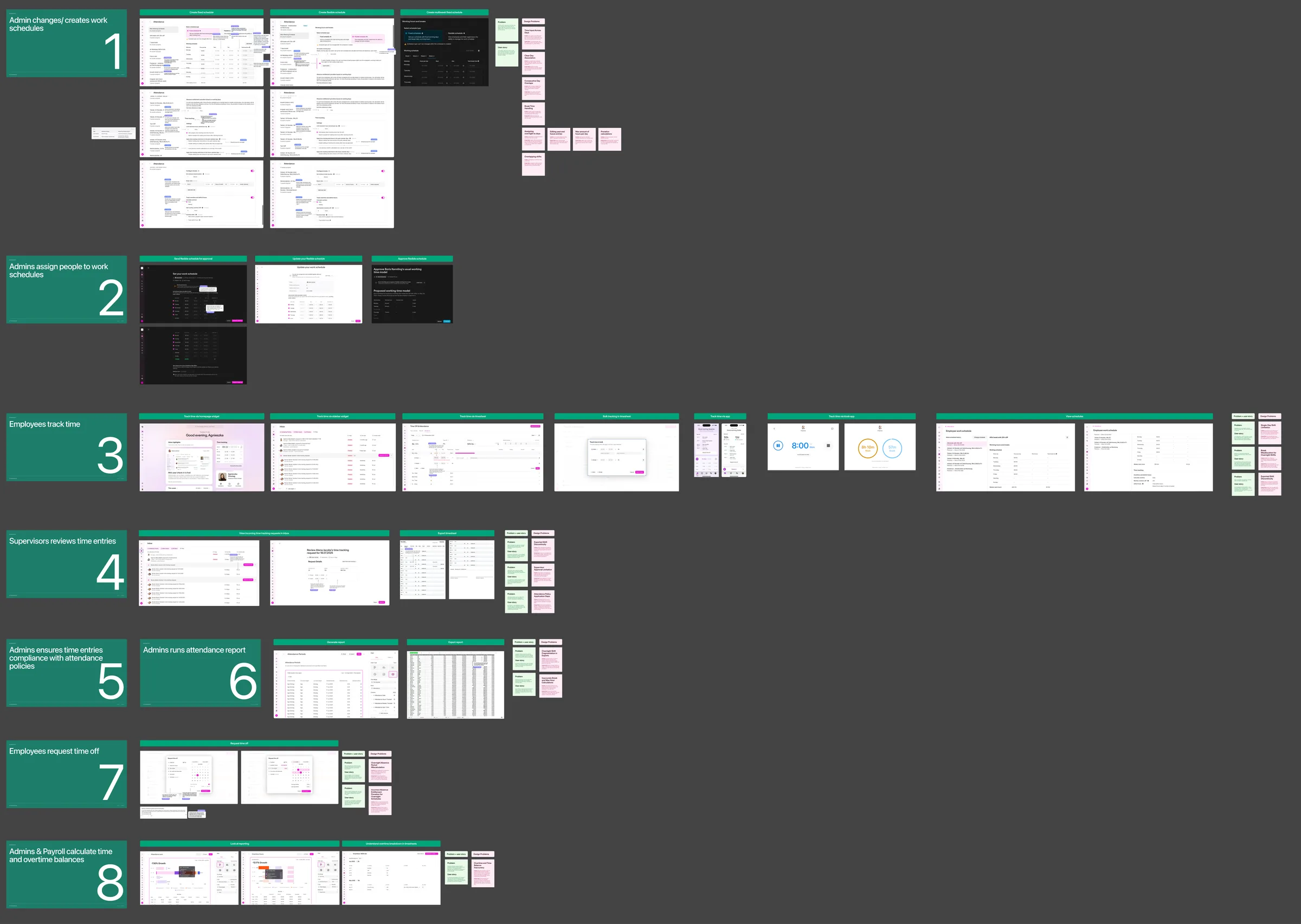
Before designing anything I mapped the attendance journey in eight steps, from an admin creating a schedule to payroll calculating balances, with today's screens and what breaks at each step. It showed this was a change to the model under six teams' surfaces, not a timesheet fix.
- 2
Designed the happy path, then broke it with scenarios
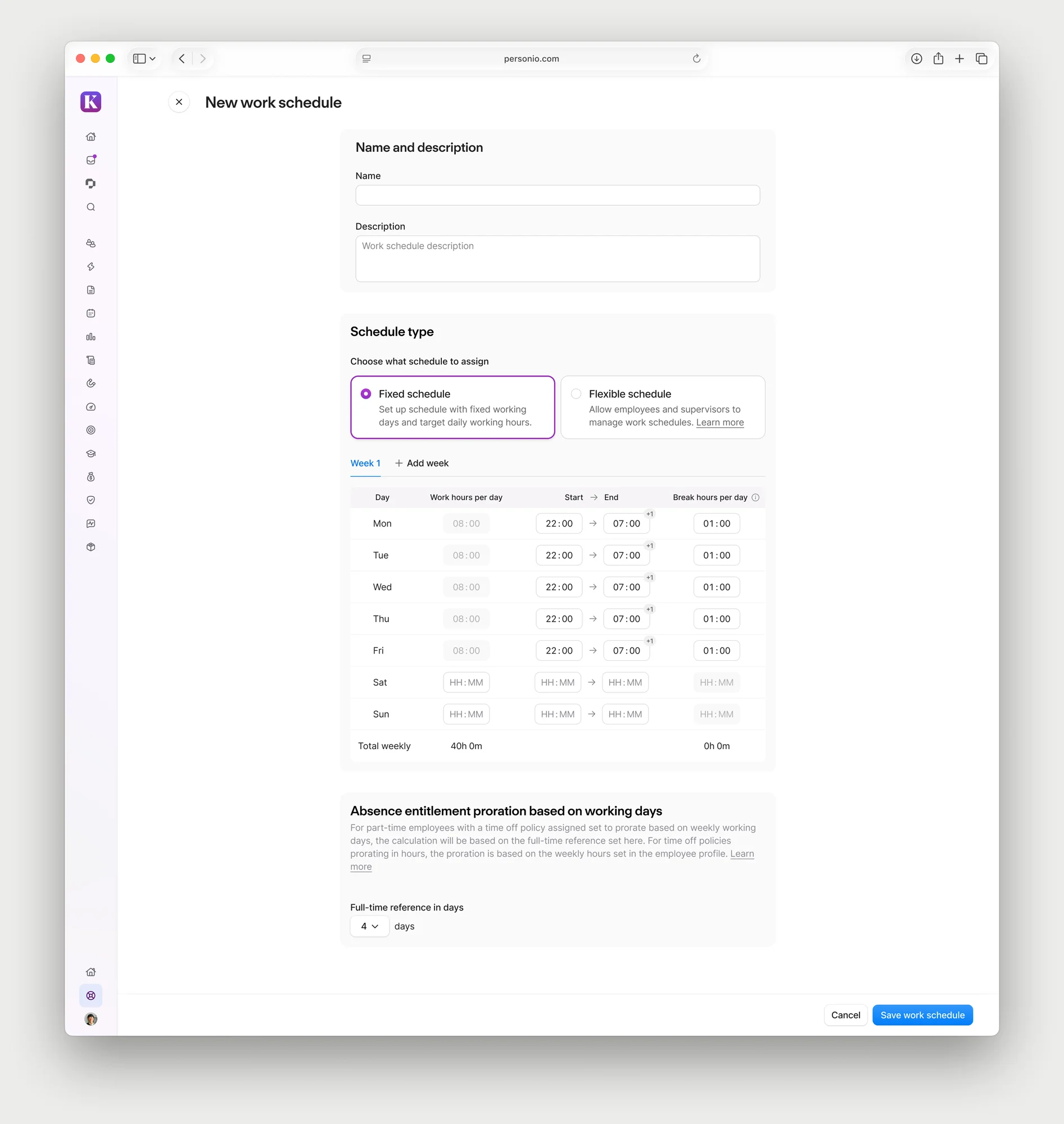
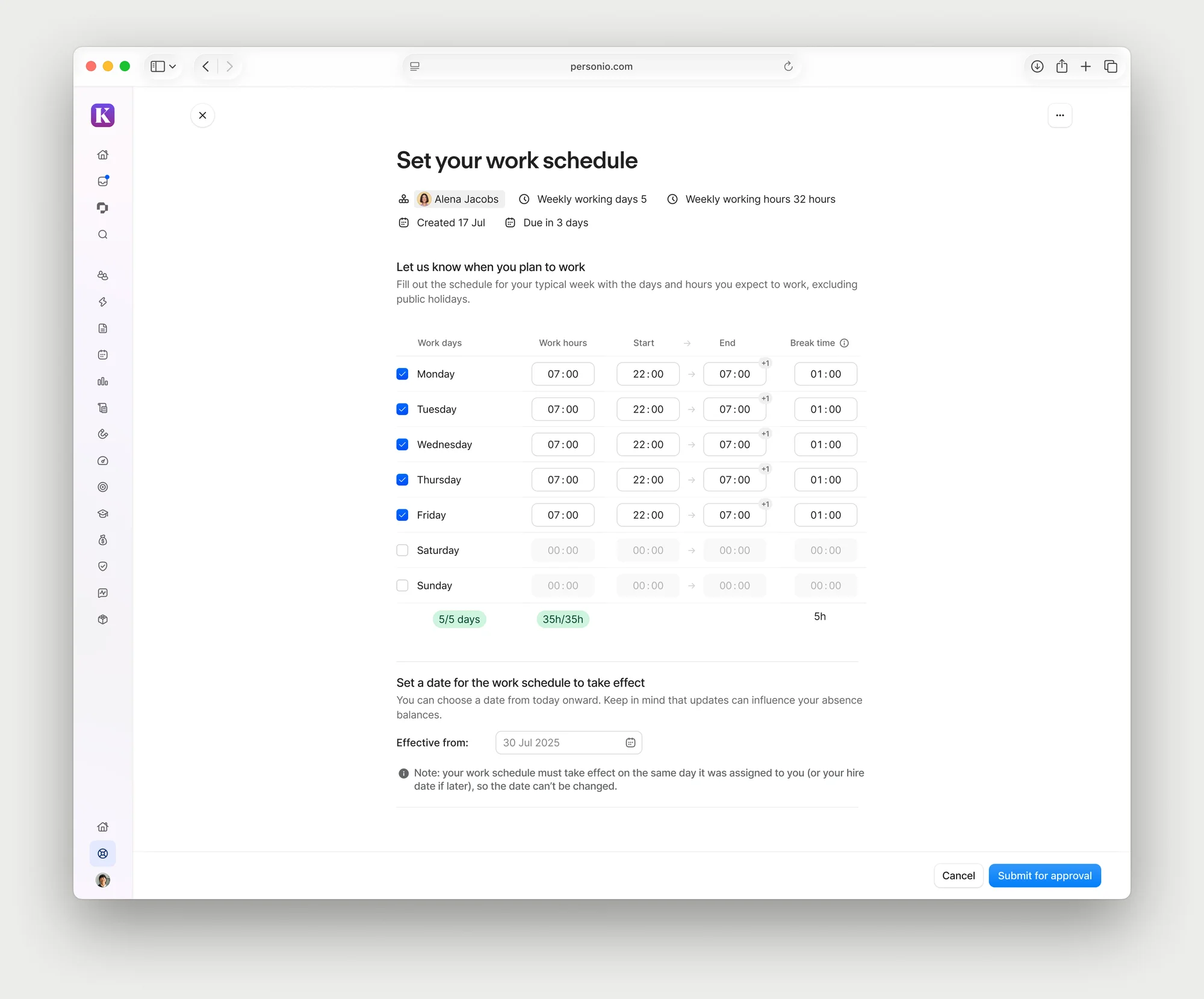
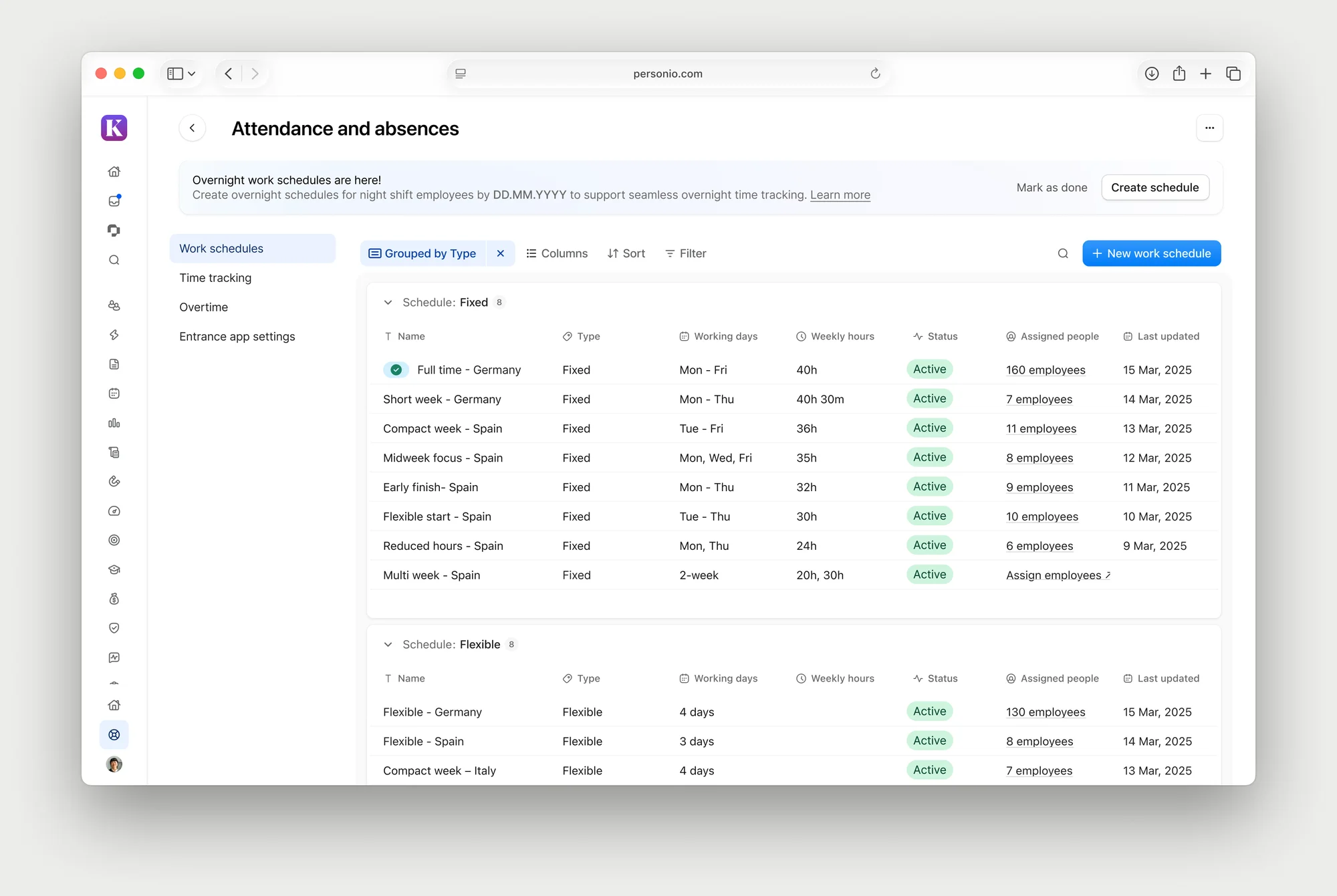
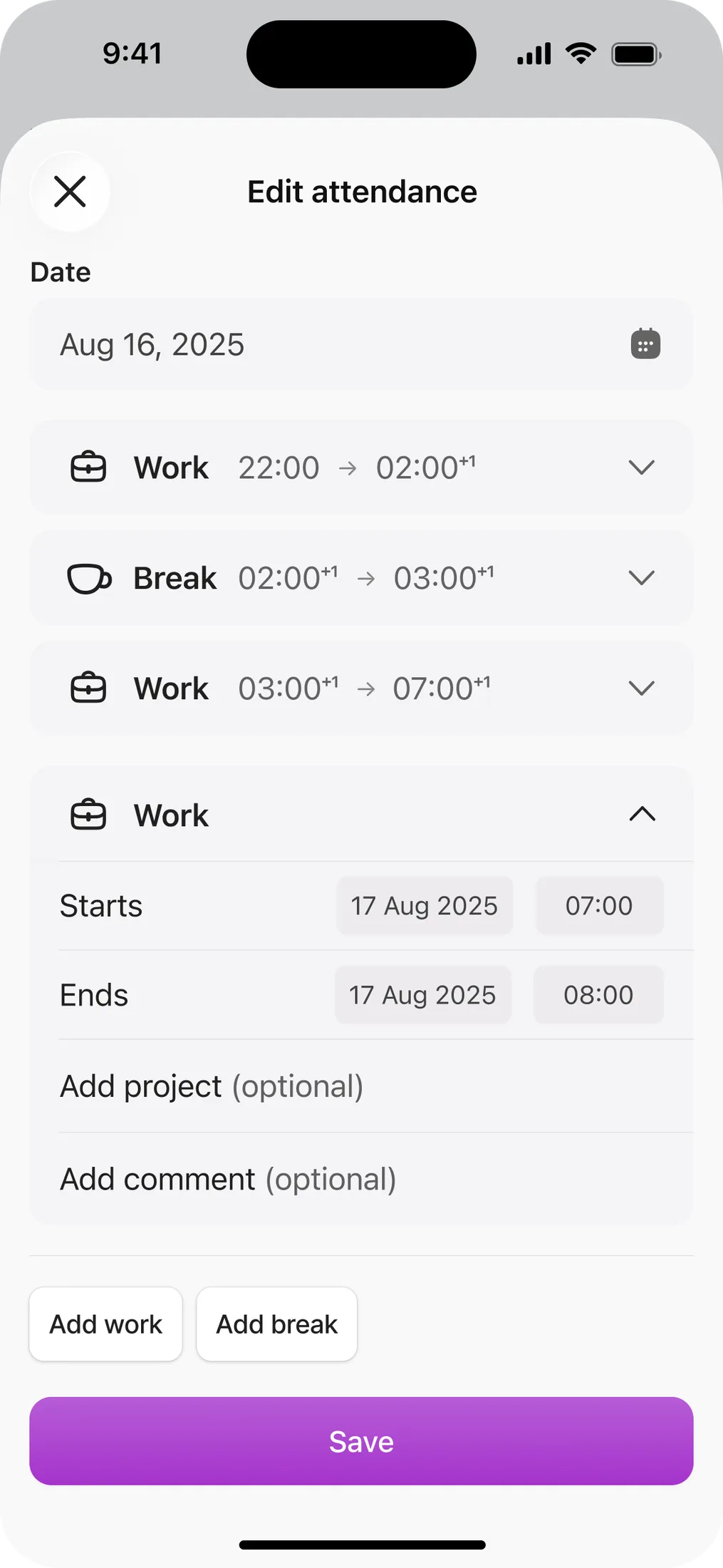
A clean 10pm to 6am shift was easy. Breaks across midnight, a period added at 3am, a day off under a night shift and two shifts with only a short rest between them were not. Working through those scenarios turned one feature into a list of rules the system had to get right. I designed for two kinds of night worker: people on rotating day and night shifts, whose schedules set target hours only, and people on fixed overnight shifts with set start and end times. Each got an end-to-end prototype flow: set up the schedule, track time in the timesheet and the home widgets, and request a full or half day off.
- 3
Took the hard questions to the people who owned them
Several scenarios had no answer inside one team: which day the hours count towards, whether a long gap is rest, what a half day means. I framed them as decisions with options and trade-offs and aligned PM, engineering and the affected teams on each.
Four decisions
Each of these came out of the scenarios above. I tested them in prototype sessions with four customers throughout the project, and worked the rest out in options papers and design reviews with my PM and engineering manager.
Which day do overnight hours count towards?
- Situation
- Balances, overtime and payroll need each hour to belong to one day. Splitting at midnight was the existing behaviour.
- Options
- Keep splitting by calendar day; count the shift on the day it starts; count it on the day it ends.
- Chose
- Count the whole shift on the day it starts, the default for every new working model. Existing models stay on calendar-day splitting until customers switch.
- Why
- Customers I interviewed expected the start day. Making it opt-in avoided silently changing balances payroll relied on.
- Gave up
- No retroactive recalculation, and no end-day option in the first release.
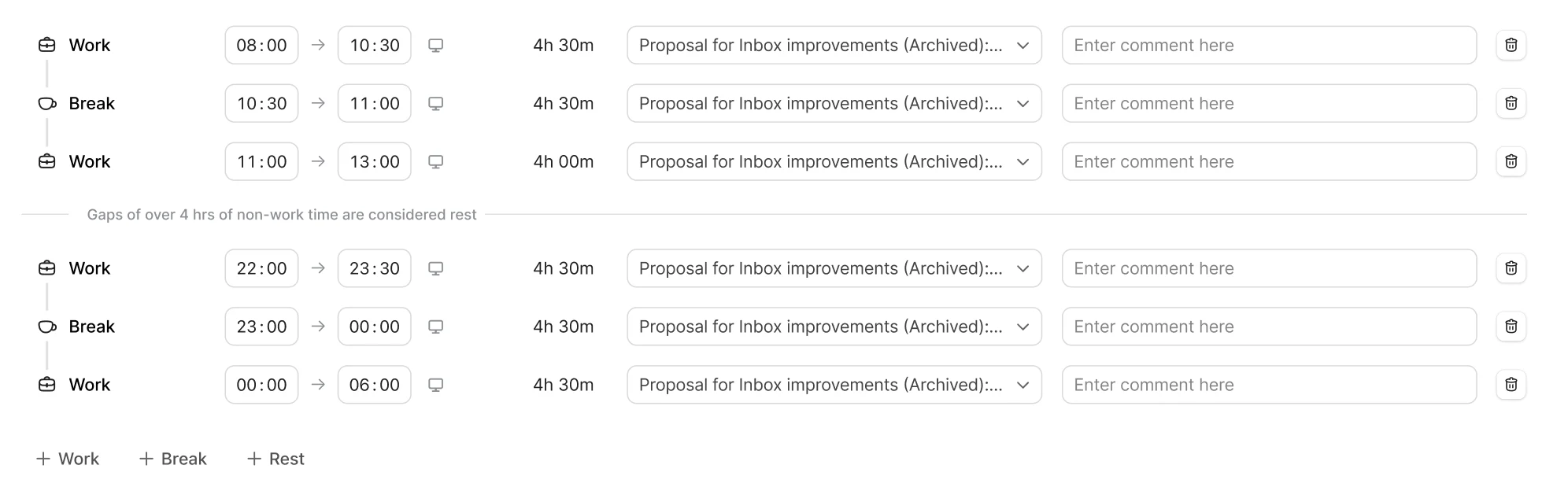
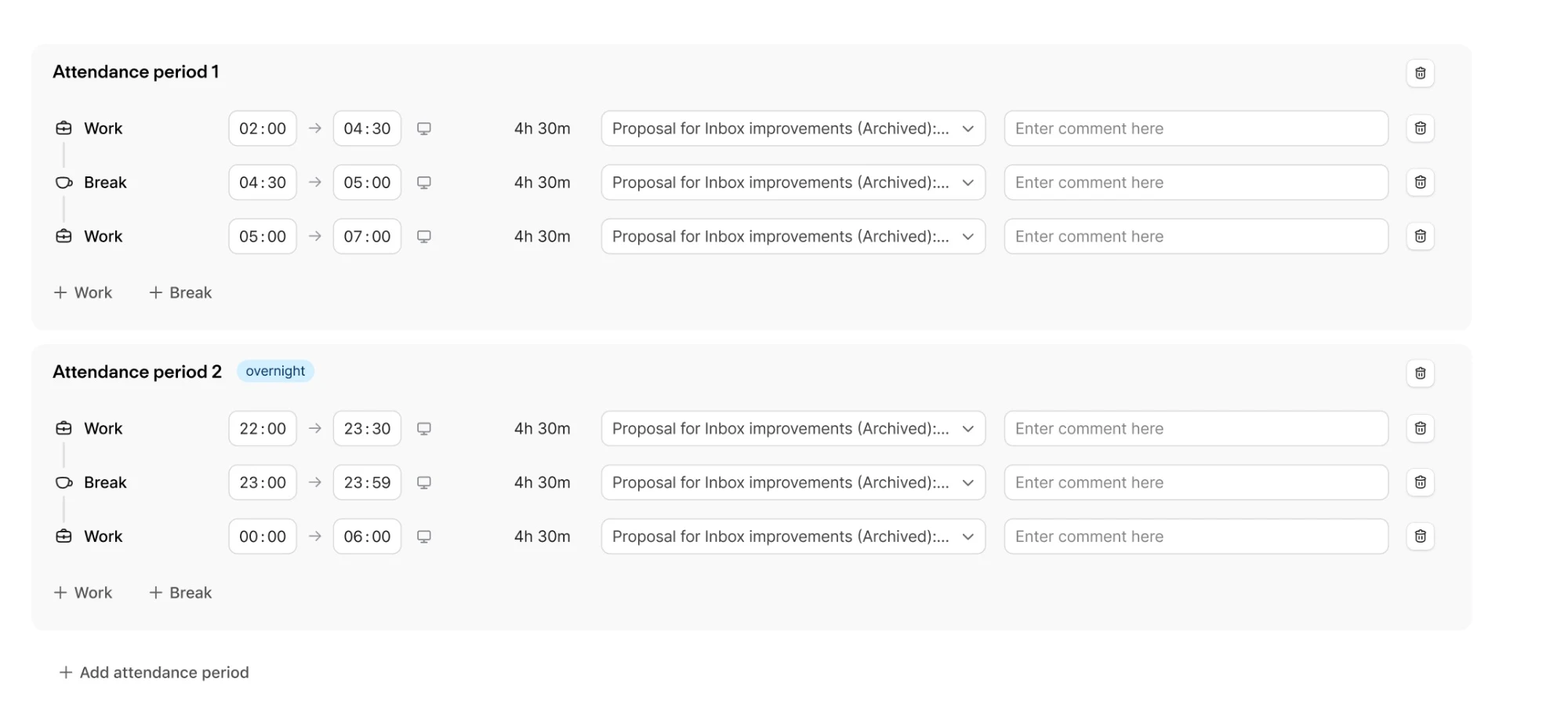
Is a long gap a break, or the end of a shift?
- Situation
- Once a shift can cross midnight, the system has to tell a break inside a shift from the gap between two shifts. Today any gap became a long automatic break, which confused people.
- Options
- Keep treating any gap as a break; treat a long gap as the end of the shift; and if so, whether to make rest and attendance periods a new concept users see.
- Chose
- A gap longer than a set threshold ends the shift: it isn't a break and doesn't count as paid or unpaid break time. Customers can configure the threshold, with 4 hours as the default. A shorter gap stays a break, added automatically if the employee doesn't log it. We applied it as a rule underneath, without a new rest concept in the interface.
- Why
- It fixed the confusing long breaks, kept Overnight about overnight shifts, and avoided a new concept users would have to learn.
- Gave up
- A proper, user-facing definition of rest. The rule also changes day shifts: long automatic breaks are no longer added there either.
This was the biggest exploration on the project: whether to add rest as something people log, and whether to split a day into named attendance periods. I took it from the most explicit version to the least, so the team could see what each level of concept would cost users.
Adding a period to a shift that crosses midnight
- Situation
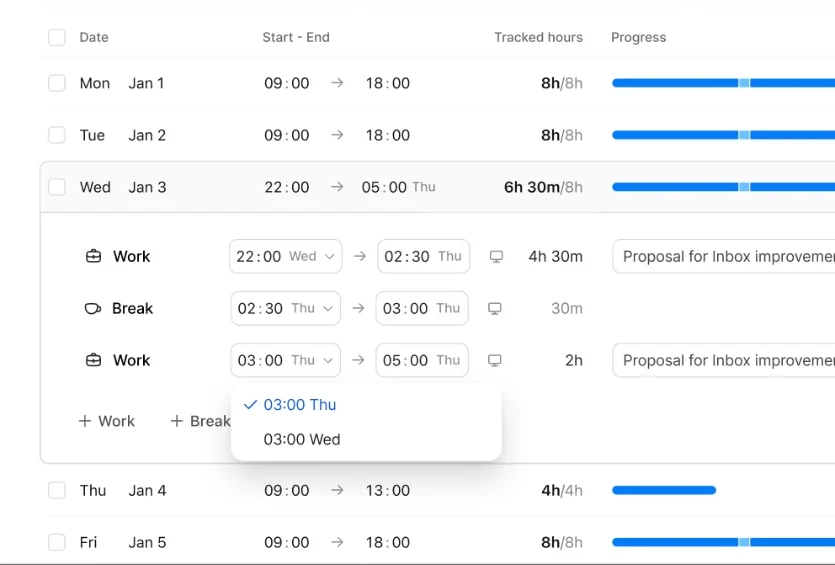
- Adding a period at 03:00 to a shift that started at 22:00 is ambiguous: tonight, or that afternoon?
- Options
- Five prototypes: reshuffle automatically, pick the day, confirm with a dialog, add from a dropdown, add in between.
- Chose
- A minimal change: we kept the existing patterns and added no new interaction.
- Why
- No customer had flagged this as a problem, and the back-end logic was already large.
- Gave up
- The new interaction patterns I explored; none resonated with the team.
Absences follow the shift, not the calendar
- Situation
- Taking Monday off left Tuesday's part of a Monday night shift active and created deficit hours.
- Options
- Keep absences on calendar days and ask for two days, or attach the request to the shift that starts that day.
- Chose
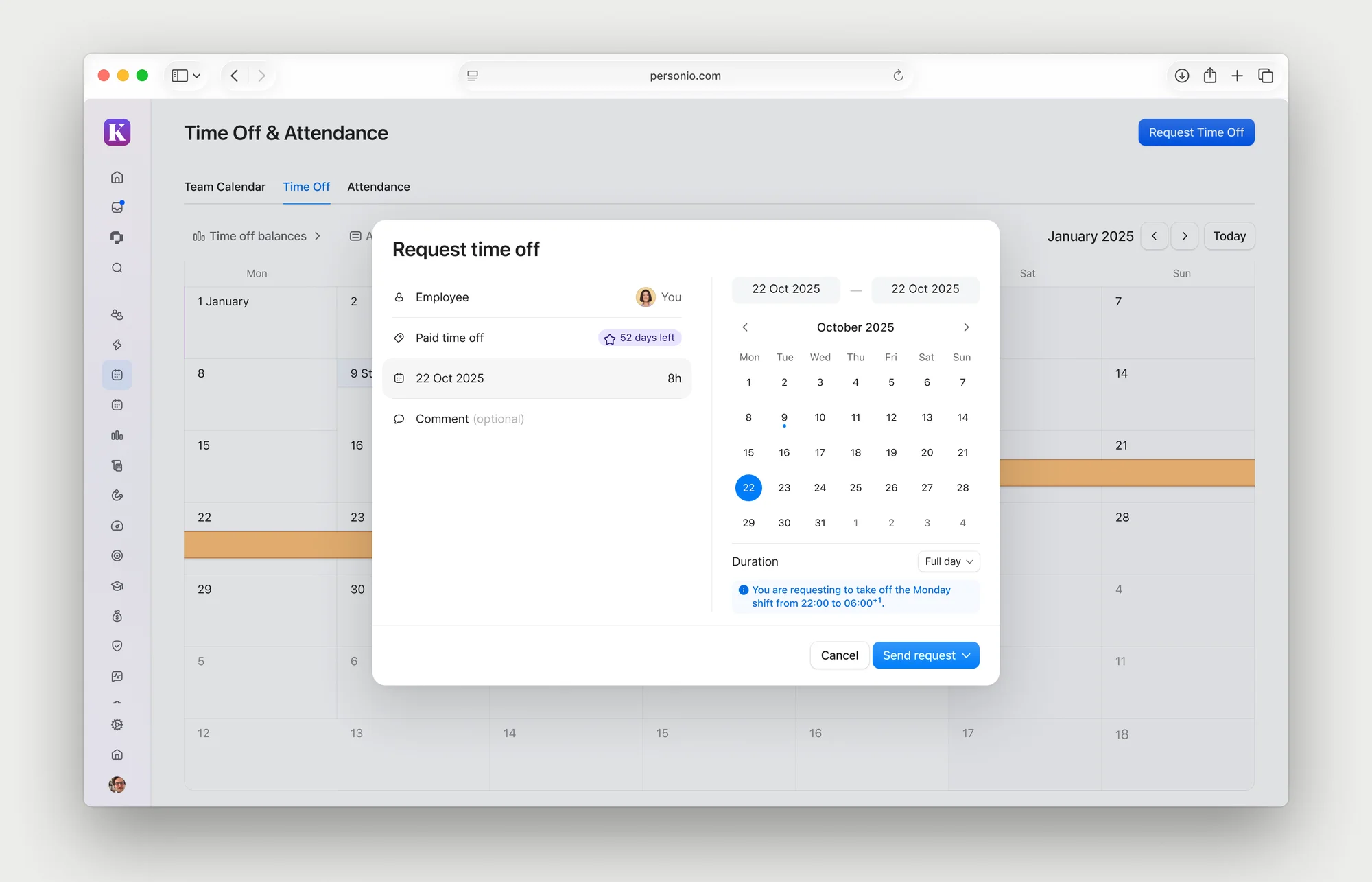
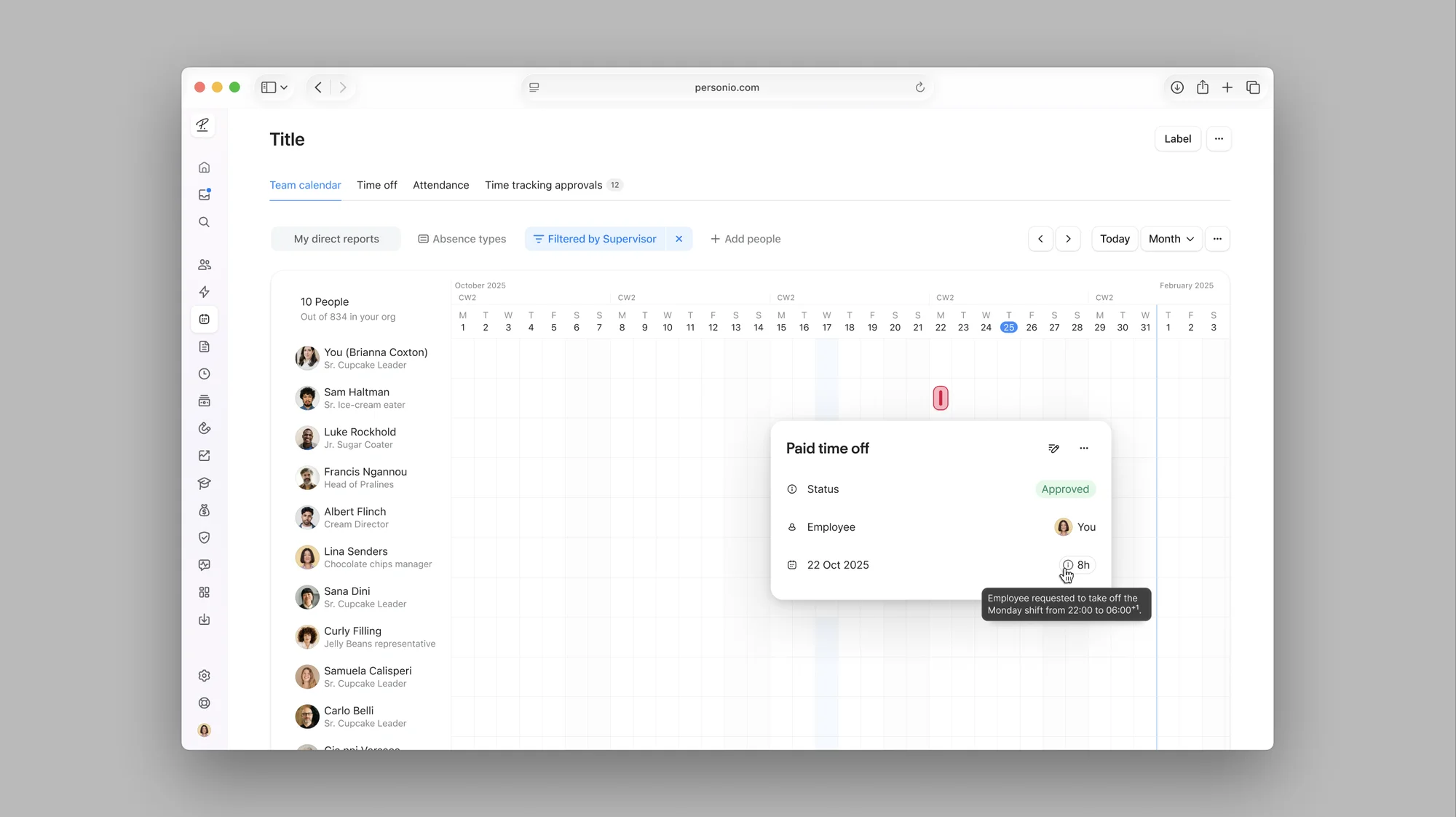
- When the work schedule has start and end times, the requested hours are deducted from the target hours of the shift on the day it starts, so Monday off removes the whole Monday night shift. Half days are halves of the shift, and the form says which hours it covers. When the schedule has no start and end times, absences work as before.
- Why
- The rule follows the two kinds of night worker. Fixed overnight workers have start and end times, so the system knows which shift a day off covers; three of four interviewed customers expected it to be the shift that starts that day. Rotating workers' schedules set target hours only, so there is no shift to attach the absence to, and guessing would have been worse than keeping today's behaviour.
- Gave up
- One rule for every schedule. And a half day no longer means morning or afternoon, so the form explains it.
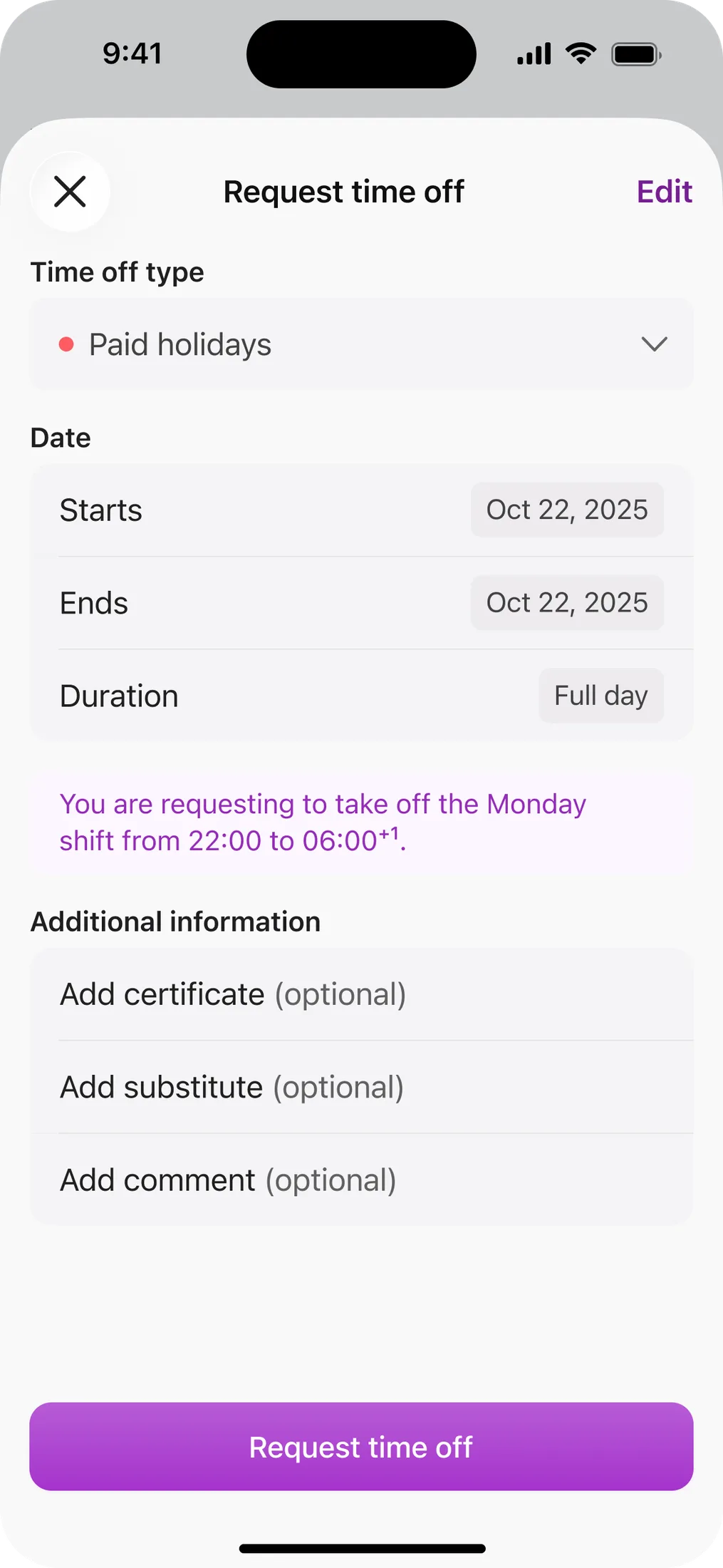
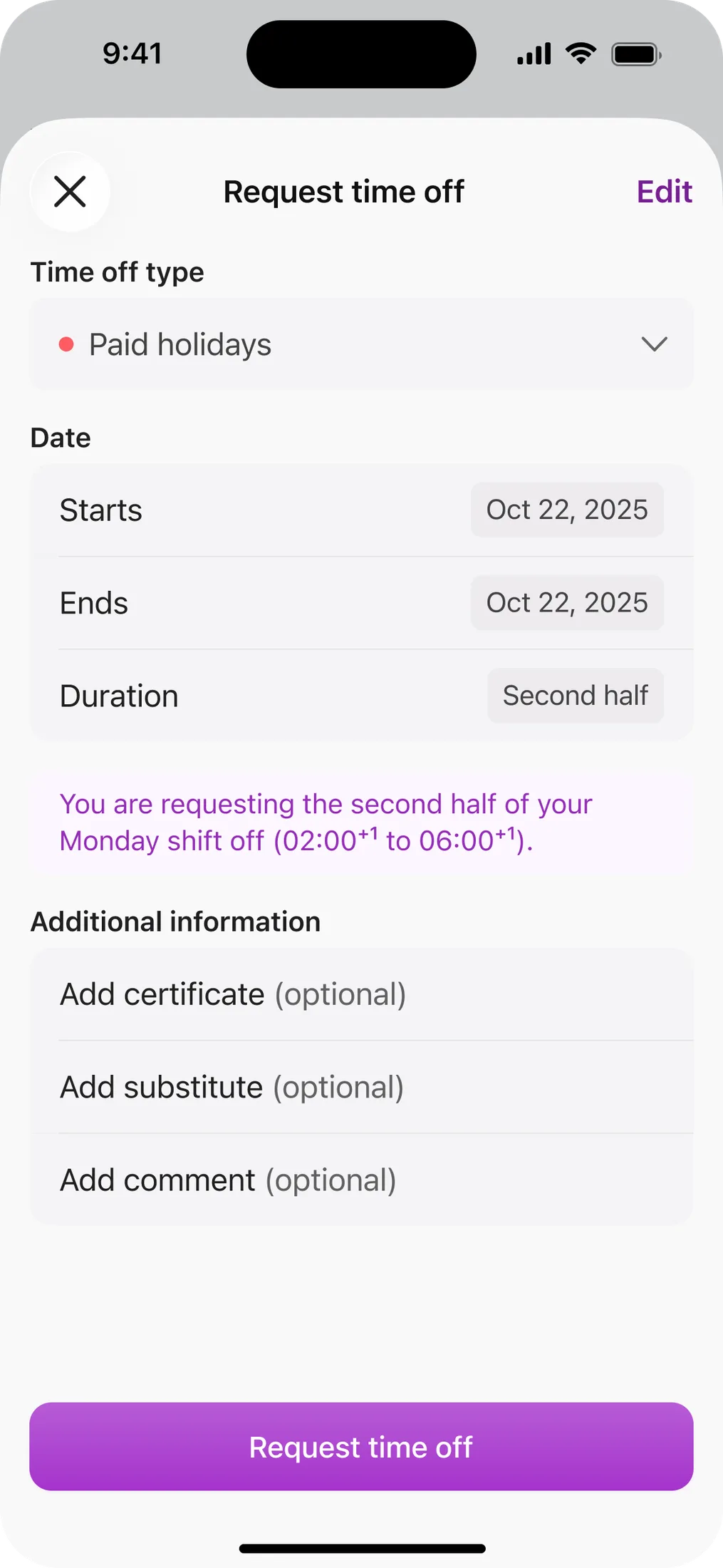
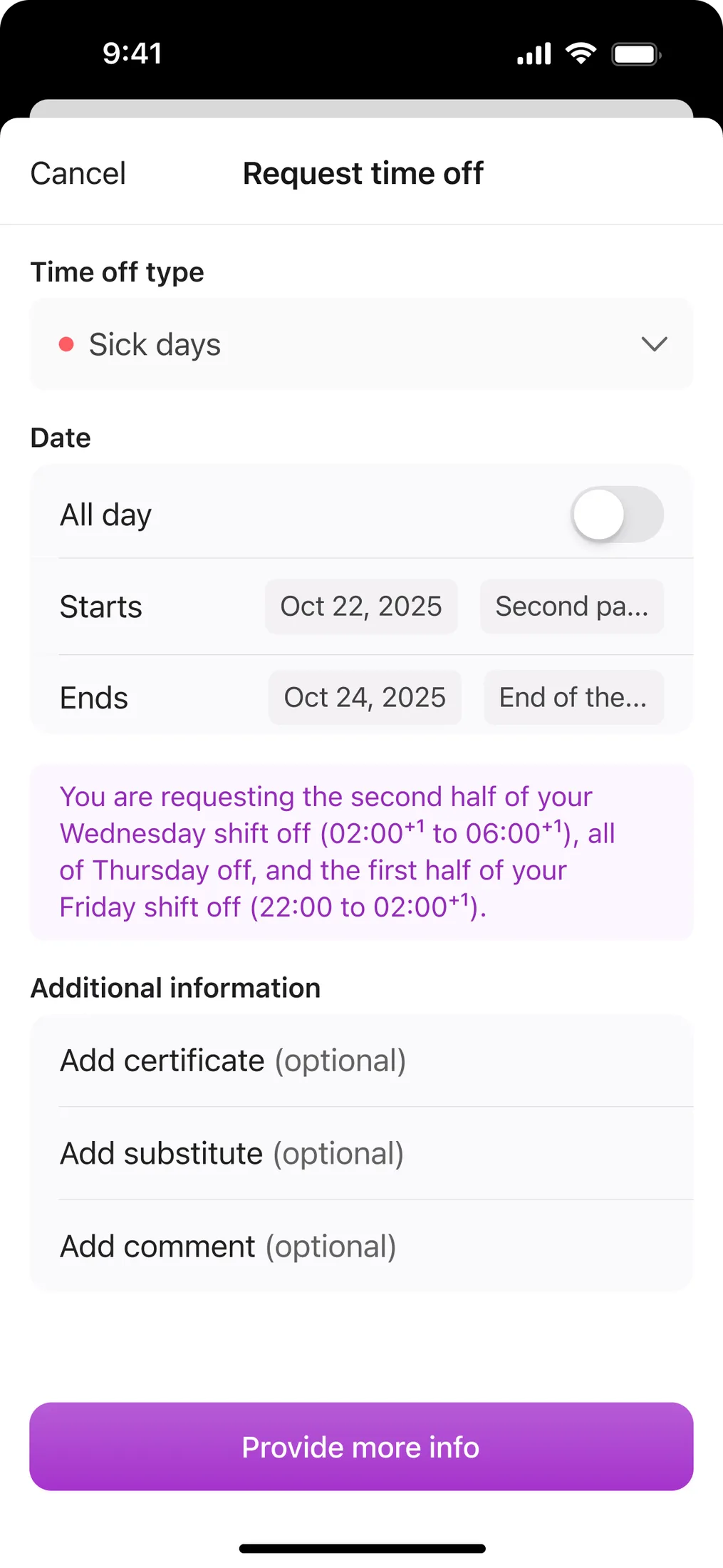
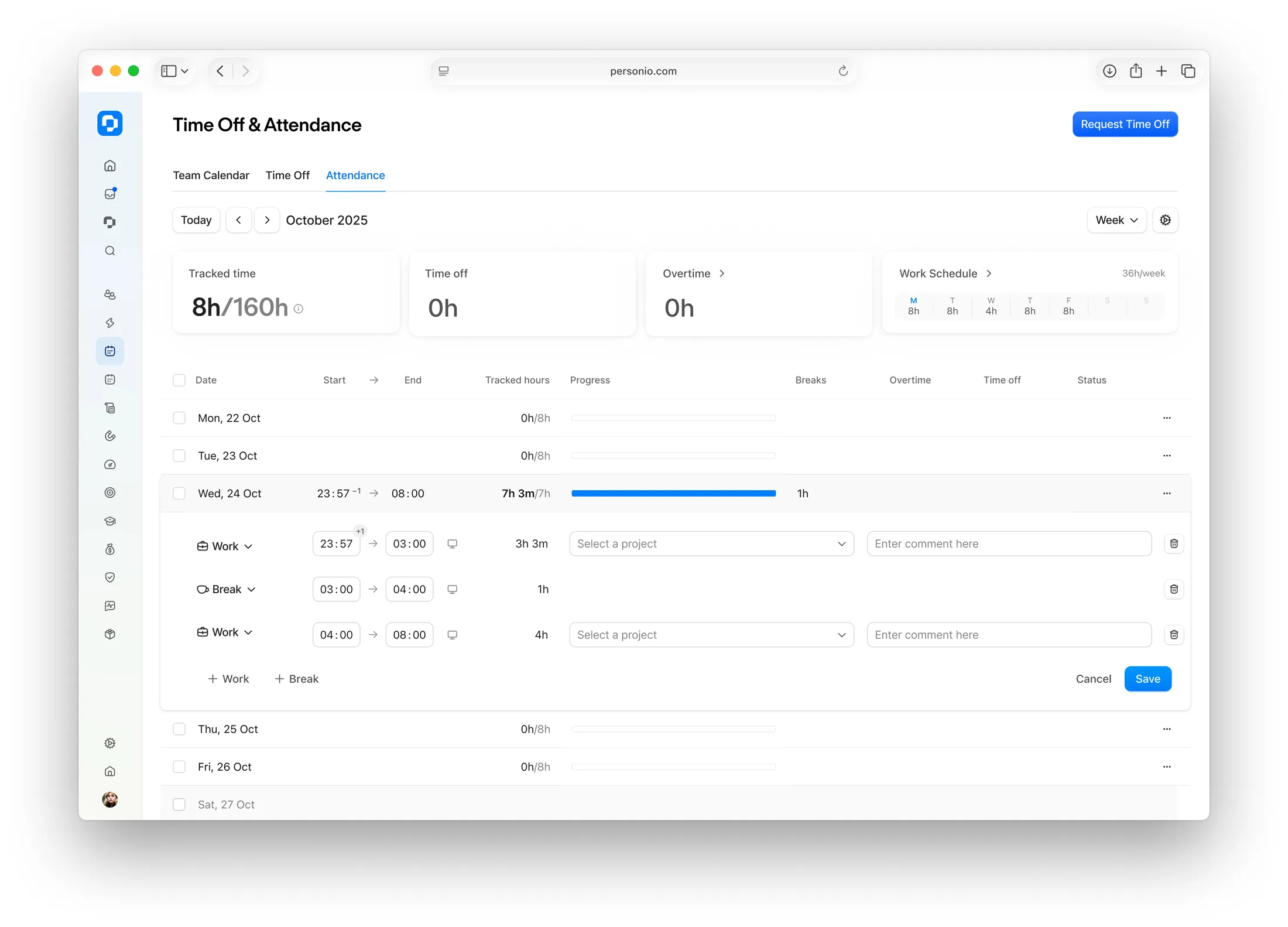
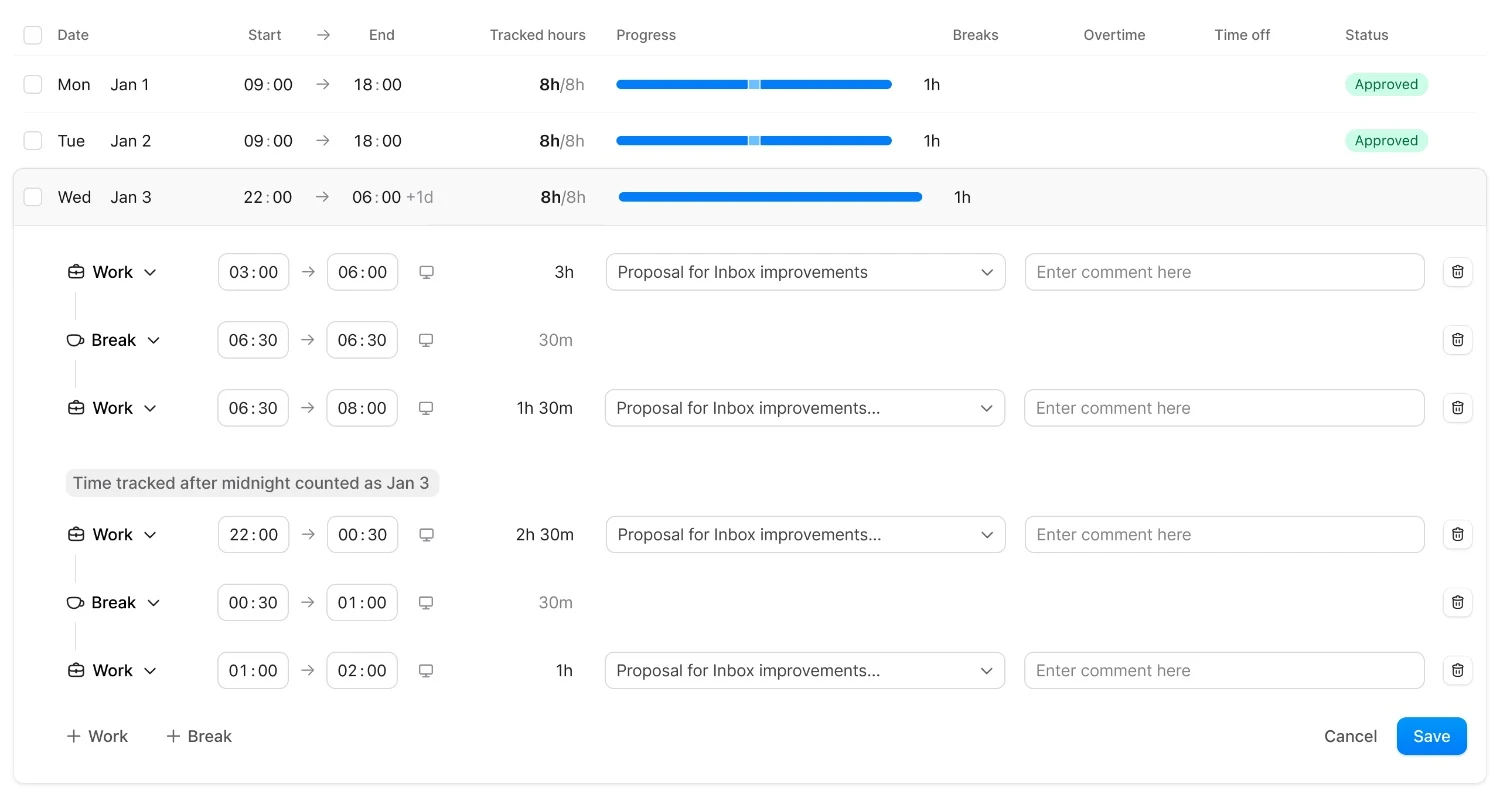
A smaller call: how to mark hours that belong to the next day. I put five markers through design review (a text label, '+1d', a weekday chip, a moon icon, a calendar icon), and we settled on a small '+1' badge on larger time inputs, the same on every surface.
The same rules on other surfaces
These aren't new decisions. They show the rules above carried into surfaces like the kiosk, where an employee clocks out and sees how their time was saved. Break and max-hour rules are checked on the whole shift, so a 10pm to 10am shift cannot pass as two short ones, and an entry after a long gap starts a new workday.
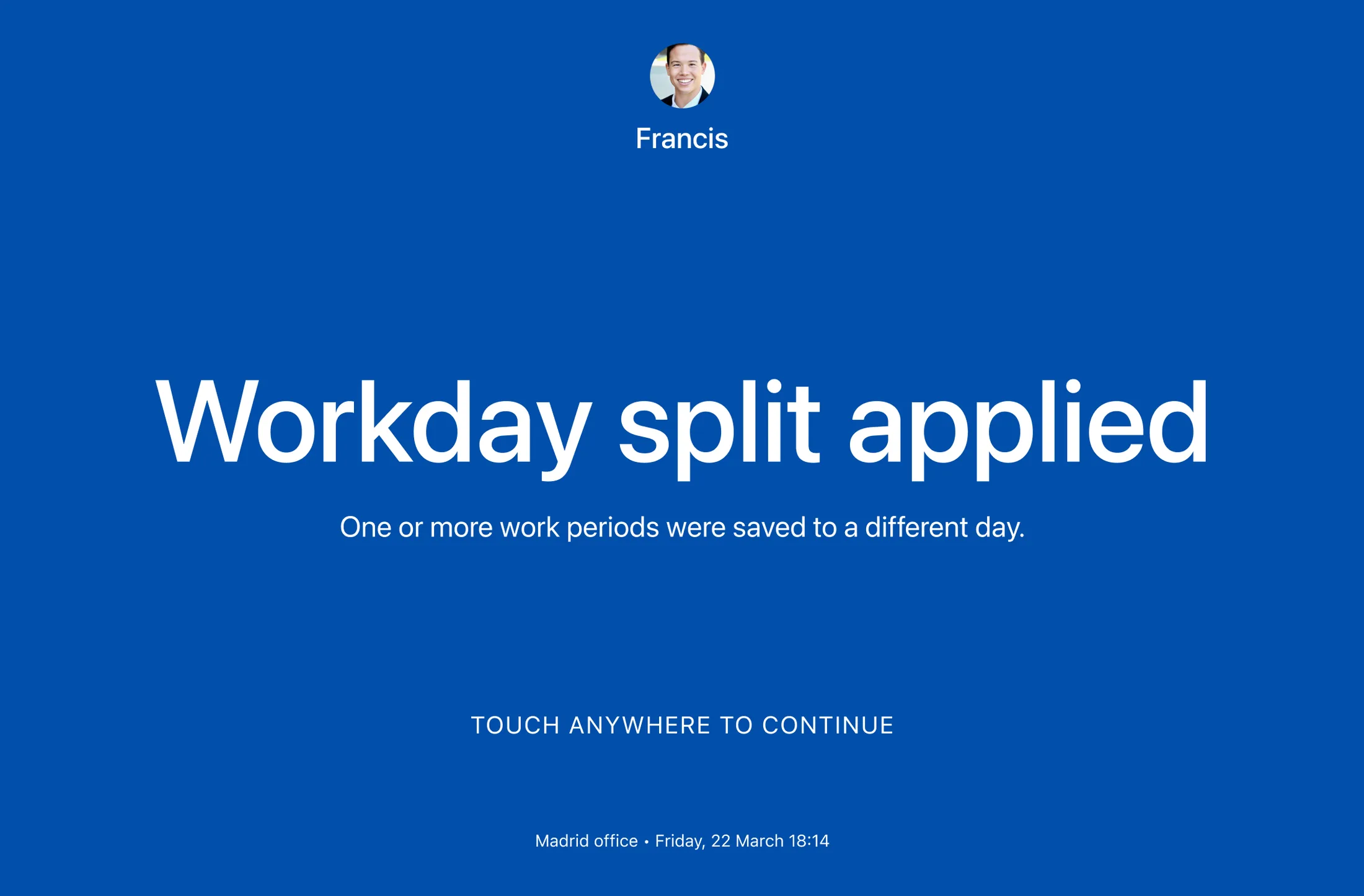
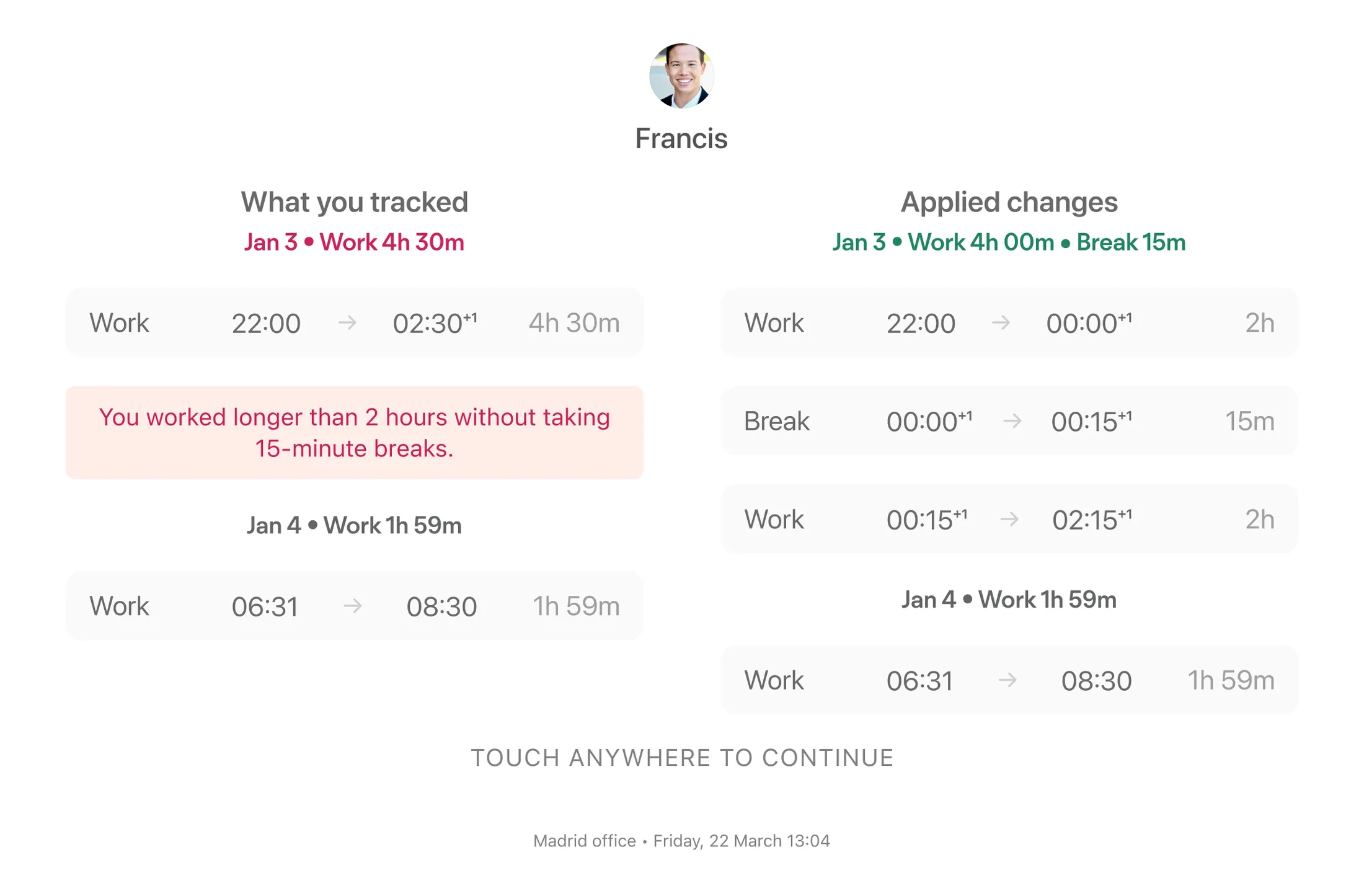
When a rule moves time into another day
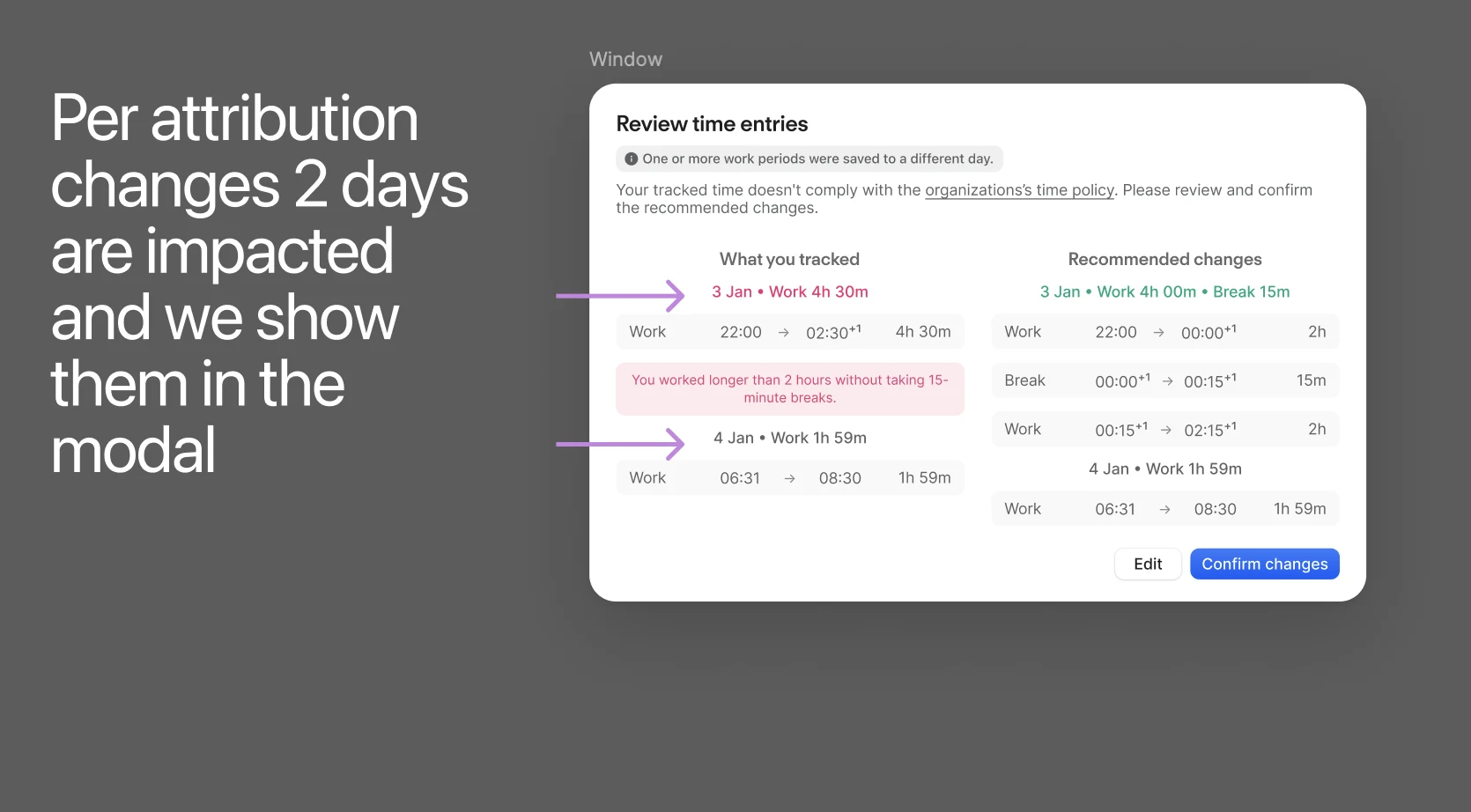
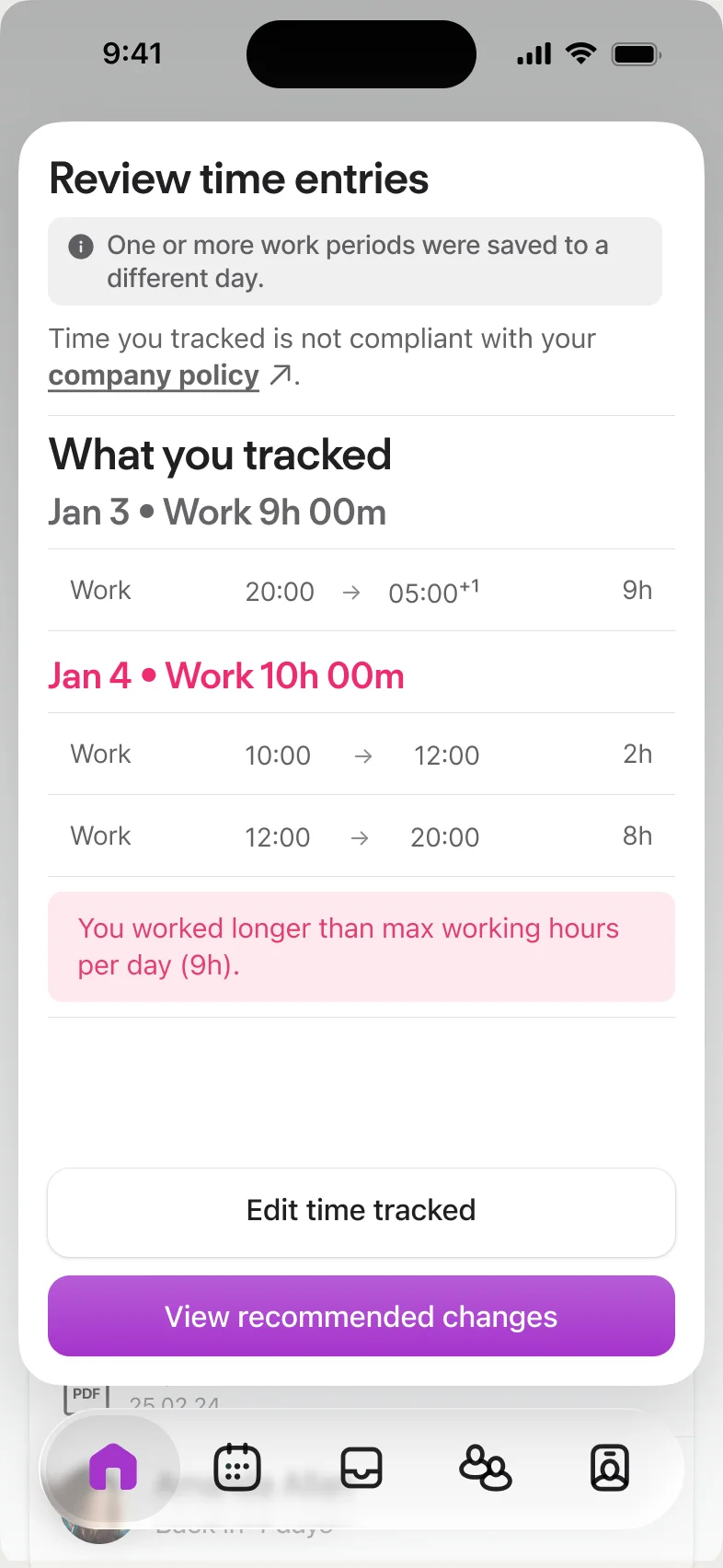
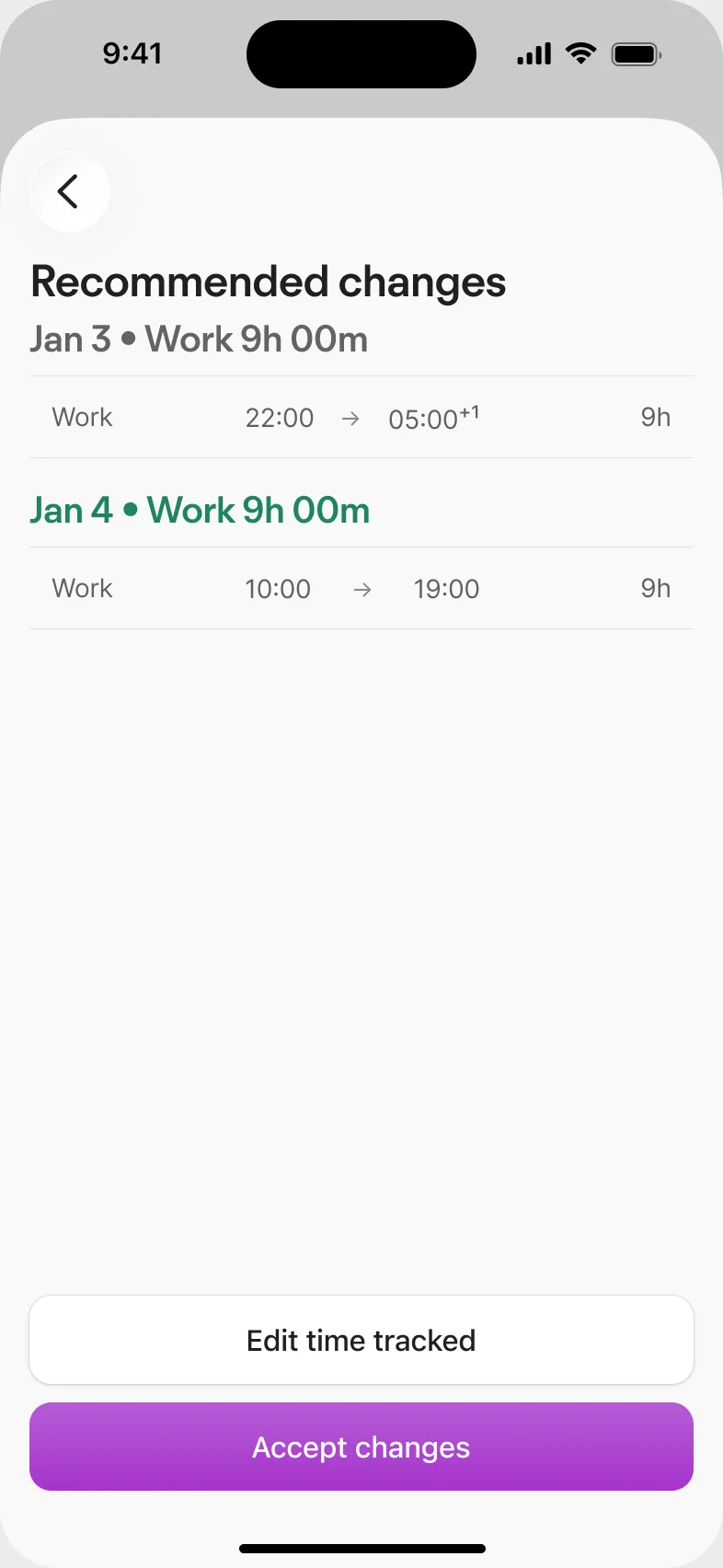
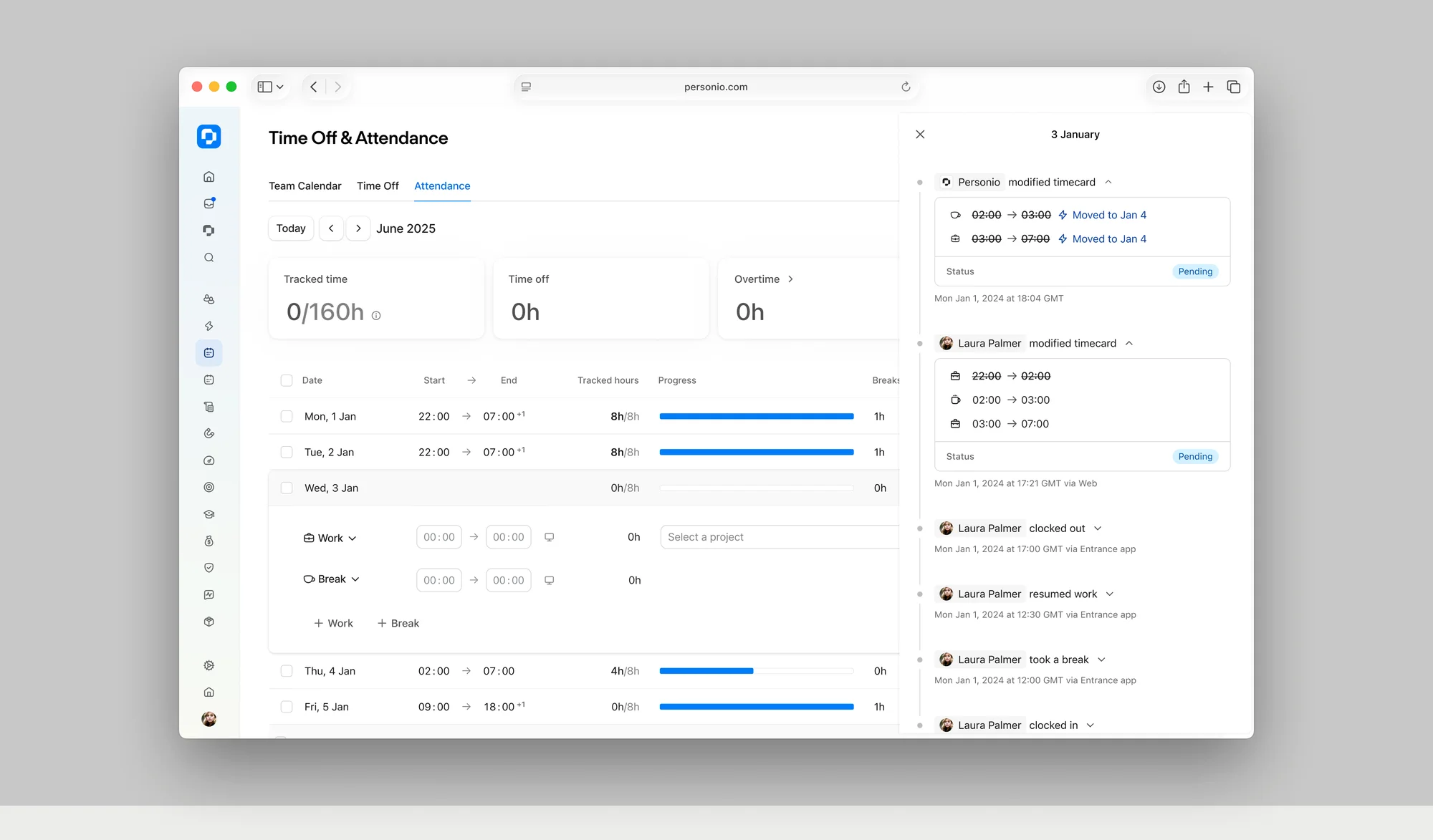
The hardest case was attribution changing someone's time behind their back. In one scenario an employee had tracked 12:00 to 20:00 on Jan 4, then added a period from 10:00+1 to 12:00+1 to Jan 3. The attribution rules moved it to Jan 4, which pushed Jan 4 over the maximum working hours. The employee had to see that before confirming, and the same way on every device.
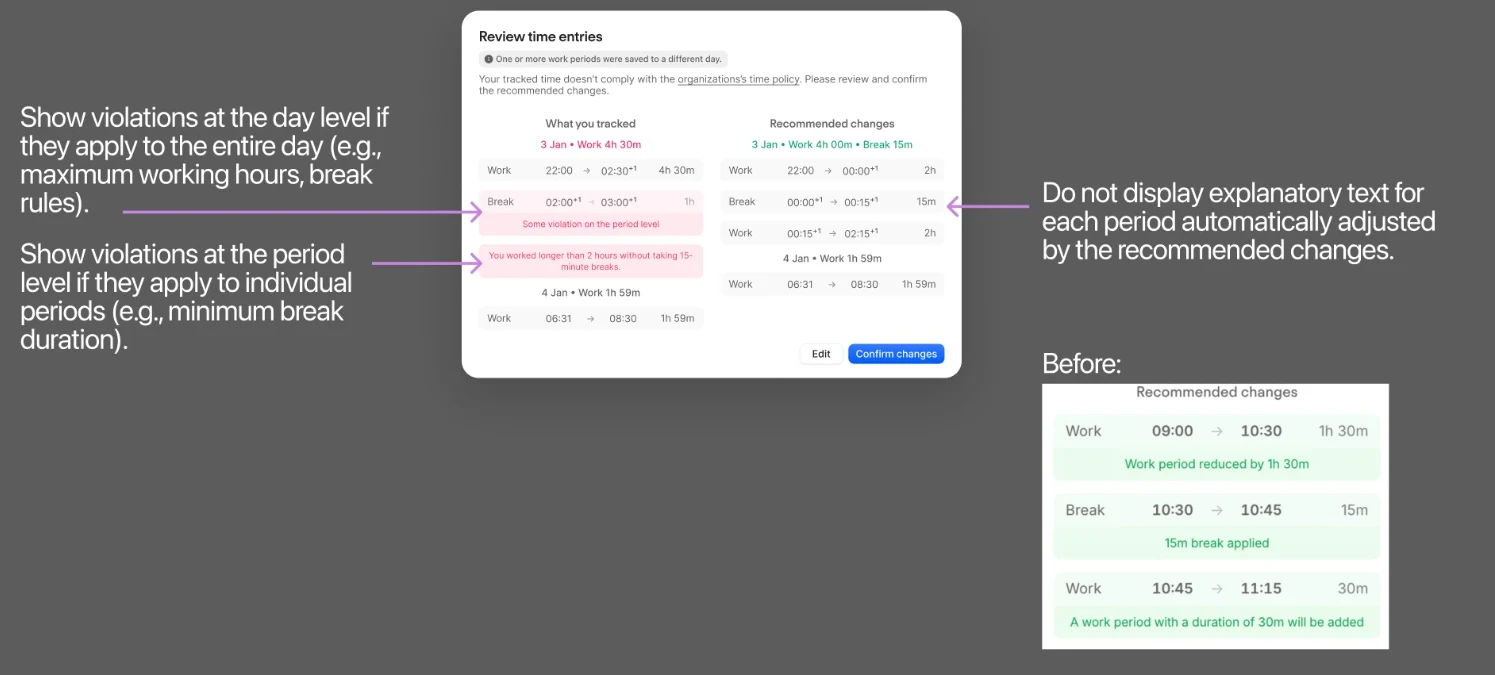
I set principles for the review screen that every platform follows:
- Same everywhere. The review modal is consistent across web, mobile and the kiosk, in design and content.
- Show every affected day. Not only the current day, but any other day the attribution changes.
- Daily totals carry the status. Red if the day is non-compliant, grey if it's unaffected, green once the recommended changes are applied.
- Violations sit where they apply. On the day for whole-day rules like maximum hours, on the period for period rules like minimum break length.
- Less text. No explanation on every adjusted period; the before and after columns say it.
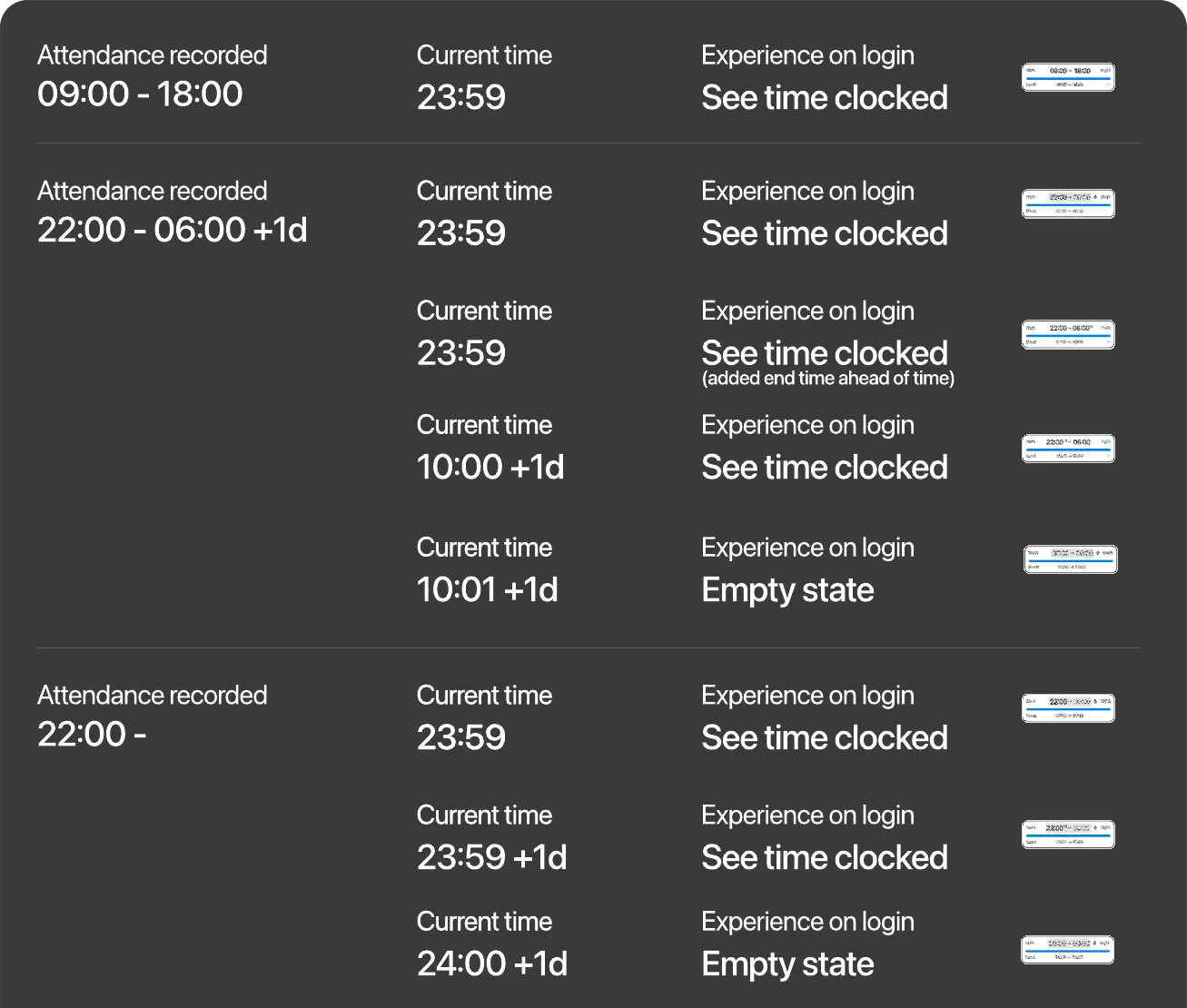
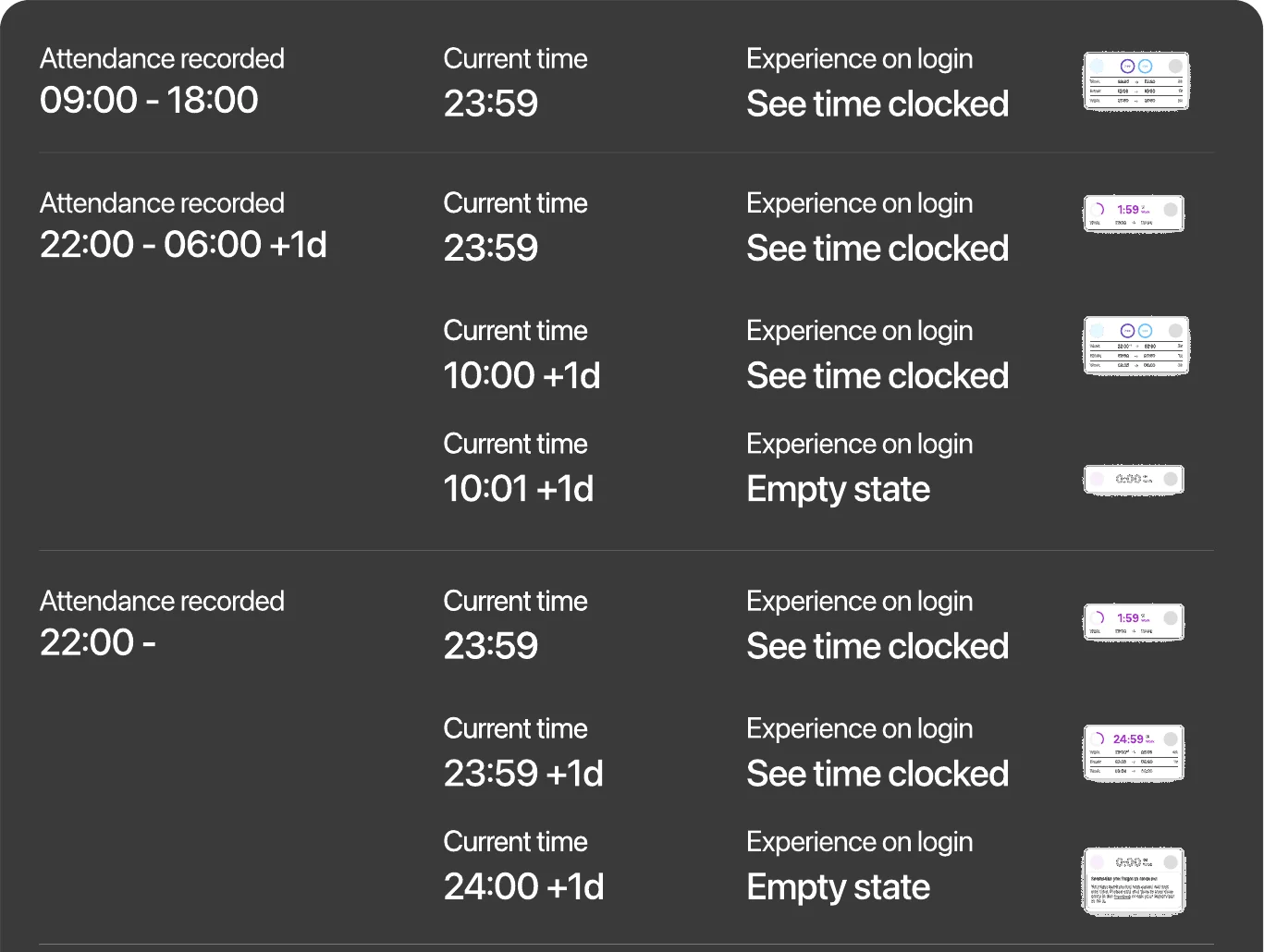
The home widget hid real complexity too. I mapped what an employee sees on login across manual and live tracking, and as a team we agreed two rules, which were built. When the end time is known, the widget resets at the later of midnight or the minimum rest period. When it isn't, the entry stays for at most one extra day, then the widget resets at midnight.
How I led and aligned
Overnight crossed team lines: mobile, shift planning, time policies, inbox, home page and reporting all owned surfaces that had to change. I was the designer holding the whole model together across them.
Where I pushed backI argued against UI changes that customers had not asked for. My design manager pushed for broad visual exploration; I made the case to my PM that every new pattern would grow the scope, on top of a large amount of new back-end logic. I still explored the options properly, so the team could compare them, and none of them earned their cost. We kept the interface change to the minimum (decision 3).
- I ran the prototype interviews and brought the findings into design reviews.
- I worked through absences, the API, reporting, payroll and compliance with product, engineering and other teams, and raised a legal check on whether countries differ in how time must be attributed.
- Engineering input set delivery order: desktop before mobile, imports later.
The design
Schedules
Tracking
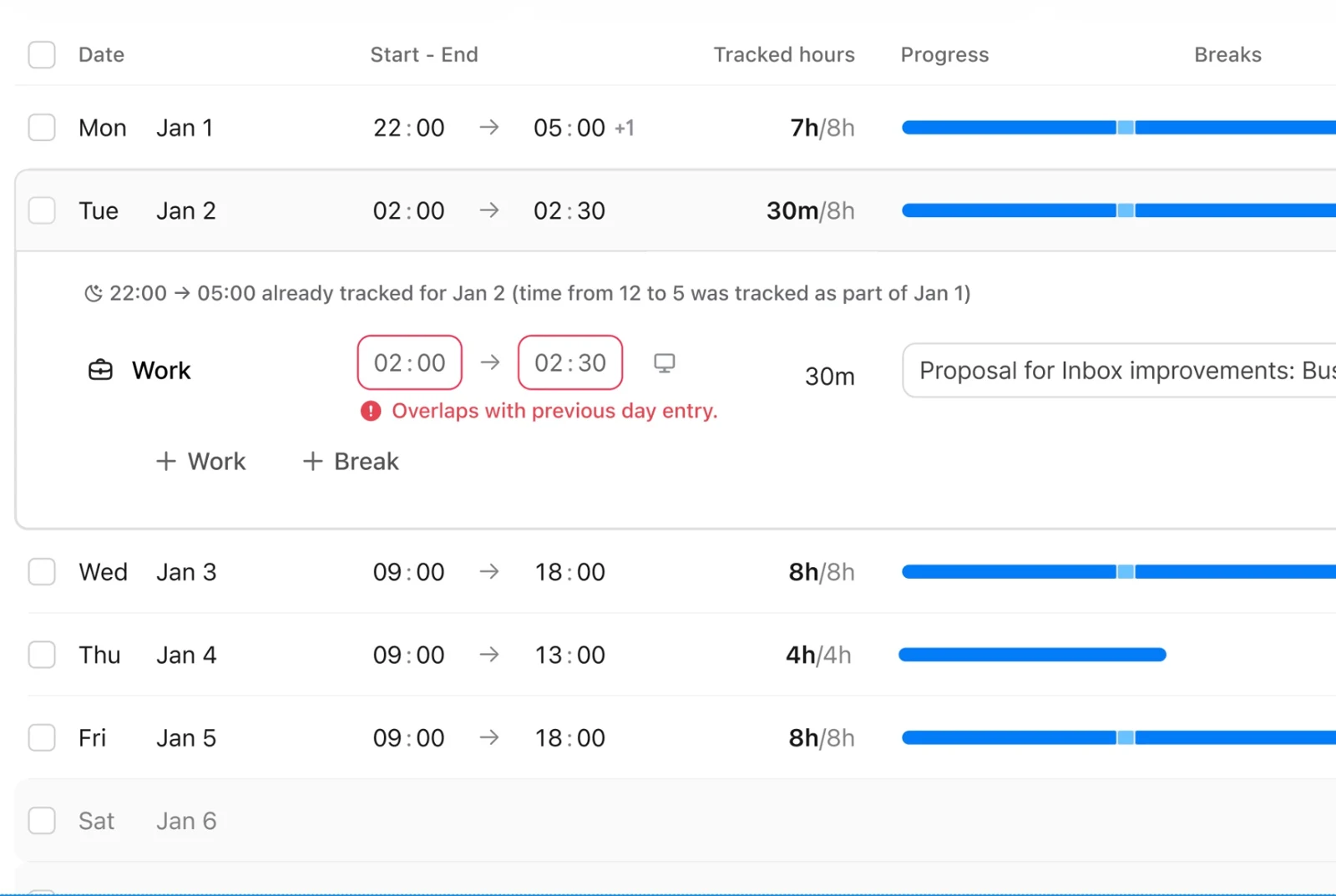
Review and approval
Absences
What customers said when they saw it
I ran prototype sessions with four customers throughout the project. These are reactions before release, not post-launch data.
- Start-day attribution matched expectations.Counting overnight hours on the day the shift starts seemed logical to all four.
- The core flows were clear.Scheduling, live and manual tracking and the timesheet matched expectations. One called the timesheet "wonderful".
- Absences on the start day made sense.One would explain the half-day rule to employees and did not see it as a problem.
- One gap and one request.One was unsure how to tell when a shift ends if the work schedule has no start and end times. Another loved the moon icon and asked for a sun on day shifts.
Shipping it all at once
Overnight meant rethinking how our attendance product worked and how data flowed between its parts:
- Employee work schedules
- Every tracking surface: timesheet, mobile app, entrance app, API and import
- Overtime and premium calculations
- Absences on overnight shifts
- Reporting and exports
The scale of the change was unprecedented, and we could not ship it gradually: for overnight to work end to end, every change had to go out at once. We reduced the risk with a closed beta for customers with many night trackers. Once we had confirmed everything was stable, we launched with an opt-in and switched everyone over at the end of two months.
The biggest win was almost no impact on contact rate: only a handful of support tickets came in over the first three months after release.
What I'd do differently
The project changed PM more than once early on, and each handover cost us time re-aligning, so we started without a clear direction and got lost in edge cases. We also spent a lot of time on broad visual exploration that, as decision 3 shows, never earned its cost.
Next time I would spend that time with engineers instead, stress-testing the logic scenario by scenario. The hard part of Overnight was the rules, not the screens, and working closely with engineering would have kept us moving and grounded while the product direction settled.
What's next
Customers want next: forgotten clock-ins and clock-outs, entries restricted to the scheduled shift, flagging missed time and automatic night surcharges. Daylight saving, time zones and end-day attribution were planned for later.